

















































Why Read This Article?
Finish Nailer Repair - Replacing the Driver Guide (Ridgid Part # 79004001022)
Article Breakdown
Finish Nailer Repair - Replacing the Driver Guide (Ridgid Part # 79004001022)
Video
Tools & Materials
- Flat-head screwdriver
- Phillips screwdriver
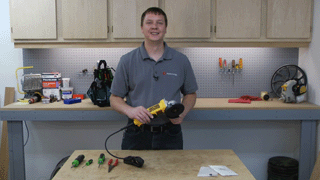
For this repair we used a DeWalt D28402 grinder. To find replacement brushes for your DeWalt grinder, visit our DeWalt power tool parts finder.
Replacing the Brushes
1. Remove the back cover
Remove the screws that secure the back cover. Then remove the back cover.

2. Remove the switch and lock
Remove the paddle switch.
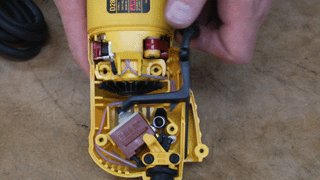
Remove the lock button.

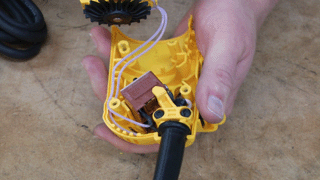
3. Separate the housing
Now you can separate the pieces of the housing. This will give you better access to the brushes.
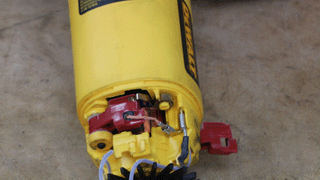
4. Remove the brushes
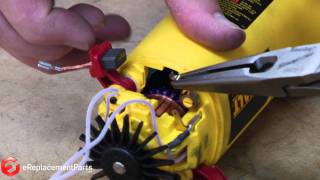
Disconnect the terminal that connects the brush to the grinder.

Use a screwdriver to lift the brush spring out of the way.

Flip the brush holder up and remove the brush.

Repeat these steps for the brush on the other side of the grinder.
5. Install the new brushes
Thread the brush wire through the holder and seat the brush.
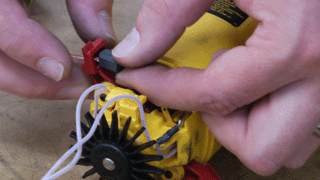
Pull the spring out of the way, flip the brush holder down, then set the spring on top of the holder.

Reattach the brush terminal.

Repeat the brush installation on the other side.

6. Reattach the housing
Reattach the two pieces of the grinder housing, then route the wires around the tab and into the grooves so they won't interfere with the fan or switch.

Add the paddle switch and lock button.

Spin the grinder by hand to ensure the wires are out of the way.
7. Reinstall the housing cover
Reinstall the the housing cover.

[Back to Top]
Conclusion
And that's how easy it is to replace the brushes on a DeWalt D28402 grinder. This repair should only take you about 10 minutes and is a good one to know as you'll probably replace the brushes a few times during the life of your tool.
Remember to use our power tool parts finder to find parts for all your power tools, including brands such as DeWalt, Ryobi, Porter Cable and dozens more.
[Back to Top]
What We're About