
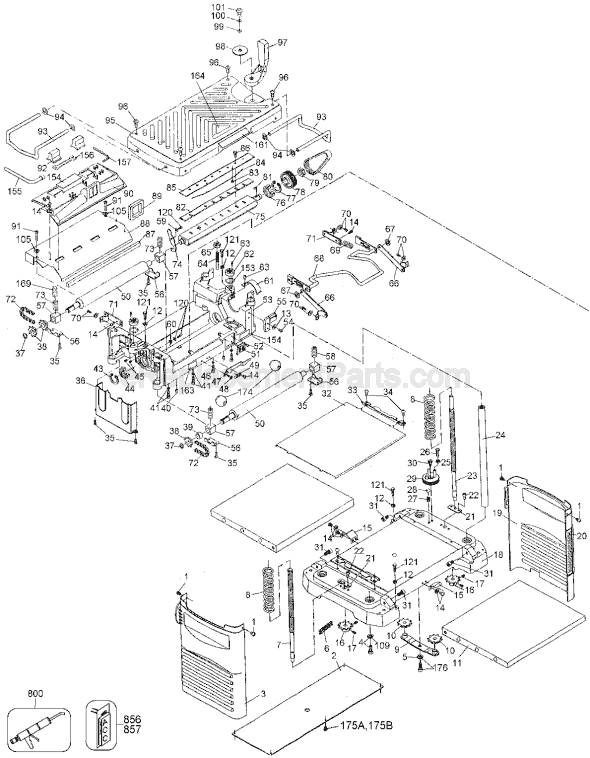


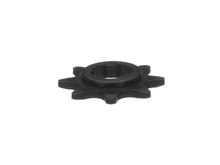
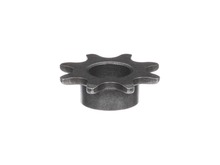






Part Location Diagram of 285960-00 DeWALT Drive Chain
See part 72 in the diagram
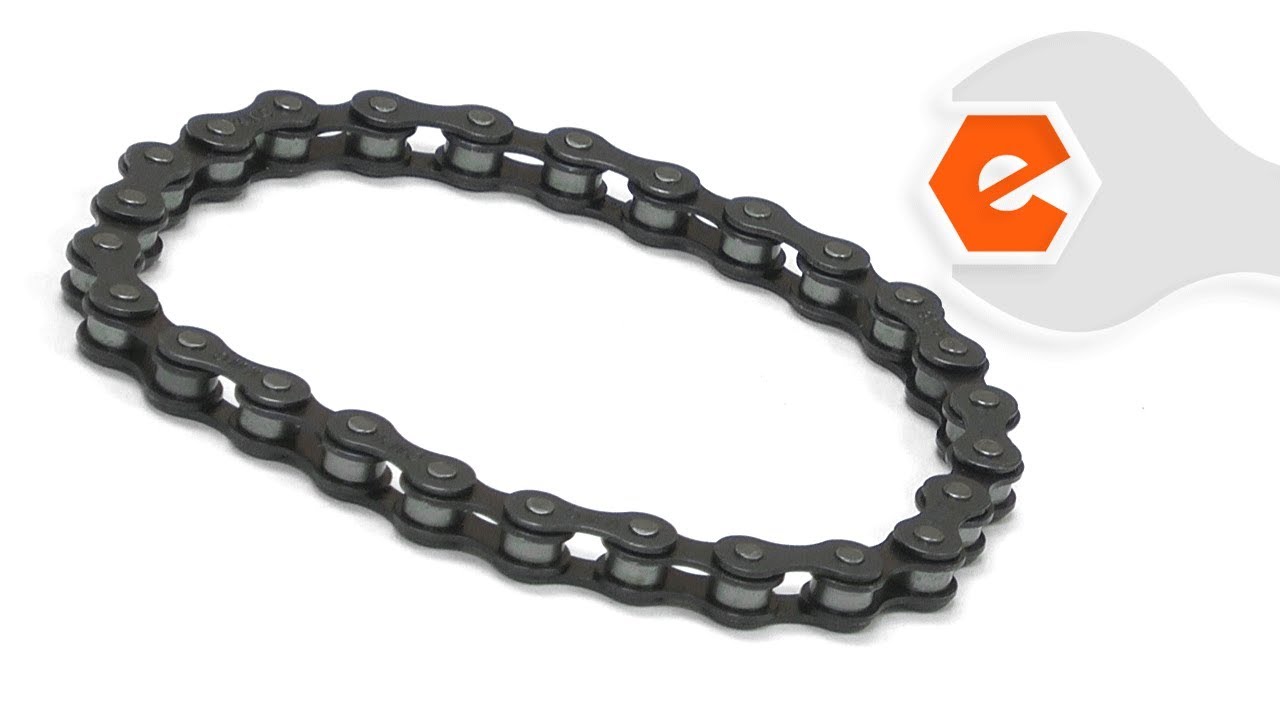
Replacing your DeWALT Planer Jointer Drive Chain
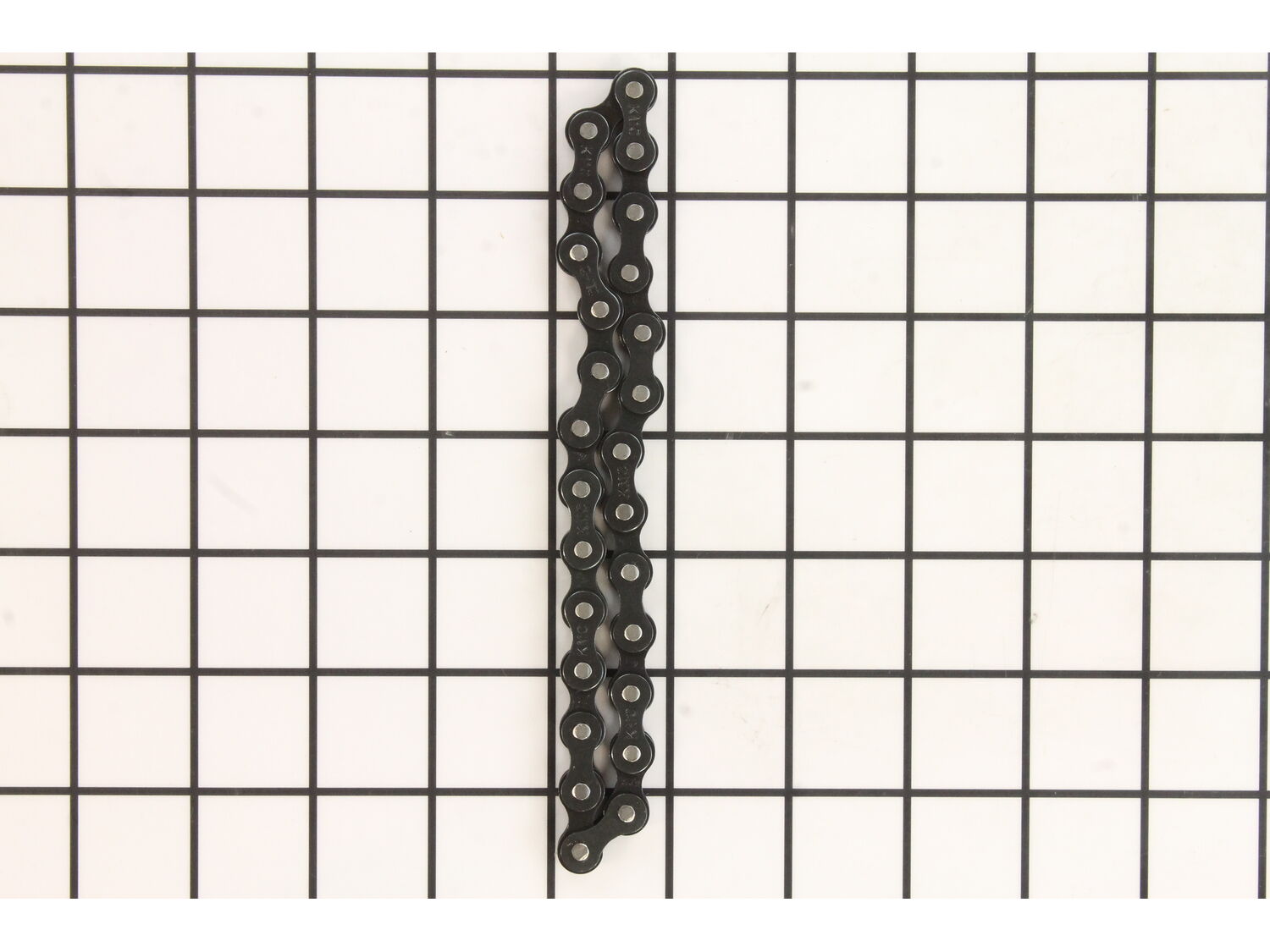
( Grid squares measure 1x1 inch )

Drive Chain 285960-00

Manufactured by:
DeWALT
ERP Number:
ERP10168668
Part Number:
285960-00
Original Equipment Manufacturer ?
In Stock
Delivers in 3-5 Business Days!

Easy 

1- 2 hours 

(24 rated repairs) ?

Does this part fit my model?

Need help finding your model number?

Product Description

?

This genuine Dewalt drive chain is designed for use with planers. The purpose of this item is to drive the roller. Over time chain will stretch and would need to be replaced. It is made out of metal and it is sold individually. You would need a screwdriver and snap-ring pliers to complete this repair.

Frequently Purchased Together

?

Troubleshooting

This part works with the following brands:
  • DeWALT
This part works with the following products:
  • Planer Jointer

Videos For installing this part.

?
Replacing your Drive Chain

Customer Part Reviews

?
4.8
Average Rating (out of 5):
★★★★★
★★★★★
(10 Reviews)
Click to filter by ratings:
  • 5 stars
    8
  • 4 stars
    2
  • 3 stars
    0
  • 2 stars
    0
  • 1 star
    0
  • 1
Sort by:  
Sorry, we couldn't find any existing reviews that matched. Try using some different or simpler keywords.

Questions & Answers

?

Our customer Service team is at the ready daily to answer your part and product questions.

Be the first to ask our experts a question about this part!

Ask our Team

We have a dedicated staff with decades of collective experience in helping customers just like you purchase parts to repair their products.

Does this fit my product?

Customer Repair Instructions

All our customer repair instructions are solicited directly from other customers just like you who have purchased and replaced this exact part.

Easy 

1- 2 hours 

(24 rated repairs) ?
  • 1
  • 2
  • 3
Sort by:  
Sorry, we couldn't find any existing installation instruction that matched.

Dewalt DW733 planer, feed rollers were skipping...

William from San Diego, California

15 of 15 people found this instruction helpful.
Difficulty Level:
A Bit Difficult
Total Repair Time:
1- 2 hours
Tools:
Screw drivers
Parts Used:
285960-00
1) Unplug planer
2) Remove plastic side cover closest to switch by removing two screws and lifting cover off
3) Raise planer as if you were planning a 6 In think plank
4) Remove plastic chain drive cover using a stubby Phillips screwdriver
5) Remove retaining rings securing sprockets using retaining ring plier s
6) Remove chains and sprockets
7) Affix new chains to sprockets and re-install sprockets
8) Replace retaining rings
9) Replace plastic chain drive cover
10) Replace plastic side cover

PS: If also replacing the urethane drive belt on the opposite side, soaking the belt in very hot water, and having a second pair of hands will help with this challenging procedure.
Did you find this story helpful?
Thank you for voting!

Worn drive roller bushing

Gerald from Plains, Montana

4 of 4 people found this instruction helpful.
Difficulty Level:
Easy
Total Repair Time:
15 - 30 mins
Tools:
Screw drivers, Socket set
Parts Used:
285960-00, 285928-00
1. Remove covers
2.Remove sprocket holding snap rings
3. Slide the sprockets off with the chains
4. Block up drive rulers and remove bolts holding the bracket.
5. Remove blocks carefully and watch for springs, Note that on the output roller on sprocket end there are 2 springs one inside the other.
6. Replace bushings on drive rollers
7. Using blocks with a wedge to support the roller with springs on top of bushing slide the roller , bushings and springs up into the slot.
8. Bolt bushing brackets in place. Note: bolts are 1/2 in 10-32 I replaced the phillips head bolts with allen head bolts for easier removal in the future. Nearly all the phillips head stripped out on removal. had to use water pipe pliers to remove.
9. Put chain on sprockets, line up the keyway and slide sprockets on shaft.
10. Install snap rings to retain sprockets.
11. With coverings off, plug in and start planer. Observe the system in operation.
12. Replace covers.
Did you find this story helpful?
Thank you for voting!

Feed rollers kept skipping. Initially thought it was bad chain, but turned out one of the bushings had been almost entirely worn through.

Scott from Spokane, Washington

2 of 2 people found this instruction helpful.
Difficulty Level:
A Bit Difficult
Total Repair Time:
30 - 60 mins
Tools:
Pliers, Screw drivers, Wrench (Adjustable)
Parts Used:
285960-00, 285945-00
1) Move cutting assembly to its highest level. This will give you just enough room for the screws you will have to take out.
2) Remove plastic yellow side panels. You must remove the one on left side of planer, the one on the right just makes it easier. There are two small screws at the top holding each in place. Quite a lot of forc e is required to pop these panels out.
3) On left side of unit, remove plastic housing covering chain/sprocket assembly. There are two screws from the bottom holding cover in place, one on either side, near the vertical rails. This should expose the ends of three axles, with two chain connecting them.
4) Remove retaining clips from end of axles to release sprockets. This was the hardest part, especially if you don\'t have the correct tool. I tried to get them with needle nose pliers and screwdrivers, but folded and purchased specialty pliers. Much easier with the right tool.
5) Remove sprockets, chains and spacers from axles.
6) The two bushings on this side should be exposed. You can identify the retaining bracket that is holding the bushings against some springs.
7) Remove all four retaining brackets. Each one is held in with two screws from the bottom of the assembly. This will require a very short screw driver as the clearance is minimal.
8) As the retaining brackets are removed the bushings will drop as they are being pressed by springs out of the assembly. Be sure to retain springs, they rolled all over my shop when I was not paying attention. There are two springs pushing the back left bushing, be aware.
9) Remove old bushings. Inspect for wear on the rollers. As the rollers are now out of the planer, this is a good time to clean them.
10) Lubricate new bushings. I used a silicon spray lubricant as suggested by my local power tool store. Slide new bushings on to rollers. Wipe away excess lubricant, you don\'t want that interacting with the rubber on the rollers.
11) Prepare retaining brackets, springs and bushing/roller assemblies. Insert spring first, then slide in bushing, paying attention to orientation. The long side should be parallel with the planing bed. This should mean there are no gaps between the sides of the bushing and the cutting assembly. Once spring and bushing are in place, re attach retaining bracket. Do this for all four bushings. Be sure to add the second spring to the back left bushing. This is the bushing where the rod had two sprockets, one from the motor and one going to the other roller.
12) Inspect chains. Lubricate or replace as needed. Re-attach sprockets with chains. Put the spacer on before putting the front roller sprocket on. Re-attach retaining clips.
13) Re-assemble housings and you should be good to go.
Did you find this story helpful?
Thank you for voting!

When planing, drive chains would jump causing a cut line across the board being planed.

Edward from Mechanicsburg, Pennsylvania

2 of 2 people found this instruction helpful.
Difficulty Level:
A Bit Difficult
Total Repair Time:
More than 2 hours
Tools:
Pliers, Screw drivers, Wrench set
Dewalt DW733 Planer - Type 1

Symptoms: When planing, drive chains would jump causing a cut line across the board being planed.

Cause: Found drive roller bushings worn elliptical causing excessive looseness in drive chains. Further inspection revealed worn ball bearings, cutter head drive pulley worn and loose, m otor bushings excessively worn, lack of grease in motor gearing; gear shaft ends/bushings not lubricated (from factory), unsealed ball bearings in motor shaft housing dry and unlubricated (from factory).

Solution:
1. Completely disassembled the planer and removed worn parts, shafts, motor, disassembled motor gear housing, removed ball bearings, removed head-stock, removed head-stock bearings, cleaned all cast housings, shafts, etc.

2. Reassembled gear housing using sealed and lubricated ball bearings, lubricated drive gears, replaced motor brushes (be sure to run-in the motor brushes under no load for 10 minutes before re-mounting in head-stock casting), reassemble head-stock cutter shaft bearings, cutter head shaft, pulley and feed roller bushings.

3. Note: lightly lubricate roller bushings with heavy duty grease where bushings slide against casting and lightly lubricate the roller shaft ends with heavy grease. A steel shaft against a steel bushing is not a good thing and is what caused the wear to begin with. Ideally, these bushings should have been made with sintered bronze.

4. Continue reassembling remaining parts and realign the head-stock for even planing side-to-side.
Second note: For 733 type 1 planers, remove the locking nut at the top of the two height adjustment screws and discard. These cause binding when raising and lowering the head-stock.
Did you find this story helpful?
Thank you for voting!

Planer was skipping as if chain was jumping sprockets

Dalton from Victoria, Texas

1 person found this instruction helpful.
Difficulty Level:
A Bit Difficult
Total Repair Time:
1- 2 hours
Tools:
Screw drivers, Wrench set
Parts Used:
285960-00, 285945-00
Watched online video on the problem and the repair. Found the bushings worn as shown in the video. Ordered the new parts and reassembled. Works great!,
Did you find this story helpful?
Thank you for voting!

Planer didn\'t want to feed wood to the cutter head

Jack from Parma, Michigan

1 person found this instruction helpful.
Difficulty Level:
Easy
Total Repair Time:
1- 2 hours
Tools:
Screw drivers
Parts Used:
285960-00, 285945-00, 285928-00
Removed side panels , chain guard then the snap rings holding sprockets on . Removed sprockets and chains then replaced three of the bushings . The fourth bushing could not be removed because a Philips head screw refused to budge . The other three was an easy change and they really needed it . Roller shafts were rattling around in the bus hing . Put on new chains and sprockets when putting things back together . One of the chains might have been reused but the other was stiff .

Overall with the exception of trying to break that screw loose without breaking it off the repair went well . Just waiting for a day when the wind isn\'t howling to use it .
Did you find this story helpful?
Thank you for voting!

Dewalt DW733 type 1 skipping

smith from salem, Massachusetts

1 person found this instruction helpful.
Difficulty Level:
A Bit Difficult
Total Repair Time:
1- 2 hours
Tools:
Pliers, Screw drivers, Wrench set
Parts Used:
285960-00, 285945-00
Planer \"skips\" when planing (irregularly) can leave mark on stock when happens.

Note:
I\'d ensure each problem is fixed before you delve deeper, though understand consolidating part order. Ensure planer unplugged, blah, blah, blah. steps 1-3 are ok for novice, step 4 intermediate/difficult

1. Check fe ed rollers if show significant wear, replace will need to follow chain and bushing steps below. If glazed clean with solvent (alcohol or thinner using scrub pad). Don\'t cut yourself on blades
2. Check rubber (nylon) drive belt (located right side from front)
> remove top 4 allen bolts
> remove allen securing height adjuster, then remove handle assembly
> remove 4 screws holding left and right plastic side panels
> lift out side panels
> inspect belt if shows any wear, replace
3. Check drive chains (located left side from front, FYI chains do have normal slack, no tension adj)
> Remove plastic chain cover, 2 screws on bottom front/back
> Remove snap rings
> Ease out sprockets front/rear to remove chains
> Check chains, make sure all links flex easily, if any bind replace chain
> Inspect sprockets, any damage replace
4.Inspect bushings (securing screws are a tough to get out, can try ratchet w/ phillips, I had to use vice grips on heads when phillips started to strip)
> raise cutterhead all the way
> Start with 2 rear bushings
> 2 screws secure each bushing retaining bracket, FYI there are springs pushing down on bushings, but not heavily loaded, ease both out a few turns at a time. Watch bushing, should move downward with spring pressure easily. If it binds bushing and/or spring may need replacement
> Same deal with front
> When reinstalling, ease screws in back/front a bit at a time
5. Drive gears (now we\'re getting into more difficulty, proceed at you own risk. may have missed some screws, but if you\'re game for attempting this, you\'ll get the jist)
> Remove top cover (black) of planer.
> Remove dust chute (3 phillips) and rear blade access cover (2 allen)
> Remove 4 allen screws underneath front of motor assembly
> Remove power switch (6 phillips), disconnect leads (label to ensure proper reattachment)
> Remove nylon belt shroud (rt side, 1 phillips), take belt off rollers
> remove power cord securing screw (left side, 1 phillips)
> Lift out motor assembly
> Remove 2 screws left side securing plastic housing, remove housing
> Detach ground lead (green wire, 1 phillips)
> Remove 4 screws securing gearcase cover, remove carefully
> Inspect all gears replace if damaged. Note: if smallest drive gear damaged is actually the end of armature. big money part...plus bearings, etc...

Put everything back together

This is what I found:
> Drive rollers worn but I decided not to replace yet
> Nylon drive belt was original, looked ok but had discolored to almost brown so I replaced
> 1 drive chain (inner) had bad link
> Bushing on left rear (drive side) had been a bit mangled/cracked either causing or caused by skipping, so I replaced both rear bushings
> Armature spiral drive gear showed wear but big $ part, plus bearings..etc... older planer so no replacement for me
> Everything else looked fine

I fixed the problems in order as listed but still skipped. Not until I got into gearcase (with no replacements) and reassembled did skipping stop, but no obvious problems...

Have planed quite a bit since with no problems, running like new-

...Disassemble..reassemble..disassemble...I\'ve heard patience is a virtue, hours spent, good luck
Did you find this story helpful?
Thank you for voting!

Bushings were worn out and chain was seized up. Thank

Rebecca from Mc Bain, Michigan

0 of 1 people found this instruction helpful.
Difficulty Level:
A Bit Difficult
Total Repair Time:
1- 2 hours
Tools:
Pliers, Screw drivers, Wrench set
Removed the rollers and the drive chains and replaced them. Also replaced a few screws I stripped out while taking it apart.
Did you find this story helpful?
Thank you for voting!

chain was too loose

Arvid from Clermont, Florida

0 of 1 people found this instruction helpful.
Difficulty Level:
Easy
Total Repair Time:
Less than 15 mins
Tools:
Pliers, Screw drivers
Parts Used:
285960-00
Use gear puller.
Replace new chain
Easy
Did you find this story helpful?
Thank you for voting!

Chain was lose

Rob from Madison, Wisconsin

0 of 1 people found this instruction helpful.
Difficulty Level:
Easy
Total Repair Time:
15 - 30 mins
Tools:
Pliers, Screw drivers
Parts Used:
285960-00
Removed and replaced drive chains. Solved problem.
Did you find this story helpful?
Thank you for voting!
  • 1
  • 2
  • 3