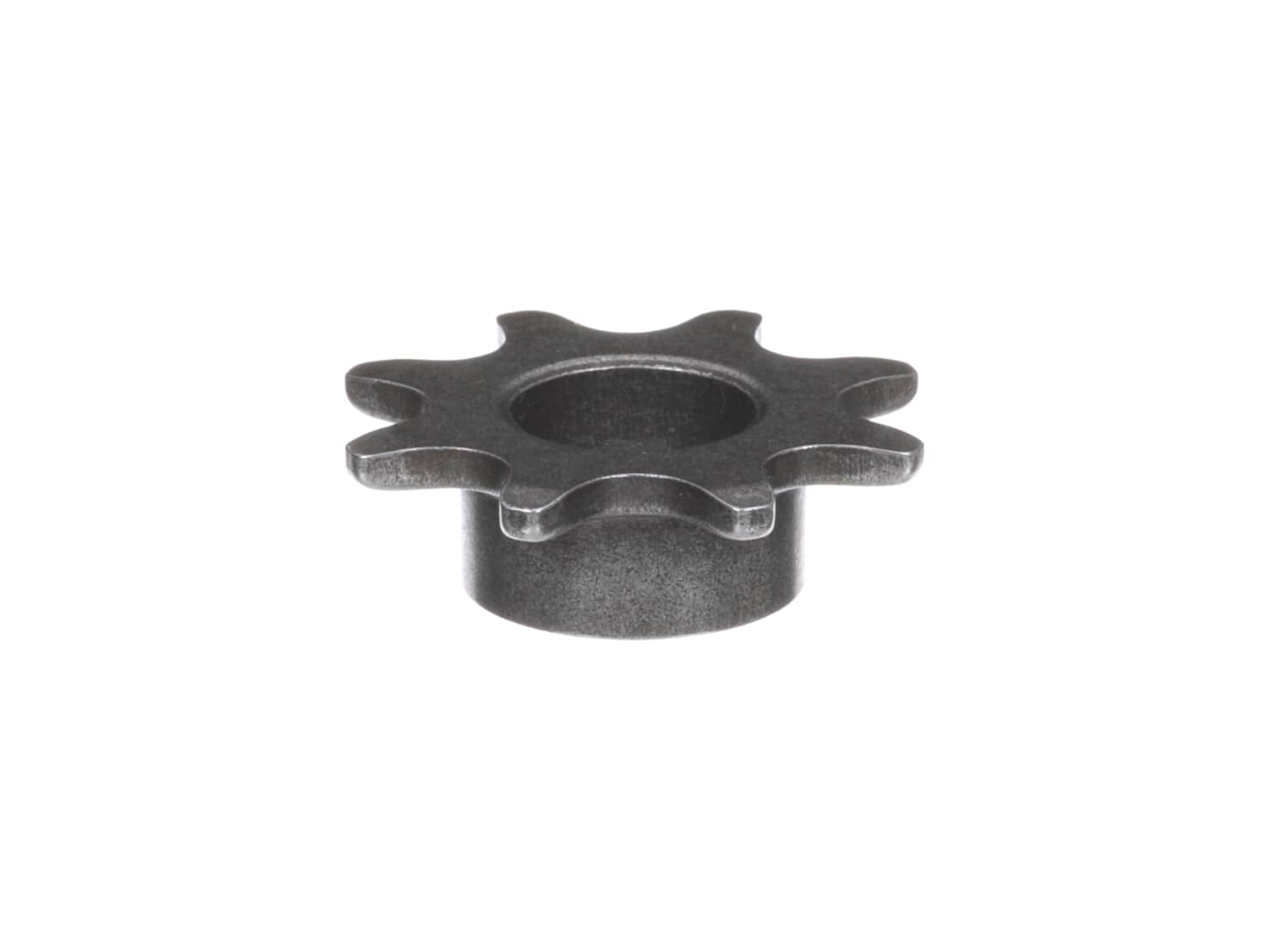
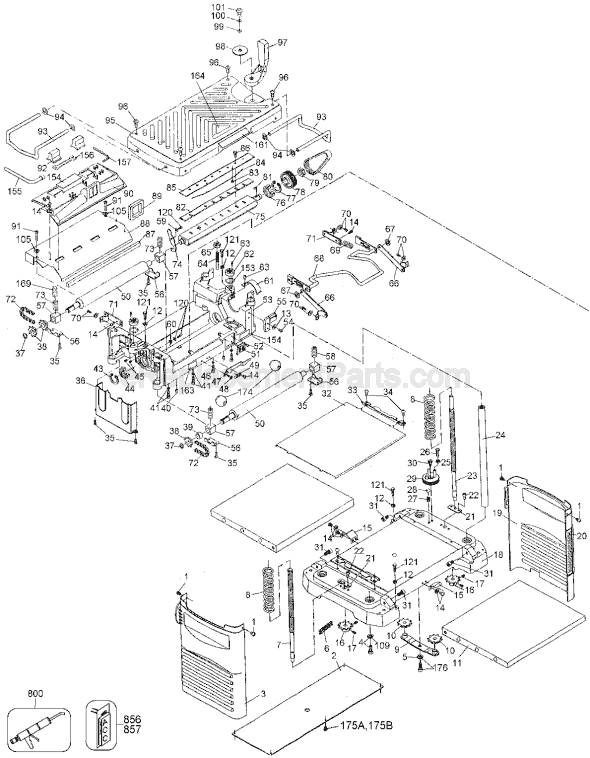
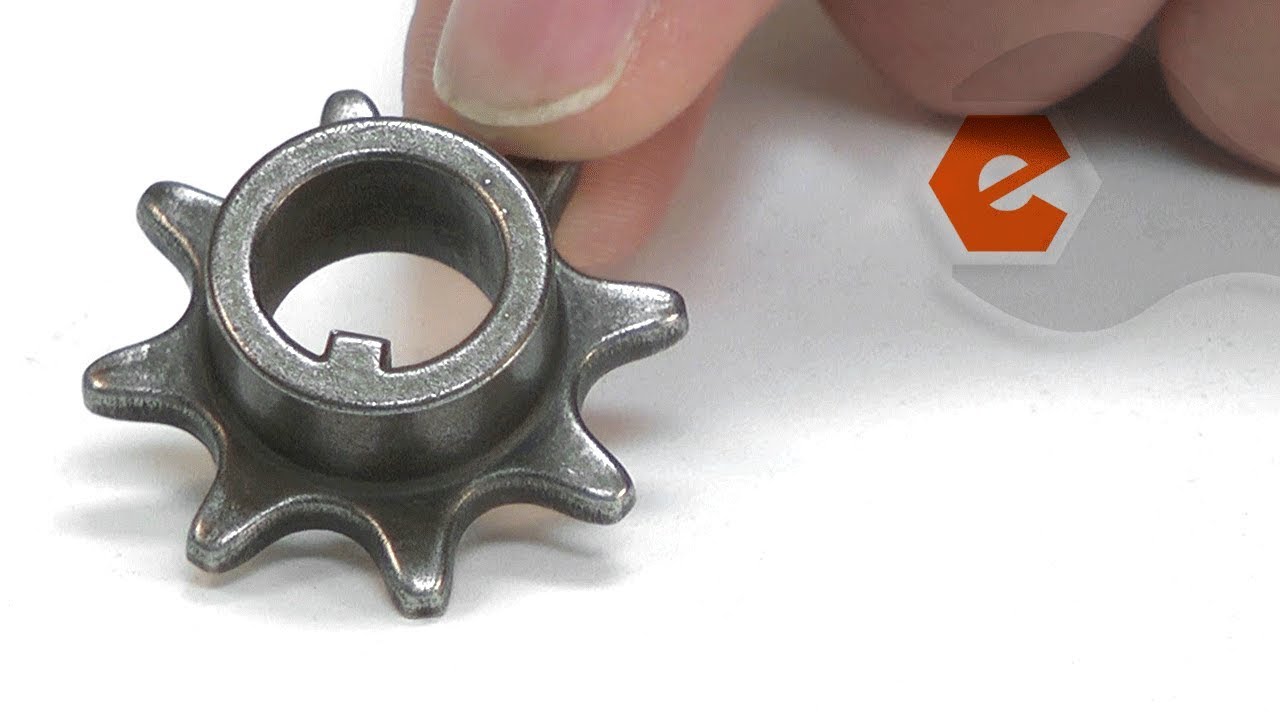
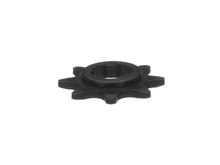
Genuine Dewalt replacement part, this item is sold individually. This Sprocket is used on the Dewalt Planers listed below to drive the feed rollers There are four of these Sprockets used in each Planer. The Sprocket has eight teeth, 5/8 bore, with a 3/16 key inside the bore.
Sorry, we couldn't find any existing reviews that matched. Try using some different or simpler keywords.
★★★★★
★★★★★
Perfect Fit
Parts arrived fast and fit perfectly. Got my planner back in business fast!
Guest - April 22, 2019
Verified Purchase
★★★★★
★★★★★
Old model parts needed
The parts I needed for my older model wood planer were easy to find on your parts list. Easy to check out. Fast delivery. The parts were exactly the ones I needed they fit perfectly. I will tell all my friends about this company
Guest - May 16, 2019
Verified Purchase
★★★★★
★★★★★
Person I dealt with was knowledgable and courteous parts were what I needed and the price was very reasonable
Parts were exactly what I needed the first time
Guest - May 23, 2019
Verified Purchase
★★★★★
★★★★★
Quality parts. Great service. Happy customer!
Perfect fit. Dewalt 733 parts were exactly as advertised. Quick delivery. My customer is very happy with the repair of his planer!
Guest - May 29, 2019
Verified Purchase
★★★★★
★★★★★
Feed sprocket
The new sprocket arrived and fit perfectly. It was as good as the original if not OEM.
Guest - October 25, 2019
Verified Purchase
★★★★★
★★★★★
It was kind of a complicated repair but I was able to make it work.
I think the real reason that the old sprocket broke is because the bearings on the rollers are wearing out and don't roll very well. I shot some oil into the bearing which is a short-term fix, but I am sure that will attract dust which will make things even worse. Long term I need to replace the bearings on the rollers...they are block bearings...maybe blocks of graphite? Replacement was kind of complicated...you have to use snap ring pliers and pull off both bearings at the same time...pull them straight off...in an area hard to access. Now the planer works as built...very smooth.
Guest - November 24, 2019
Verified Purchase
★★★★★
★★★★★
Impossible to find part.
I have an older Craftsman wood planer. Craftsman does not stock parts anymore for this tool and was absolutely no help in finding the part.your part fit perfectly. You might want to research and promote the fact that you have parts for Craftsman tools.
Guest - November 29, 2019
Verified Purchase
★★★★★
★★★★★
Wrong part
The first sprocket sent was incorrect, however they immediately sent the correct one and issued an rma prepaid tag for the wrong part. Great company
Guest - November 29, 2019
Verified Purchase
★★★★★
★★★★★
It fit
It fit shipping was decent
Guest - May 19, 2020
Verified Purchase
★★★★★
★★★★★
Very easy to install, by your instructions. I was totally amazed on the shipping. I live in north Ms. and not counting our COVID problem we’re having. I will order again and I have the conference in your company and super fast shipping. Thanks again
My planer works like new. I ordered 1 sprocket and it was very easy to install.
Guest - September 30, 2020
Verified Purchase
< Prev
1
2
3
Next >
Customer Repair Instructions
All our customer repair instructions are solicited directly from other customers just like you who have purchased and replaced this exact part.
Easy
30 - 60 mins
(32 rated repairs)?
< Prev
1
2
3
Next >
Sort by:
Sorry, we couldn't find any existing installation instruction that matched.
Take side panel off left side. Unscrew top on that side. Remove sprocket cover. Remove circlips on sprockets the remove chains and sprockets. Installation is reverse of these directions.
1. Remove covers
2.Remove sprocket holding snap rings
3. Slide the sprockets off with the chains
4. Block up drive rulers and remove bolts holding the bracket.
5. Remove blocks carefully and watch for springs, Note that on the output roller on sprocket end there are 2 springs one inside the other.
6. Replace
... Read more bushings on drive rollers
7. Using blocks with a wedge to support the roller with springs on top of bushing slide the roller , bushings and springs up into the slot.
8. Bolt bushing brackets in place. Note: bolts are 1/2 in 10-32 I replaced the phillips head bolts with allen head bolts for easier removal in the future. Nearly all the phillips head stripped out on removal. had to use water pipe pliers to remove.
9. Put chain on sprockets, line up the keyway and slide sprockets on shaft.
10. Install snap rings to retain sprockets.
11. With coverings off, plug in and start planer. Observe the system in operation.
12. Replace covers.
1. Removed planer cover.
2. Removed Chain cover.
3.Removed chain,sprockets,split ring keepers,bushings,and rollers.
4. Installed new parts making sure split ring kepers were properly seated.
Note replaced bushing keepers screws with 1/2\" 10/32 allen head screws. Old screws had to be removed with smal
... Read morel pair of vice grips
Access is through the base by laying the planer on it\'s side and removing the plastic bottom, held on by 6 screws. Next, loosen the middle bolt for the vertical adjust rods and remove the chain, end sprockets and middle sprocket holder.
Stand the planer upright and remove the top cover..... 4 corner screws plus the handle on top fo
... Read morer the vertical adjustment.
Remove the 4 bolts holding the vertical adjustment rods in place.
The planer power head can now be removed from the base, carefully as the vertical adjustment rods go thru it.
Remove the plastic cover shielding the feed roller drive end.
Remove 3 snap rings, 2 chains and 4 sprockets from drive end
Remove 2 bolts holding each end of each (2) feed roller.
Feed rollers will be pushed out slightly by springs and will easily slide out after that.
Replace bushings. The one with the double sprocket was completely worn out on mine but the other 3 looked new ... replaced all 4.
Reverse above procedure to re-assemble.
Raise planer head all the way up so you can access phillips screws on bottom cover. Very easy remove side cover and bottom plastic cover with short phillips screw driver. Find why feed rolls do not work. It will be a drive sprocket or chain that is broke. Do not take chain apart when replacing sprocket. Remove outside sprocket to replace
... Read moreinside sprocket. Place new sprocket in chain and walk it back or forward to line up the key in the key way. Slide on outside sprocket with chain on it place retainer clip on shaft to hold sprockets. put side panel on and replace bottom cover and you are ready to go.
Read less
Did you find this story helpful?
Thank you for voting!
Broken sprocket on feed rollers
Scott from Leola, Pennsylvania
2 of 3 peoplefound this instruction helpful.
Difficulty Level:
A Bit Difficult
Total Repair Time:
30 - 60 mins
Tools:
Screw drivers, Socket set, Wrench (Adjustable), Wrench set
1. Cranked the cutter assembly as far up as it would go.
2. Removed the left side cover (2 Phillips screws).
3. Removed the dust shield (2 more Phillips screws from the bottom, you can\'t see them).
From here the drive sprocket (top one) was obviously broken. It was in two pieces hung up in the lower chain.
... Read more Now is a good time to clean the sawdust out of the machine and lightly oil the height adjusting bolt and columns.
4. Note the position of the sprockets. Three are the same part number, one is different. Orientation matters so take a picture if you have to.
5. Remove three clips that hold the sprockets on the various shafts.
6. Remove the outer chain with its two sprockets.
7. Remove the inner chain with the remaining sprocket
8. Slide the inner chain back on the shafts with the new sprocket and the surviving older sprocket. If the chain has much slack you want to replace it too or you will be back to do it later.
9. Reinstall the outer chain and all three clips, Reinstall the dust cover and the side cover.
Make a test run with a short scrap. It should work like new.
Read less
Did you find this story helpful?
Thank you for voting!
Planer didn\'t want to feed wood to the cutter head
Removed side panels , chain guard then the snap rings holding sprockets on . Removed sprockets and chains then replaced three of the bushings . The fourth bushing could not be removed because a Philips head screw refused to budge . The other three was an easy change and they really needed it . Roller shafts were rattling around in the bus
... Read morehing . Put on new chains and sprockets when putting things back together . One of the chains might have been reused but the other was stiff .
Overall with the exception of trying to break that screw loose without breaking it off the repair went well . Just waiting for a day when the wind isn\'t howling to use it .
Removal covers pulled out support rods removed motor cutter roller assembly replaced roller bushing chains and sprockets . Reassemblied back to working order.
Went well with all the necessary parts on hand THANKS
Did you find this story helpful?
Thank you for voting!
< Prev
1
2
3
Next >
Model Cross Reference
This part works with the following models:
ERP Number: ERP10168640
Manufacturer Part Number: 285928-00
This part is in stock in our warehouse and will ship out within 1 business day of the order being placed.
New stock is on the way! On order parts usually ship within 7 business days.
Item is not in stock and usually ships 10-15 business days from the time you place your order.
This item is no longer being made by the manufacturer, and cannot be added to your shopping cart.
✖
Mail-In Recycling Rebate
Some of the parts we sell are eligible for mail-in rebates since we can recycle them. We will display any applicable rebates in your shopping cart. To redeem your rebate, contact Customer Service after you have received your part.