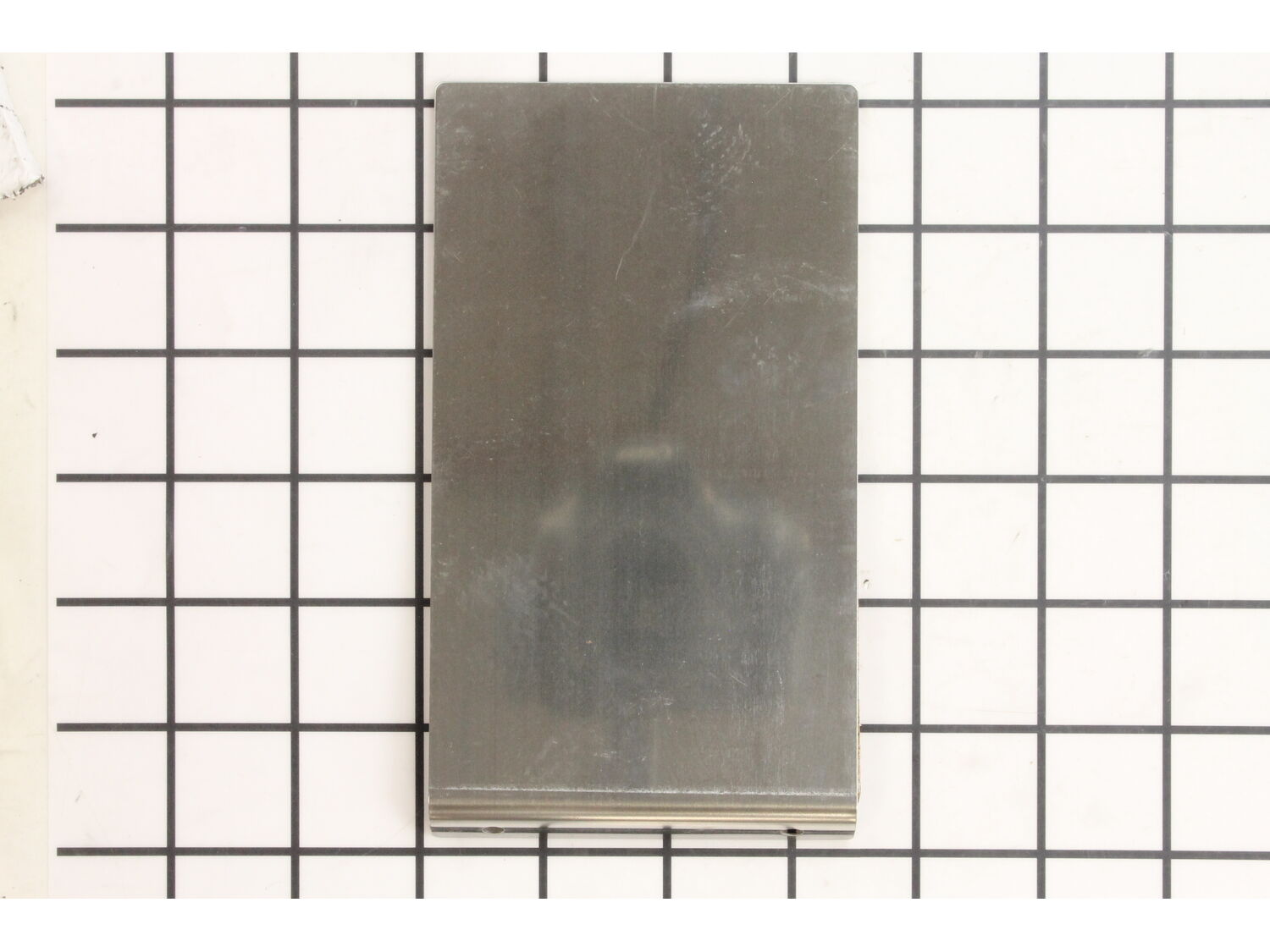
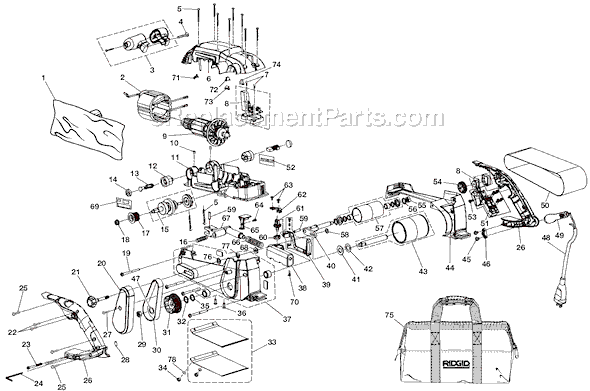
This genuine item is supplied by the original equipment manufacturer for use with Ridgid belt sanders. The backing pad is made of a thin material and is sold individually. When replacing this part a screwdriver might be required during the installation process. It may become broken and will need to be replaced.
Troubleshooting
This part works with the following brands:
Ridgid
This part works with the following products:
Sander Polisher
Part# 300674005 replaces these:
300674005,
★
Customer Part Reviews
?
5.0
Average Rating (out of 5):
★★★★★
★★★★★
(2 Reviews)
Click to filter by ratings:
5 stars
2
4 stars
0
3 stars
0
2 stars
0
1 star
0
< Prev
1
Next >
Sort by:
Sorry, we couldn't find any existing reviews that matched. Try using some different or simpler keywords.
★★★★★
★★★★★
About as simple as it gets. Great price on OEM Part.
My sander backing plate was worn through and shredding belts. Looked elsewhere for a replacement, but they lacked the cork heat sink on the back side. So glad I found eReplacementParts. They have the OEM parts I need to repair my equipment and keep things in working order. I share your sight with friends and family, and will be ordering more parts for other damaged tools soon. Keep up the good work!
Michael - May 23, 2019
Verified Purchase
★★★★★
★★★★★
Simple replacement
Ordered Friday, received Tuesday. Exact part with no hassle replacement.
Guest - August 3, 2019
Verified Purchase
Customer Repair Instructions
All our customer repair instructions are solicited directly from other customers just like you who have purchased and replaced this exact part.
A Bit Difficult
Less than 15 mins
(7 rated repairs)?
< Prev
1
Next >
Sort by:
Sorry, we couldn't find any existing installation instruction that matched.
The backing pad on the Ridgid was worn out due to use
1. Removed the sanding belt
2. Removed the two torx screws holding the old pad to the sander
3. Installed the new backing pad with the torx screws just removed
4. Re-installed the sanding belt and went back to using the belt sander
It was an easy fix and resolved the issue with the sanding belts tearing due
... Read moreto getting caught on the worn out backing pad.
1. Remove two short screws from leading edge of plate with a Torx 20 screwdriver or bit. Be careful not to lose the lock washers.
2. My new sander plate had a big inventory sticker on it. That label must be removed before installation. Take your time and try not to shred it. Use PB Blaster or WD40 or similar lubricating agent to rem
... Read moreove all adhesive from the plate. Avoid getting the lube on the cork side. Wipe it clean after the adhesive is removed.
3. Install the new plate with original two screws. Hand tighten. Don\'t use a power driver or you risk stripping the aluminum base. (If screws loosen during use, put a drop of medium strength thread locker on the threads and reinstall.)
4. Put on a new sanding belt and you\'re back in business.
Read less
Did you find this story helpful?
Thank you for voting!
The backing pad had worn down on the center rear and began tearing up the belts.
Remove two screws from the old cork and steel pad and remove it
Install the new pad with the two screws
Did you find this story helpful?
Thank you for voting!
When I purchased this sander these parts were missing. It has been a few years since I purchased this product at a major retail store (as is) but I knew the brand well and that parts could be bought.
1. I replaced the brushes and installed the new keepers.
2. Replaced the front knob handle although it did not have the tightening screw (sold separately)
3. Installed the backing pad and belts (wa-la) works like a charm.
Did you find this story helpful?
Thank you for voting!
Release lever cracked, backing pad wore down, idle arm support was damaged
Removed the worn parts. Had trouble removing the cam-arm and cam from the Idle arm support. Lube on the cam helped. It\'s best to set the cam in place before adding the cam-shaft by compressing the release spring. After that, reassembly is straight forward.
Did you find this story helpful?
Thank you for voting!
< Prev
1
Next >
Model Cross Reference
This part works with the following models:
ERP Number: ERP18693714
Manufacturer Part Number: 300674005
This part is in stock in our warehouse and will ship out within 1 business day of the order being placed.
New stock is on the way! On order parts usually ship within 7 business days.
Item is not in stock and usually ships 10-15 business days from the time you place your order.
This item is no longer being made by the manufacturer, and cannot be added to your shopping cart.
✖
Mail-In Recycling Rebate
Some of the parts we sell are eligible for mail-in rebates since we can recycle them. We will display any applicable rebates in your shopping cart. To redeem your rebate, contact Customer Service after you have received your part.