



How to Replace the Carbon Brushes on a KitchenAid Stand Mixer
Carbon brushes transfer electricity to a motor by touching the motor's spinning armature.
Because of the friction involved, carbon brushes are designed to wear down over time.
Worn or failed carbon brushes will not transfer power to a KitchenAid stand mixer. Worn or failed brushes will also cause off-and-on service and/or prevent the machine from starting.
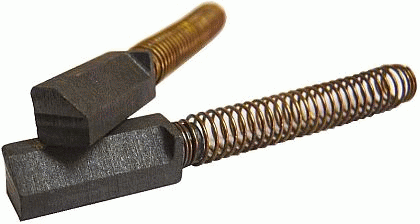
Replacing the brushes in a KitchenAid mixer only takes minutes, and because the brushes themselves are very inexpensive, this is a great way to save money at the repair shop.
Follow the simple home repair steps below to replace the carbon brushes in your KitchenAid mixer.
Steps to Replace KitchenAid Mixer Brushes
Each side of the mixer's motor housing holds a carbon brush underneath a brush cap.
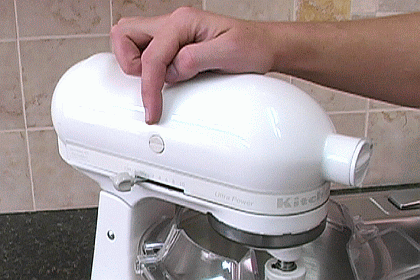
1. Unscrew the brush caps with a flat head screwdriver.
Take care when unscrewing the brush caps.
The carbon brushes underneath are held in place with springs, so they will want to fly out of the machine when the caps are released.
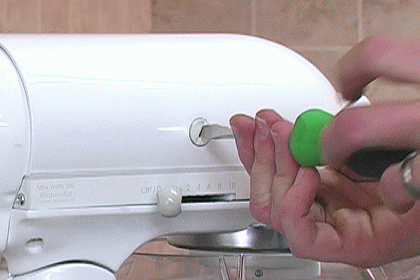
Unscrew the brush caps slowly to prevent the brushes from flying out.
2. Remove the old brushes from the machine.
It will be easy to pull the carbon brushes out after the brush caps are removed.
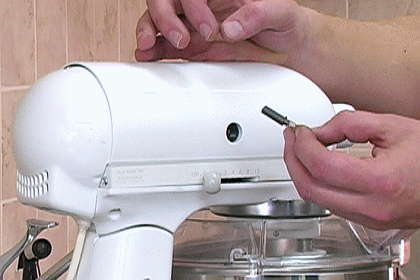
3. Install the new carbon brushes.
The carbon brushes for KitchenAid mixers have a special shape.
One corner of their otherwise square shape is flattened at a 45 degree angle, ending in a dog ear tag at the base of the brush.
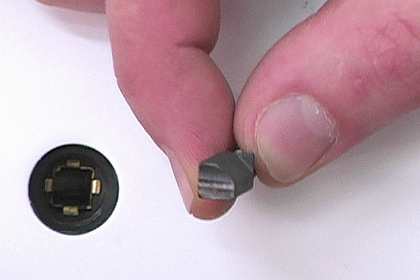
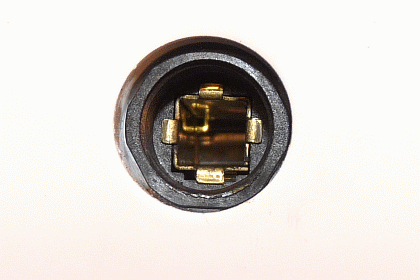
Accordingly, the brush holders on the sides of the mixer also have a special shape to accommodate the brushes.
One corner of each brush holder is occupied by a square box. The dog ear corner of the carbon brushes must be lined up with the squared-off corner of each brush holder.
4. Reinstall the brush caps.
After installing the new brushes, the mixer's brush caps must be returned to hold them in place.
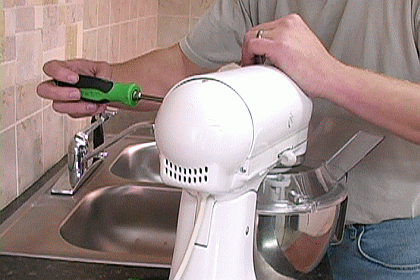
Tighten up the brush caps with a flat head screwdriver.
Conclusion
This repair pertains to the following KitchenAid stand mixer models:
- all mixers containing "KSM" in their model numbers (except the KSMC50).
- all mixers whose model numbers begin with "K5," or "K45."
The next time your KitchenAid mixer stops running or gives you off-and-on use, you'll know that chances are that it just needs a simple brush replacement to fix the problem.
Because brushes are expected to be replaced more than once in a mixer's service life, and because of their inexpensive price, getting an extra pair of brushes to keep on hand for the next replacement is a good idea.
Get brushes for your mixer by typing your mixer's model number in the search field at the top of this page, or by visiting our KitchenAid Mixer Parts page here at eReplacementParts.com