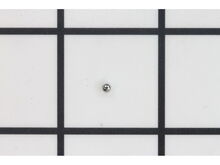
This high-quality spring is designed for use with DeWALT impact screwdrivers. It is supplied by the original equipment manufacturer. The spring applies tension on the sleeve. Over time it may wear out and lose tension eventually requiring a replacement. It is made of high-quality metal and is sold as an individual component. Make sure to check the diagrams of your model for the exact location and the correct installation of this spring. Replacing it is a simple task that may only require pliers to remove and reattach the retaining ring that secures the sleeve.
Once the top snap ring is removed, everything just slide off. Keep track of the order and orientation of the parts. Replaced a broken compression spring and new ball. Reinstalled assembly, clipped snap ring back in and it worked!
Video from ereplacement showed correct way to assemble.Dewalt diagram is confusing by not showing correct order of parts. Go to their main page and click on Repair Center. Then go to Type keywords. And type in How to Replace the Chuck on a DeWalt Impact Driver. Scroll down and you will find it.
Small straight blade screwdriver used to remove retaining ring, disassembled
parts in order, installed new parts suggested in reverse order and tool is like
brand new, took maybe ten minutes including sips of coffee. I already have
a list of parts for other tools that need some TLC, have told friends about your
si
... Read morete and they are impressed as well. Thank You Moe
Followed the excellent video already available on eReplacementParts.com = \"How to Replace the Chuck on a DeWalt Impact Driver\":
1 - Remove retaining ring - toughest part of the job: Used screwdriver to push ring up, and tip of engraving pen to hold ring in place.
2 - Removed sleeve, washer, and spring.
* If re
... Read moreplacing the compression spring and 2.5mm ball make sure your work area is well lit, clean, and you have a magnet handy. The spring can get away and jump outside your work bench easily.
3 - Remove compression spring and 2.5mm ball - used the tip of an engraving pen to compress the spring and remove the ball and the spring in controlled fashion.
3 - Installing compression spring and 2.5mm ball - placed spring in cavity, use tip of engraving pen to compress spring enough to allow ball to be dropped in, slowly decompress spring to secure ball and remove pen.
2 - Install spring, washer, and sleeve.
1 - Install retaining spring - video\'s tip to start one side, and work it around worked best for me.
Replaced parts as seen in your video on your repair center on your site. Each part was easily installed. Thank you.
Did you find this story helpful?
Thank you for voting!
< Prev
1
Next >
✖
Stock Status
This part is in stock in our warehouse and will ship out within 1 business day of the order being placed.
New stock is on the way! On order parts usually ship within 7 business days.
Item is not in stock and usually ships 10-15 business days from the time you place your order.
This item is no longer being made by the manufacturer, and cannot be added to your shopping cart.
✖
Mail-In Recycling Rebate
Some of the parts we sell are eligible for mail-in rebates since we can recycle them. We will display any applicable rebates in your shopping cart. To redeem your rebate, contact Customer Service after you have received your part.
✖
[{"position":0,"name":"Home","title":"Home","url":"/"},{"position":1,"name":"Spring or Shock Absorber","title":"Spring or Shock Absorber","url":"/parts/power-tool/screwdriver/springs-and-shock-absorbers/"},{"position":2,"name":"N020154","title":"N020154","url":""}]