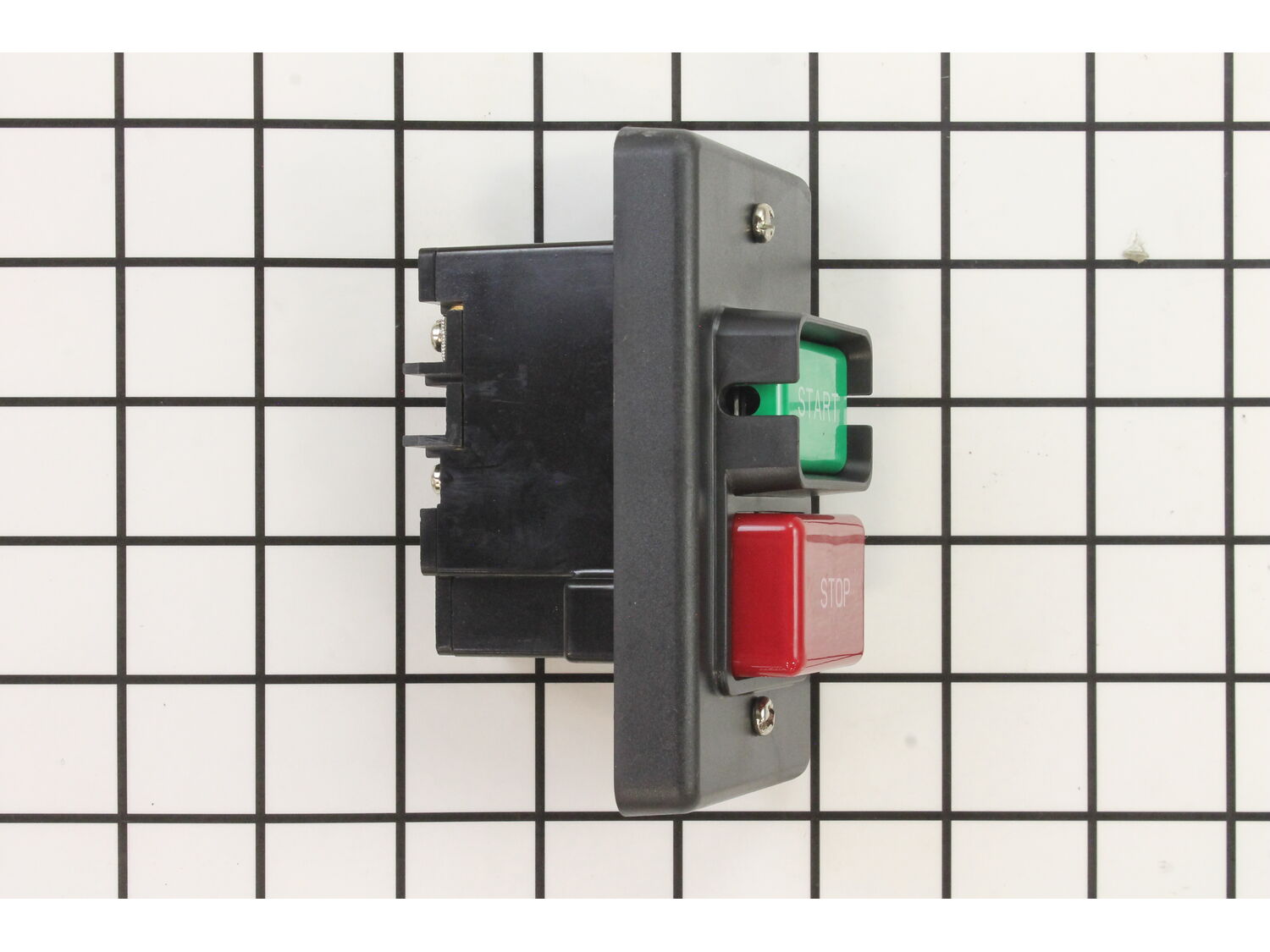
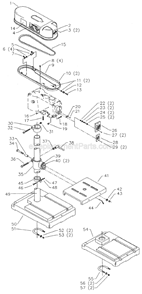
Restore reliable performance to your Delta power tools with this genuine manufacturer-approved replacement switch. Designed for select Delta models, this part controls the on/off function and is a common replacement due to regular wear and tear. Over time, the internal components of switches can wear out, making replacement necessary to keep your tools running safely and efficiently.
This switch is sold individually and is built to meet the original equipment standards for quality and durability. Whether you're repairing a favorite tool or performing routine maintenance, this part helps ensure smooth operation and dependable control.
Troubleshooting
This part works with the following brands:
Delta
This part works with the following products:
Saw
Table Saw
Drill Press
Planer Jointer
Band Saw
Dust Collector
★
Customer Part Reviews
?
4.5
Average Rating (out of 5):
★★★★★
★★★★★
(4 Reviews)
Click to filter by ratings:
5 stars
2
4 stars
2
3 stars
0
2 stars
0
1 star
0
< Prev
1
Next >
Sort by:
Sorry, we couldn't find any existing reviews that matched. Try using some different or simpler keywords.
★★★★★
★★★★★
Replacement band saw switch
Thanks for the quick service. Ordered Thursday evening, and received replacement switch on Tuesday morning. Replaced switch on band saw, in about 30 minutes. (did not RUSH, took my time and had no problems).
Thanks again.
Guest - August 17, 2019
Verified Purchase
★★★★★
★★★★★
Off/On Switch For Delta Drill Press
Ordered switch to replace old switch. The switch itself was what I needed and was no longer available for my model drill press. Ordered this item and disassemble the switch from the faceplate and installed the switch into the existing faceplate on my drill press. Worked Great!!!
Thomas - January 29, 2020
Verified Purchase
★★★★★
★★★★★
Jointer up and running
Switch is identical. A slight modification to the attachment bolts, not surprising machine is 20-25 yrs old, and we are off and running. Thanks
James - June 22, 2020
Verified Purchase
★★★★★
★★★★★
back order not stated at the time of order
nothing indicated that the item was on back order at the time of the order. otherwise a great experance
Michael - June 15, 2023
Verified Purchase
Customer Repair Instructions
All our customer repair instructions are solicited directly from other customers just like you who have purchased and replaced this exact part.
Easy
30 - 60 mins
(14 rated repairs)?
< Prev
1
2
Next >
Sort by:
Sorry, we couldn't find any existing installation instruction that matched.
Remove plug from power source. Remove the switch from the saw. Make note how the wires are connected to the back of it. Remove the wires from the old switch to the new one. Install the new switch back onto the saw. Plug it in. Test it. Get cutting.
Switch needed a 4\" deep junction box with single gang cover plate. Used one of the two existing mounting holes on the existing mounting plate that held the original switch and drilled the other. Re used the original two bolts.
New switch works perfect.
This was a 2001 3 HP Delta unisaw
Removed two acorn nuts holding switch and front plate on. This also makes the box loose. I also took off two screws holding the switch to the plate, which was unnecessary.
Removed screws holding wires from switch with Phillips screwdriver. Difficult due to little slack in wires.
Tested switch and ordered a new one (about a
... Read moreweek).
Using new screws and plates provided with switch, installed wires on new switch according to instructions provided, and \"load\" and \"line\" markings on switch. The little rectangular plates on the screws have to go on exactly the right way, or the screw hangs up. There is very little slack in the wires to maneuver the switch around. Probably should have loosened the wire clamps and pulled in the wires a bit. The lugs have to point to the outside of the switch, or it won\'t fit back into the box. The old screws might have worked better, but I had lost one.
Put the acorn nuts back on to tighten the plate and box.
Tested the switch, worked.
Cleaned and tuned the bandsaw.
1. Removed old switch
2. Examined wires to establish they were not damaged. Old switch three off sparks and tripped breaker.
3. Installed new switch which was identical except the existing ground wire was attached to a metal collar, replacement switch had ground wire attached to switch.
4. Plugged in drill threw b
... Read morereaker and everything was good. Back in business.
5. I have several Delta X pieces of equipment (table saw, jointer, planet, sanding station and drill press). Ten years old. This is the second switch I have had to replace in the last year. Ereplacement is the only place I could find the parts.
I worry when I buy a part that says it fits many different machines but in my case both were exactly same as original.
drew diagram of the old switch connections, and followed thru. No problems at all. Took my time and completed new installation in about 30 minutes. Thanks for sending a direct replacement.
This part is in stock in our warehouse and will ship out within 1 business day of the order being placed.
New stock is on the way! On order parts usually ship within 7 business days.
Item is not in stock and usually ships 10-15 business days from the time you place your order.
This item is no longer being made by the manufacturer, and cannot be added to your shopping cart.
✖
Mail-In Recycling Rebate
Some of the parts we sell are eligible for mail-in rebates since we can recycle them. We will display any applicable rebates in your shopping cart. To redeem your rebate, contact Customer Service after you have received your part.