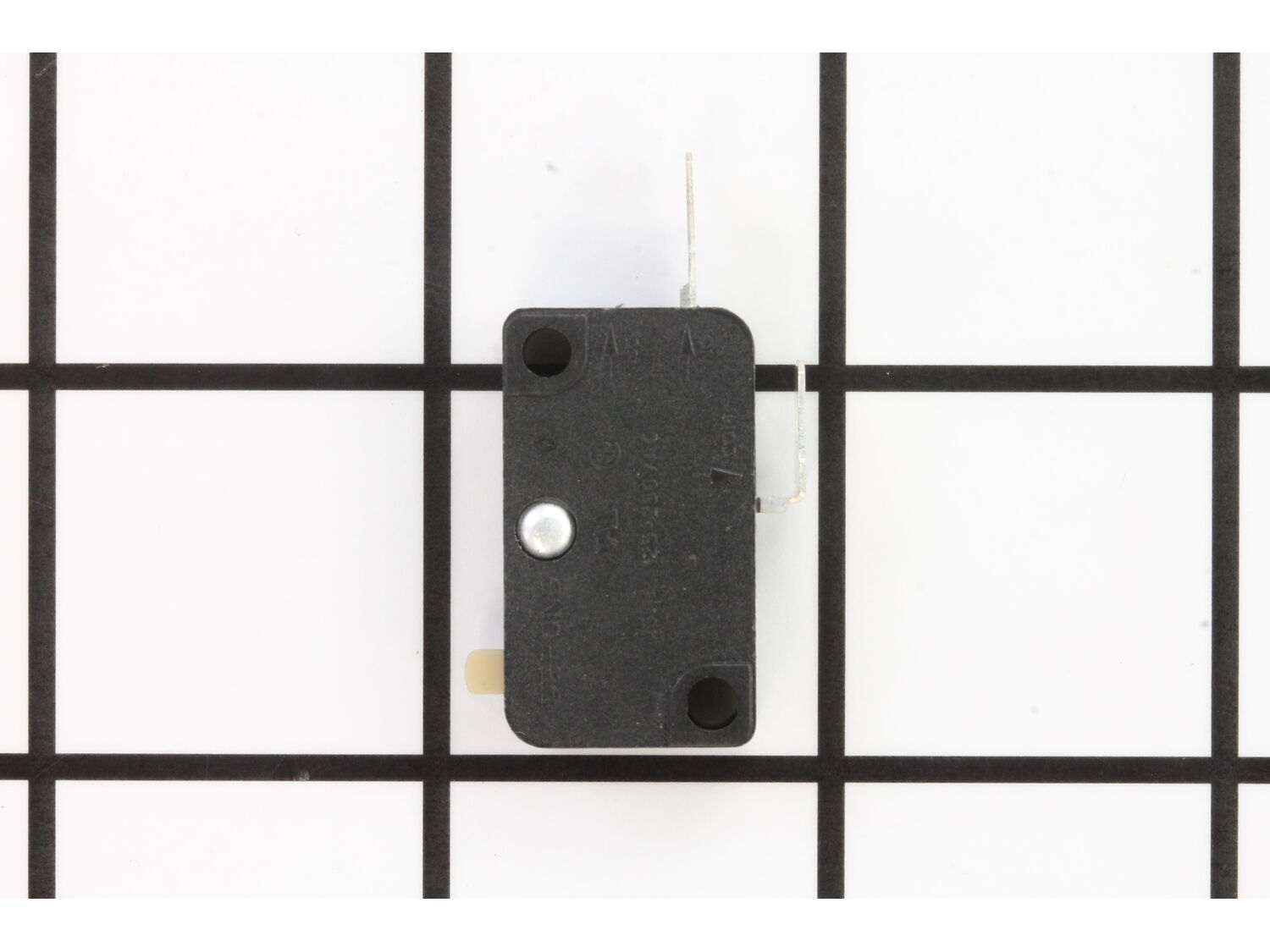
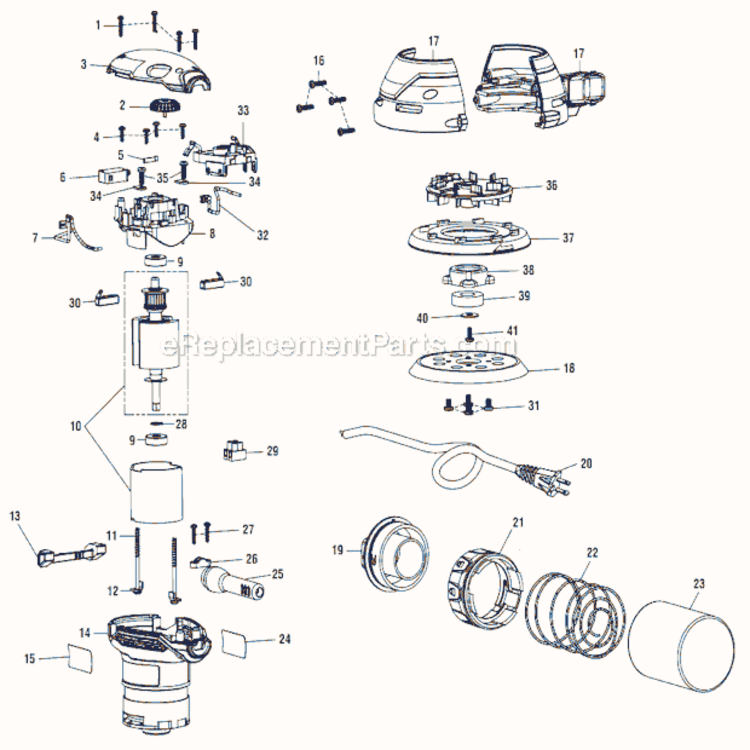
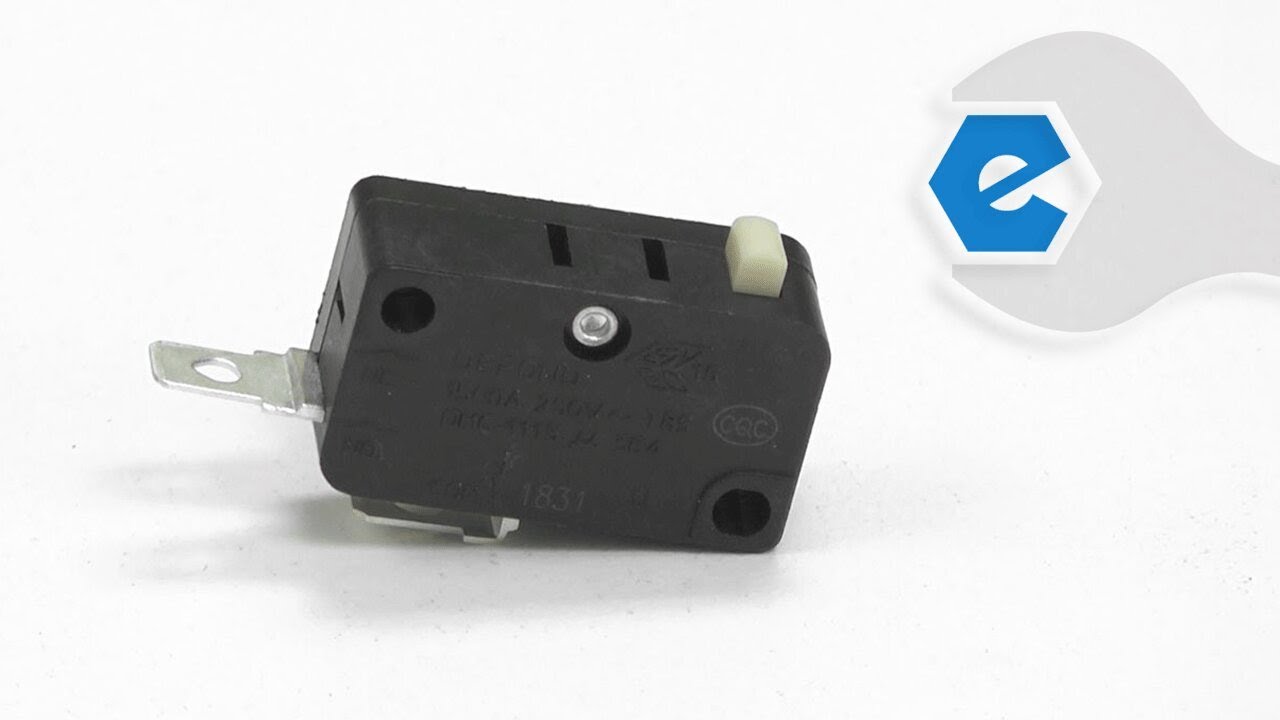
This genuine replacement item is supplied from original equipment manufacturer. This switch is specially designed for Ridgid random orbit sanders. Its purpose is to allow user to turn the unit on and off. This is a simple plastic clicker switch that is sold individually. Over time mechanical components will fail, at this point switch should be replaced. To install new switch you would only need a screwdriver and pliers. • First you will need to remove the top cover • Make a note of how the wires are routed • Remove the terminals from the old switch • Attach them to the new switch • Reassemble and test the sander
Troubleshooting
This part works with the following brands:
Ridgid
This part works with the following products:
Sander Polisher
Sander Grinder
Part# 760227006 replaces these:
760227006,
Videos For installing this part.
?
★
Customer Part Reviews
?
4.9
Average Rating (out of 5):
★★★★★
★★★★★
(12 Reviews)
Click to filter by ratings:
5 stars
11
4 stars
1
3 stars
0
2 stars
0
1 star
0
< Prev
1
2
Next >
Sort by:
Sorry, we couldn't find any existing reviews that matched. Try using some different or simpler keywords.
★★★★★
★★★★★
Replacement Switch for Ridgid Sander
The switch arrived quickly and fit perfectly. Installation was easy and the sander works like new again. Will continue to order from EREPLACEMENT PARTS in the future.
William - August 19, 2019
Verified Purchase
★★★★★
★★★★★
Ridgid sander switch
My sander switch was open electrically, so I ordered a new one from you. The new switch arrived quickly and no my sander runs like new.
Guest - September 2, 2019
Verified Purchase
★★★★★
★★★★★
Sander switch replacement
The switch was a perfect match and all I had to do was install it. I would use this company again to order parts
Guest - November 14, 2019
Verified Purchase
★★★★★
★★★★★
Ridgid Sander not powering on
Ordered the switch from the supplied parts breakdown. Received the part in a timely manor. Replaced the part without issue and it's working great now.
Karl - March 17, 2020
Verified Purchase
★★★★★
★★★★★
repair worked great
Perfect
Guest - November 3, 2020
Verified Purchase
★★★★★
★★★★★
fast service
good quality
Guest - January 19, 2021
Verified Purchase
★★★★★
★★★★★
Great part n easy repair ! Thanks !
Great and correct part ! Fast service and easy repair ! Thanks again !
Guest - September 17, 2021
Verified Purchase
★★★★★
★★★★★
Ordering Process was Efficient and Repair was Easy
The website was well organized and easy to find and order the right part.
The sander switch arrived in 20 days which I thought was good considering it had to cross into Canada. Switch installation took 10 minutes and the sander is now good as new. I will definitely use eReplacementParts again.
Iglobal - April 25, 2022
Verified Purchase
★★★★★
★★★★★
Very easy Repair
Removed the four screws from cap of sander, lifted slide-cam out, disconnected the two leads and pulled the switch up (came out in pieces). re-connected two leads, pressed switch back into position and replaced slid cam. Ten-minute repair including replacing sander cap and four screws. Works just fine.
Guest - June 8, 2022
Verified Purchase
★★★★★
★★★★★
Easy to find and order replacement parts
It fits well and is working
Guest - January 14, 2023
Verified Purchase
< Prev
1
2
Next >
Customer Repair Instructions
All our customer repair instructions are solicited directly from other customers just like you who have purchased and replaced this exact part.
Easy
Less than 15 mins
(17 rated repairs)?
< Prev
1
2
Next >
Sort by:
Sorry, we couldn't find any existing installation instruction that matched.
Watched video on how to replace the switch on youtube, ordered the switch from ereplacement parts and removed old switch and replaced with new one and it worked!!!! Very happy it worked!! and was inexpensive to do. Thanks guys!!!
Did you find this story helpful?
Thank you for voting!
The sander would not start because the switch was bad
1. Opened the case where the switch was housed.
2. Removed the old switch by using an \"L\" shaped pick tool to slide under the switch and lift if off of the mounting posts.
3. Disconnected the two wires connected to the switch.
4. Attached the wires to the new switch.
5. Pressed the switch back into it\'s res
... Read moreting place.
6. Closed the case.
Read less
Did you find this story helpful?
Thank you for voting!
On/Off Switch would get stuck in one position Off or On
1. Removed 4 star screws from sander\'s top cover with Star Screwdriver
2. Used needle-nosed pliers to carefully \"wiggle\" micro-switch up and off its two mounting posts
3. Slid off power-wires from micro-switch
4. Removed actuator by lifting it out of its pathway
5. Replaced actuator by carefully placing it back
... Read moreit the path and using a small screwdriver to hold tension spring back to allow actuator to drop into position.
6 Attached power-wires to new micro-switch
7 With needle-nosed pliers \"wiggled\" micro-switch back onto its two mounting posts
8 Place cover back on and re-installed 4 screws with a Star-Screwdriver
Removed the screws from the top cover of the sander
Pulled the switch from its connection
Disconnected the wires from the old switch to the new one
Put the switch back in place
Screwed the cover back on
Removed top of sander, removed switch and connected a \'jumper\' wire around switch. Plugged in and sander ran. Biggest problem was finding a switch. I was told about your company by an employee at one of the other sites I was looking at. I went to your site and I ordered the switch and the replacement took all of about 5 minutes.
Removed cover top to Sander, located switch, removed bad switch from its location by prying it from the Sander. pulling two connected wires from bad switch, Put new switch in it\'s place. reconnect two wires. Put cover back on top of Sander. Plug into wall socket test to make sure that Sander Sill works... Easy Breezy!! Bam!
Removed the top of the sander (Four screws)
Disconnected the switch wires (Two Wires)
Tested the switch with a Ohm meter
Determined switch was always open
Replaced switch, reassembled sander
Connected to AC and sander powered on.
This part is in stock in our warehouse and will ship out within 1 business day of the order being placed.
New stock is on the way! On order parts usually ship within 7 business days.
Item is not in stock and usually ships 10-15 business days from the time you place your order.
This item is no longer being made by the manufacturer, and cannot be added to your shopping cart.
✖
Mail-In Recycling Rebate
Some of the parts we sell are eligible for mail-in rebates since we can recycle them. We will display any applicable rebates in your shopping cart. To redeem your rebate, contact Customer Service after you have received your part.