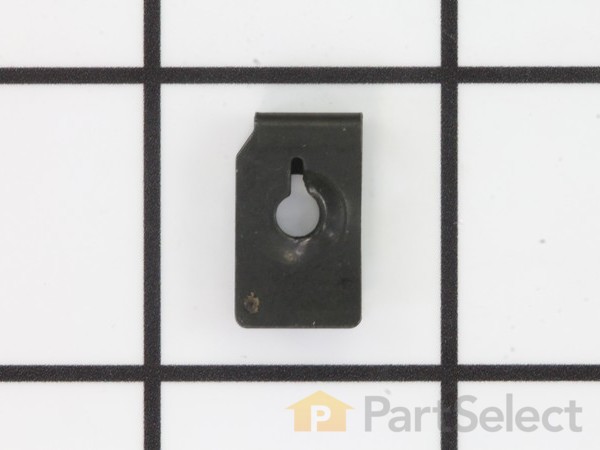
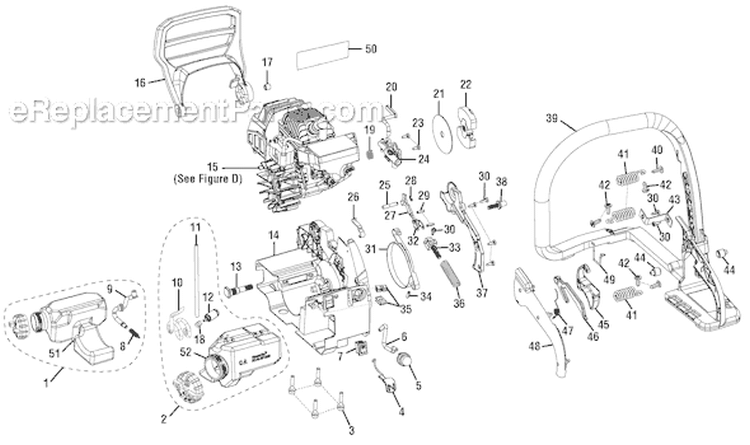
The chain tensioner is built into the cover for the chain bar and chain sprocket. The bar Tension Knob Assembly is a weak spot in these units and after a few season of light use the nut within the tension knob will strip out making it useless. To replace the knob do the following..
1. With a torx screwdriver, remove the 3 threaded
... Read more bolts from the cover and lift off of the motor/chain housing. The bar will more than likely dislodge leaving you with the bar and chain separated from the motor. No problem just remember that when you put them back on you need to make sure the bar in not upside down or the oil feed to the chain will not be in the right place and you will therefore not be lubricating the chain..
2. With the cover removed, flip it on its back so you see the inside surface and locate the two screws that hold on the cover to the tension knob. There are 3 screws located there. One is the center screw to hold the thumb know that you use to tighten or loosen the chain and the other 2 are the ones you want to take off. If you accidentally remove the one for the thumb knob, replace it and move on with removal of the other 2..
3. With the covers screws to the tension knob cover removed, you will be able to lift up the cover for the tension knob located on the outside surface of the assembly. One edge will lift up while the opposite edge and a lip that catches under the cover. Figure out which side lifts the easiest and lift that up and remove the cover which is actually a retaining ring for the tensioner locking knob.
4. With the tensioner locking knob cover removed you need to pull the tensioner handle directly out of the cover. If you can\'t get it to pull out go to the inside and with a proper sized screwdriver push it out by applying pressure to the nut on the underside of the cover.
5. With the old tensioner knob & nut removed place a new one over the hole in the cover and gently press it into the opening.
6. Replace the tensioner knob securing ring in place and put the 2 screw back into the tensioner ring cover from the back side.
7 With 3 hands, you will now put the chain and bar back in place (correctly and not upside down) on the motor and align the cover with its mounting holes on the side of the motor. It is important that the tensioner finger or rod that sticks out the back of the cover is aligned with the hole in the chain bar. If it is not properly aligned, the cover will not seat properly on the motor. You may need to loosen or tighten the bar adjuster using the thumb knob to get the finger/rod to align with the bar.
8. With the bar, chain, cover and tensioner finger in place, you can now secure the 3 cover bolts using the torx screwdriver and your ready to go.
Read less
Did you find this story helpful?
Thank you for voting!
< Prev
1
Next >
Model Cross Reference
This part works with the following models:
ERP Number: ERP9995516
Manufacturer Part Number: 671077003
This part is in stock in our warehouse and will ship out within 1 business day of the order being placed.
New stock is on the way! On order parts usually ship within 7 business days.
Item is not in stock and usually ships 10-15 business days from the time you place your order.
This item is no longer being made by the manufacturer, and cannot be added to your shopping cart.
✖
Mail-In Recycling Rebate
Some of the parts we sell are eligible for mail-in rebates since we can recycle them. We will display any applicable rebates in your shopping cart. To redeem your rebate, contact Customer Service after you have received your part.