Sorry, we couldn't find any existing reviews that matched. Try using some different or simpler keywords.
★★★★★
★★★★★
Right part and right price!!
great service- had the part I needed and delivered pretty quickly- Thanks so much!!
Was exactly what I needed to get going again !!
Guest - November 3, 2022
Verified Purchase
★★★★★
★★★★★
Actual same day shipping.
Most companies sat same day shipping, but what they do is create a shipping label and call that as shipped. The part may not actually leave the vendor for 1 to 3 days. eReplacementParts actually shipped the part the dame day they received my order. Great service. The part was an exact replacement for a 26 year old Jet contractors table saw. I was back working in ten minutes it took to install the switch.
Paul - August 3, 2023
Verified Purchase
★★★★★
★★★★★
Power tool switch
Exactly what I wanted-
Gary - November 16, 2023
Verified Purchase
★★★★★
★★★★★
Switch
It fit good and worked
Guest - November 6, 2019
Verified Purchase
★★★★★
★★★★★
Exact replacement
Exactly what I needed
Kenneth - April 7, 2020
Verified Purchase
★★★★★
★★★★★
Great service, found the part that I needed easily.
I received the part sooner than expected. Installation was a snap!
Guest - June 6, 2021
Verified Purchase
★★★★★
★★★★★
Great part, worked great
Arrived quickly, exact fit. My drill press works perfect.
Anonymous - October 21, 2021
Verified Purchase
★★★★★
★★★★★
Great customer service. Very pleasant and helpful.
Your video made a (what I expected ) difficult job easy. Thank you.
Guest - February 21, 2022
Verified Purchase
★★★★★
★★★★★
Switch replacement
Just had to use and exterior junction box and extend the wires to make it work. Product works fine and the deliver times prompt
Guest - March 9, 2022
Verified Purchase
Customer Repair Instructions
All our customer repair instructions are solicited directly from other customers just like you who have purchased and replaced this exact part.
Easy
15 - 30 mins
(11 rated repairs)?
< Prev
1
2
Next >
Sort by:
Sorry, we couldn't find any existing installation instruction that matched.
Previous owner of my JET JJ-6CSXW jointer sold it because it did not cut effectively and the switch was hard to turn on and off. He had also converted it to 220 volts. He had used it without using a dust collector. After cleaning all the sawdust out of it, and servicing it, I took the switch apart and found the switch and the electrical
... Read morebox were also full of sawdust. I wasn\'t happy with the way the newly cleaned switch worked, so I ordered a new switch and an electrical cord. I also converted it back to 115 volt. I wasn\'t sure how to remove the strain relief bushings, but a local tool shop showed me how to remove them by squeezing them with a pair of channel locks and wiggling the bushing. No channel locks are required to pop them back in once the switch put together. Not an easy repair, but it sure saved me a ton of cash fixing up a \"poorly working\" jointer. Works great now.
1. Unplugged drill press.
2. Removed on and off push buttons cover.
3. Unscrewed switch.
4. Removed switch wires.
5. Unscrewed and removed outer cover.
6. Installed new outer cover 3 screws.
7. Installed wires onto new on & off switch.
8. Put on & off switch cover over switch and aligned two screw
... Read mores.
9. Replaced table handle, plugged in and tested.
Removed old switch and replaced with new one. Only potential confusion is that it is easy to wire it and have the switch upside down. Saw starts eagerly.
1. Made sure the tool was unplugged first!
2. Disassembled the housing.
3. Disconnected and removed the old switch.
4. Installed the new switch reversing the procedure.
Easy peasy!
Did you find this story helpful?
Thank you for voting!
< Prev
1
2
Next >
Model Cross Reference
This part works with the following models:
ERP Number: ERP19139673
Manufacturer Part Number: JT9-994542
This part is in stock in our warehouse and will ship out within 1 business day of the order being placed.
New stock is on the way! On order parts usually ship within 7 business days.
Item is not in stock and usually ships 10-15 business days from the time you place your order.
This item is no longer being made by the manufacturer, and cannot be added to your shopping cart.
✖
Mail-In Recycling Rebate
Some of the parts we sell are eligible for mail-in rebates since we can recycle them. We will display any applicable rebates in your shopping cart. To redeem your rebate, contact Customer Service after you have received your part.



_WW_1.gif "Part Location Diagram of JT9-994542 Jet SWITCH")
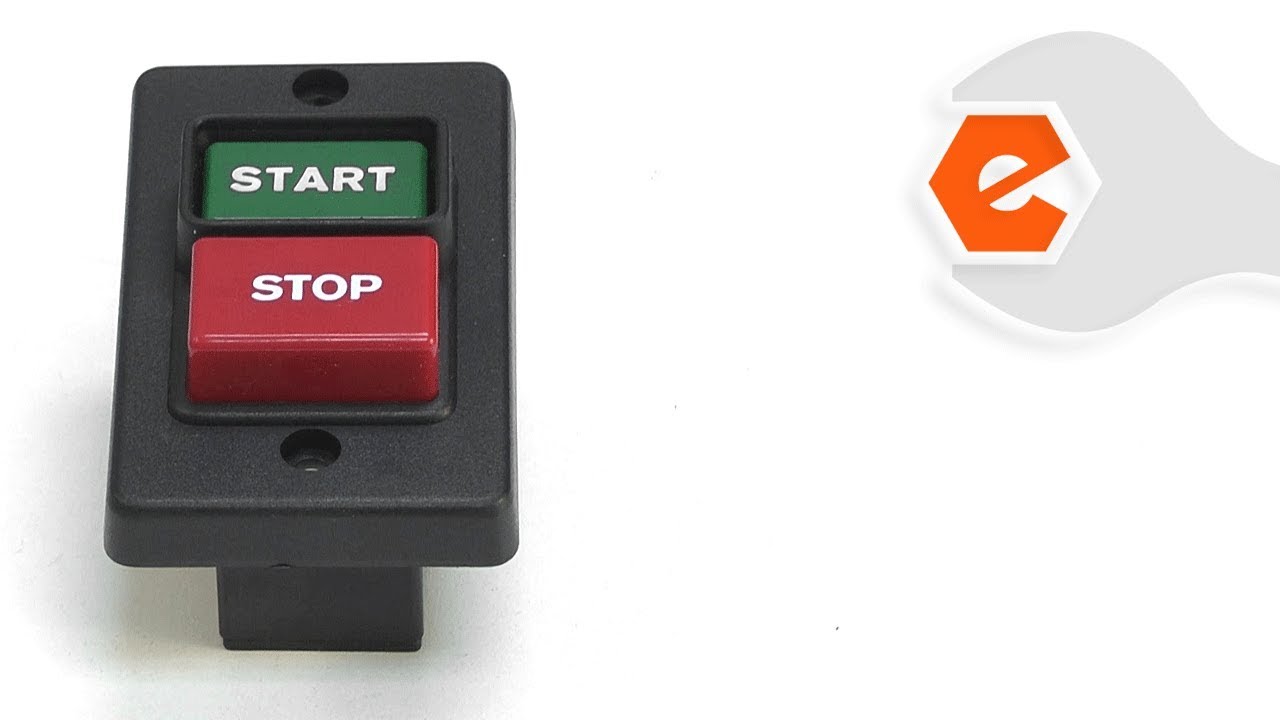
_WW_1.gif "Part Location Diagram of JT9-994542 Jet SWITCH")