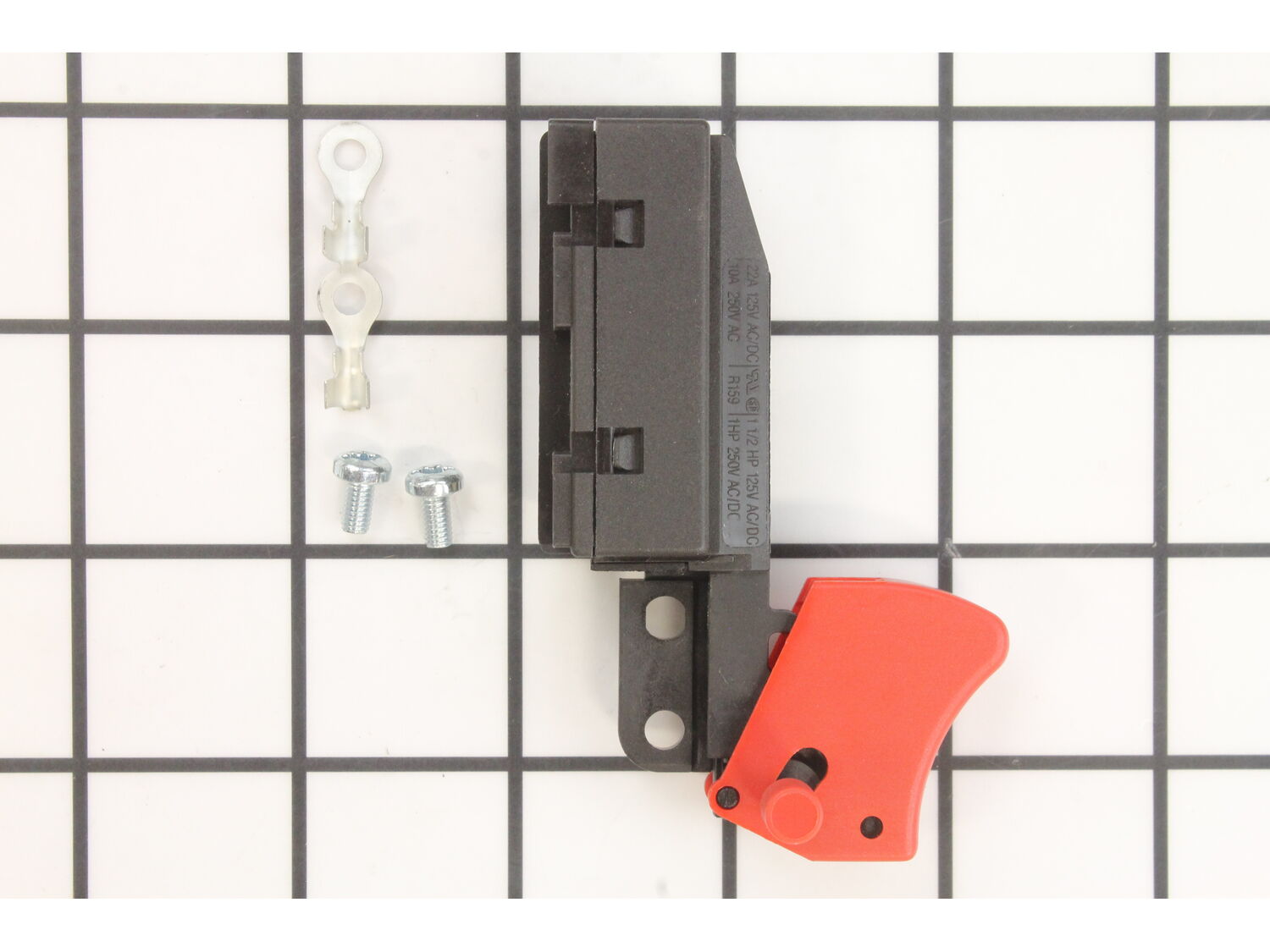
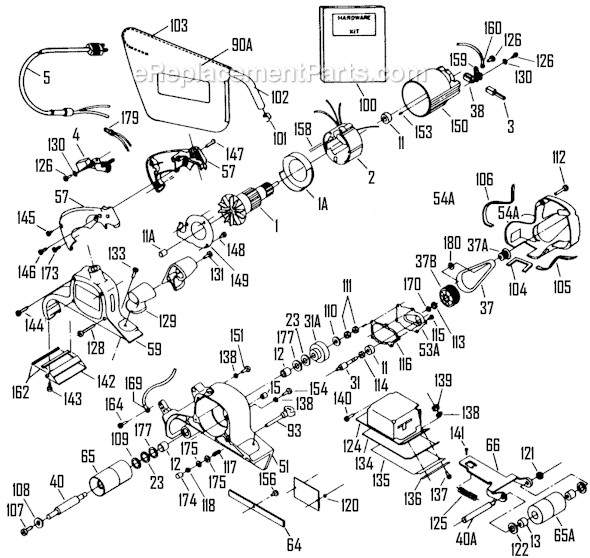
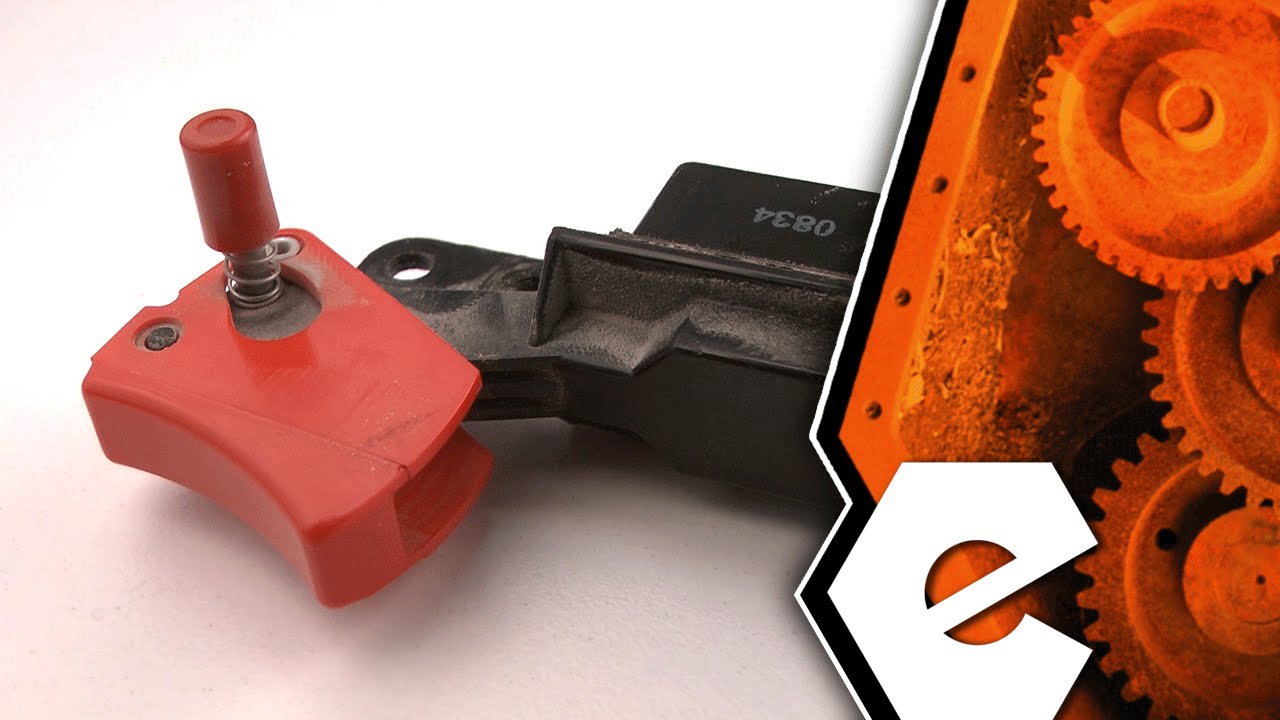
This is a Genuine OEM Approved replacement part used on Porter Cable Sanders. This switch has a Plastic Body and it includes Metal Screws and Terminals. Switches are a commonly replaced part in power tools, handling on/off operations. Because switches use mechanical internals, they will degrade and wear out over time, eventually requiring replacement. To replace this switch you would need a Screwdriver. • First make sure the tools is not plugged in • Then you want to remove Screws used to hold two pieces of Housing Set together • Disconnect Wires from the old Switch and remove it from the Housing • Place the new Switch in the Housing and connect Wires to it • Reassemble the Housing
Troubleshooting
This part works with the following brands:
Porter Cable
This part works with the following products:
Sander Polisher
Part# 5140112-36 replaces these:
5140112-36,
Videos For installing this part.
?
★
Customer Part Reviews
?
5.0
Average Rating (out of 5):
★★★★★
★★★★★
(9 Reviews)
Click to filter by ratings:
5 stars
9
4 stars
0
3 stars
0
2 stars
0
1 star
0
< Prev
1
Next >
Sort by:
Sorry, we couldn't find any existing reviews that matched. Try using some different or simpler keywords.
★★★★★
★★★★★
No trouble quick fix
Shipped on time. No problems worth the simple instructions to get the new switch installed.
Keith - April 22, 2019
Verified Purchase
★★★★★
★★★★★
Repair parts for older sander.
Parts supplied were correct and arrived in the mentioned time. Good service. Recommend your service.
Patrick - April 30, 2020
Verified Purchase
★★★★★
★★★★★
Easy to install and belt sander works perfect
Part arrived in a week.
Guest - November 5, 2020
Verified Purchase
★★★★★
★★★★★
Wasn’t exactly but it worked!
Very happy with part and tracking.
Guest - November 22, 2021
Verified Purchase
★★★★★
★★★★★
Just right
What I needed on time
Guest - July 21, 2022
Verified Purchase
★★★★★
★★★★★
arrived quick and got my belt sander back in business.
Looked like an OEM part and swaped out very easily, allowing me to keep this tool going. No surprises, fairly straight forward repair process. The biggest advantage was the speed with which the part was delivered.
Guest - October 18, 2022
Verified Purchase
★★★★★
★★★★★
Porter Cable power switch replacement
Great video to show how to replace.
Guest - June 20, 2023
Verified Purchase
★★★★★
★★★★★
Arrived quickly
The part was received in good condition
Guest - August 30, 2023
Verified Purchase
★★★★★
★★★★★
Compete kit w/ instructions.
Porter Cable does not make it easy, but switch fits and works well. Needs a little spray of lubrication, so it clicks on and off until it breaks in.
Guest - September 15, 2023
Verified Purchase
Questions & Answers
?
Ask our Team
We have a dedicated staff with decades of collective experience in helping customers just like you purchase parts to repair their products.
Sorry, we couldn't find any existing answers that matched. Try using some different or simpler keywords, or submit your new question by using the "Ask a Question" button above!
regarding the switch replacement, both wires going to switch are black. which one goes to the new switch left side, the one from the power source or the one going internally to the motor?
John
For model number 352VS type 4 - December 27, 2023
Hello John, Thank you for your inquiry. The wire from the power source would go on the left side and it does show this in our repair video for this part which you can view here: https://www.youtube.com/watch?v=u5MgX-zs6hI&t=88s
Good luck with your repair.
eReplacementParts Team
December 27, 2023
Did this question help you?
Thank you for voting!
Will not turn off. Have to unplug to make it stop. Do you have a new power switch (trigger) assembly for a Porter Cable Belt Sander Model 352 VS?
Steve
For model number 352VS - January 2, 2024
Hello Steve, Thank you for writing. The Switch for this model is listed as Part Number: 5140112-36. Good luck with the repair!
eReplacementParts Team
January 2, 2024
Did this question help you?
Thank you for voting!
Customer Repair Instructions
All our customer repair instructions are solicited directly from other customers just like you who have purchased and replaced this exact part.
Easy
15 - 30 mins
(24 rated repairs)?
< Prev
1
2
3
Next >
Sort by:
Sorry, we couldn't find any existing installation instruction that matched.
replaced switch easy, rubber torsion bar was a little challenging because i I do not have the right tool to remove it so I had to improvise and I welded a bolt in the old piece and just used a mechanics socket like a punch and hammered it out of placed. Pressed the new ones in with a vise.
Take switch out of handle. Note how wires are run inside handle and switch. If you put the wires in wrong, the handle will be hard to get back together. Simple fix!
1 Removed screws holding handle together
2. Removed 2 screws holding switch
3. Removed wires (4) from switch
4. Removed old switch.
5. Attached new eyelets (2) to the black wires
6. Installed new switch in handle with 2 screws
7. Attached black wires to the no 2 terminals in
new switch
... Read more />8. Connect white wires with wire nut (not supplied).
9. Reassemble handle.
took handle apart, removed old broken switch, vacuumed out handle assembly, attached new switch, reassembled handle. Plugged in sander works perfectly. Instructions on line were very helpful.
1 I verified the power cord was disconnected.
2 I opened the handle of the belt sander.
3 Removed the broken switch after disconnecting the power cables.
4 Installed the new replacement switch to its location, and reconnected the black power cables to its specifics connection points with the screws provided with the swit
... Read morech.
5 Installed back the piece the handle I removed on point 2.
6 Voila, the power sander is working as new.
Read less
Did you find this story helpful?
Thank you for voting!
< Prev
1
2
3
Next >
Model Cross Reference
This part works with the following models:
ERP Number: ERP18982311
Manufacturer Part Number: 5140112-36
This part is in stock in our warehouse and will ship out within 1 business day of the order being placed.
New stock is on the way! On order parts usually ship within 7 business days.
Item is not in stock and usually ships 10-15 business days from the time you place your order.
This item is no longer being made by the manufacturer, and cannot be added to your shopping cart.
✖
Mail-In Recycling Rebate
Some of the parts we sell are eligible for mail-in rebates since we can recycle them. We will display any applicable rebates in your shopping cart. To redeem your rebate, contact Customer Service after you have received your part.