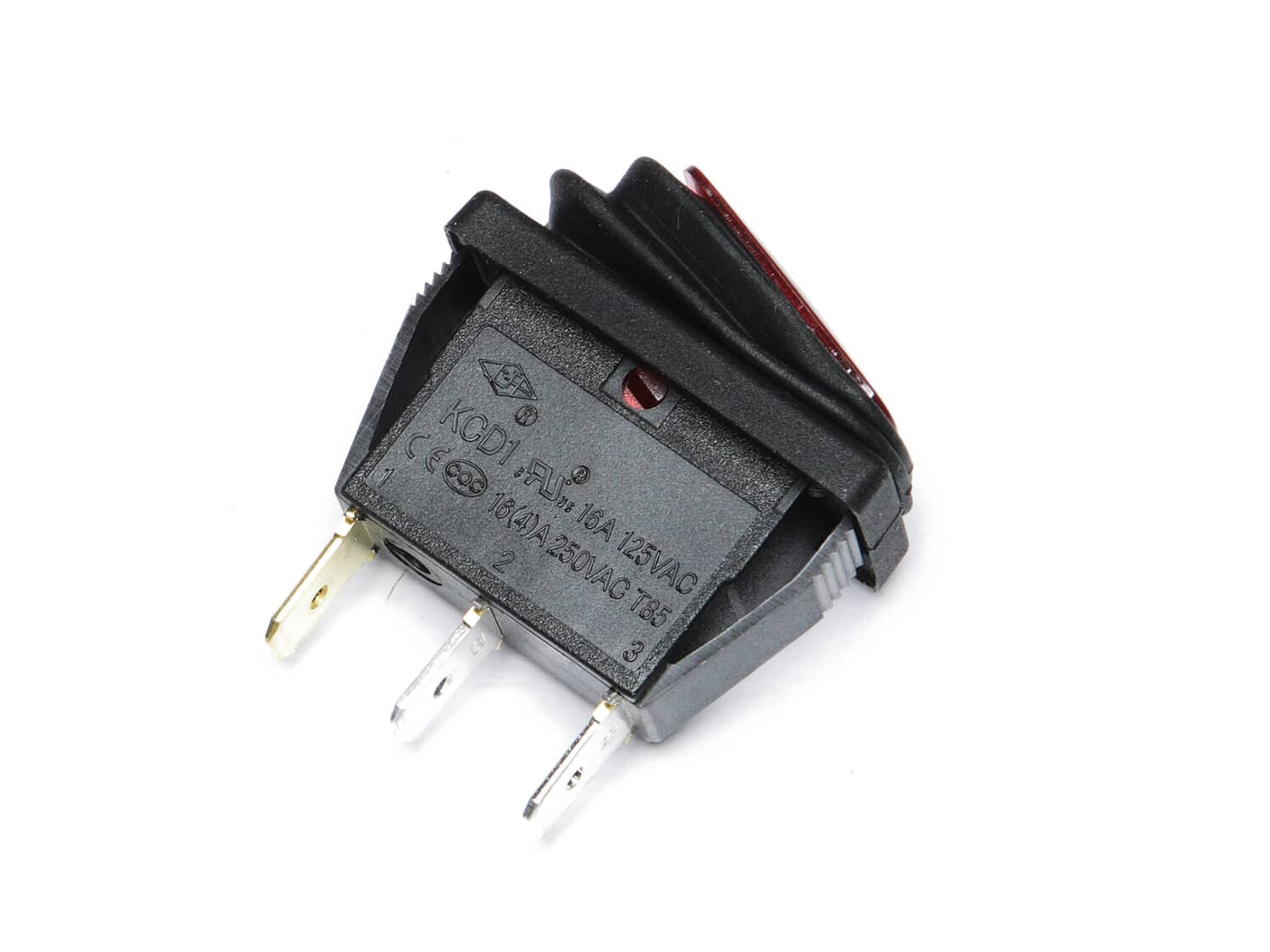
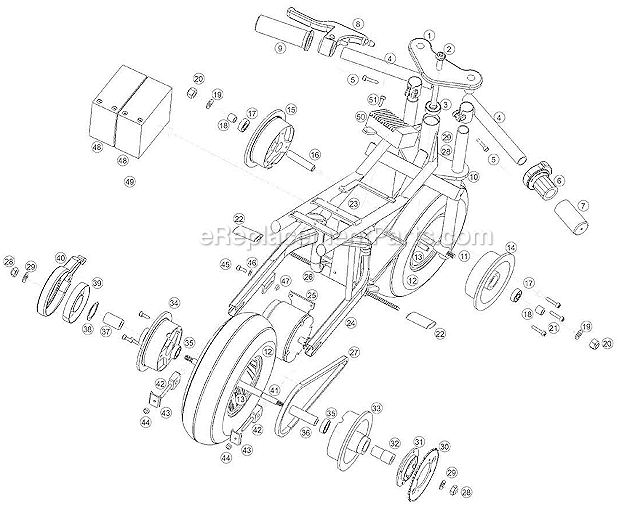
This replacement switch is specially designed for use with Razor equipment. This is the switch used to turn the unit on and off. This switch has a light indicator built in the button making it easier to see. Please note this plastic switch is sold individually. Replacing this item is easy and does not require any tools. Unplug the wires from the old switch. Pull out the old switch by pushing on side tabs and secure new switch in place. Connect the wires and test the unit.
Troubleshooting
This part works with the following brands:
Razor
This part works with the following products:
Ride-On Motorcyles
★
Customer Part Reviews
?
4.5
Average Rating (out of 5):
★★★★★
★★★★★
(2 Reviews)
Click to filter by ratings:
5 stars
1
4 stars
1
3 stars
0
2 stars
0
1 star
0
< Prev
1
Next >
Sort by:
Sorry, we couldn't find any existing reviews that matched. Try using some different or simpler keywords.
★★★★★
★★★★★
Switch
Fit and worked perfectly
Guest - May 12, 2020
Verified Purchase
★★★★★
★★★★★
made a easy repair
took a little than expected but fit perfect
Guest - November 21, 2019
Verified Purchase
Customer Repair Instructions
All our customer repair instructions are solicited directly from other customers just like you who have purchased and replaced this exact part.
Easy
Less than 15 mins
(7 rated repairs)?
< Prev
1
Next >
Sort by:
Sorry, we couldn't find any existing installation instruction that matched.
Scooter motor would not run. A clicking noise was heard when throttle was activated.
1. Removed base of scooter cover by removing 6 Phillips screws.
2. Disconnected battery harness plug.
3. Removed 2 Phillips screws securing battery\'s hold down brace.
4. Lifted one of the batteries from the base and rested it out of the way in order to access the wiring for the switch.
5. Disconnected the 3 ele
... Read morectrical leads that were connected to existing on/off switch.
6. Pulled the broken switch out of scooter.
7. Snapped in new switch and reconnected electric leads
8. Reconnected battery harness and reassembled the unit.
9. The instructions included with the part were clearly written and very easy to follow.
10. The scooter now runs like new.
1. Removed six screws from top plate. (Two on end had nuts to hold with a wrench)
2. Removed bar protecting batteries
3. Pulled batteries out and set to side
4. Used pliers to pull three leads off On/Off switch
5. Cut away glue holding switch in place
6. Pry switch out with screwdriver
7. Reverse proces
... Read mores with new switch
1. Removed cover on scooter.
2. Removed part after disconnecting battery.
3. Replaced part.
4. Replaced cover and charged scooter.
5. Runs great so far.
Did you find this story helpful?
Thank you for voting!
Switch was worn out and no longer snapped into position.
Removed wires from old switch, making note of where they go in relation to the terminals. Popped out old switch...Popped in new switch. Replaced the wires and done.
This part is in stock in our warehouse and will ship out within 1 business day of the order being placed.
New stock is on the way! On order parts usually ship within 7 business days.
Item is not in stock and usually ships 10-15 business days from the time you place your order.
This item is no longer being made by the manufacturer, and cannot be added to your shopping cart.
✖
Mail-In Recycling Rebate
Some of the parts we sell are eligible for mail-in rebates since we can recycle them. We will display any applicable rebates in your shopping cart. To redeem your rebate, contact Customer Service after you have received your part.