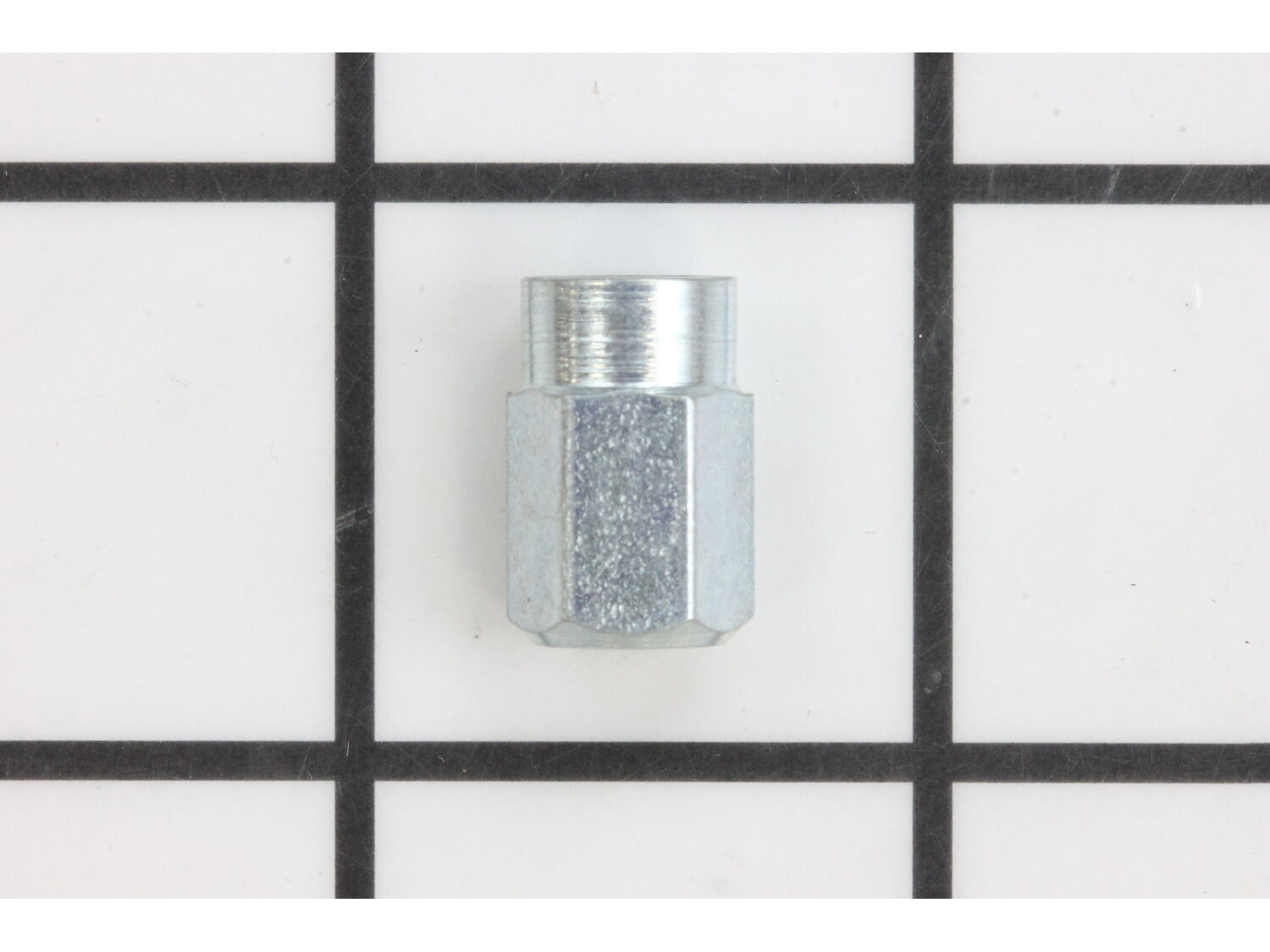
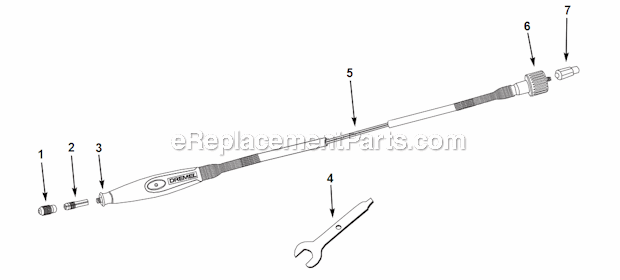
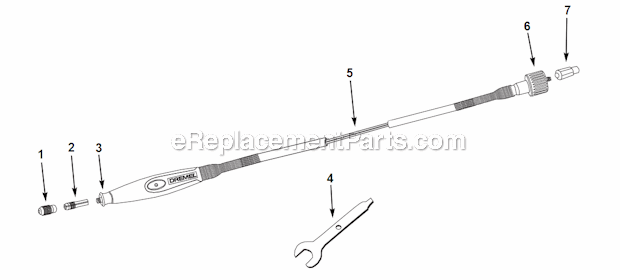
This is a replacement part that is sourced directly from the original parts manufacturer for use with Craftsman Rotary Tools. The metal cap driver is used to connect the flex shaft to the motor and has a square hole for this to fit properly. This cap driver is sold as an individual replacement part.
Troubleshooting
This part works with the following brands:
Dremel
Bosch
This part works with the following products:
Miscellaneous
Chainsaw
Part# 2610916116 replaces these:
2610916116,
★
Customer Part Reviews
?
4.9
Average Rating (out of 5):
★★★★★
★★★★★
(16 Reviews)
Click to filter by ratings:
5 stars
15
4 stars
1
3 stars
0
2 stars
0
1 star
0
< Prev
1
2
Next >
Sort by:
Sorry, we couldn't find any existing reviews that matched. Try using some different or simpler keywords.
★★★★★
★★★★★
Easy part installation. Works like a champion.
Purchased a driver cap that connects my Dremel rotary tool to the extension remote.
Guest - April 29, 2019
Verified Purchase
★★★★★
★★★★★
Easy fix
Great condition
Guest - September 4, 2019
Verified Purchase
★★★★★
★★★★★
Drexel Driver Cap
Part was exactly what I needed to Fix ma Dremel tool. Arrived on the date they promised.
Norman - September 5, 2019
Verified Purchase
★★★★★
★★★★★
Needed part
The part I ordered was necessary to make my Drexel flex drive work and it worked and fit like it should.
Guest - February 22, 2020
Verified Purchase
★★★★★
★★★★★
Worked well aND as exspected.
Timely delivered
Guest - August 4, 2020
Verified Purchase
★★★★★
★★★★★
Great part
We could not find this part anywhere else. Thank you for having this in stock.
Guest - August 24, 2020
Verified Purchase
★★★★★
★★★★★
Very easy to use
Worked exactly like it should.
Guest - December 29, 2020
Verified Purchase
★★★★★
★★★★★
The right part
The item is as advertised happy with purchase
Anonymous - June 15, 2021
Verified Purchase
★★★★★
★★★★★
Easy order fast shipping
The part works great fits perfectly. Good prices fast shipping couldn't be better
Guest - September 9, 2021
Verified Purchase
★★★★★
★★★★★
Worked as expected
easy to order, exact replacement
Guest - January 5, 2022
Verified Purchase
< Prev
1
2
Next >
Customer Repair Instructions
All our customer repair instructions are solicited directly from other customers just like you who have purchased and replaced this exact part.
Easy
Less than 15 mins
(5 rated repairs)?
< Prev
1
Next >
Sort by:
Sorry, we couldn't find any existing installation instruction that matched.
Lost the collet nut and driver cap had to replace them.
1. Diagnosed problem to be both worn brushes and bad variable speed/on-off switch
2. Ordered replacement parts needed and decided a new armature with attached bearings would be a good investment in saved time and extended tool life between repairs
3. Verified unit was unplugged, removed end nut
4. Removed hanger bail, br
... Read moreush caps and brushes. One brush was jammed -see note 9
5. Removed housing retainer screws and positioned tool upside down before splitting
6. Used plastic scraper to gently split tool casing open. It would not part by hand
7. Removed power wires from old switch, making careful note of which wire color went where based on the position of the switch. If there were any guide marks I couldn\'t see them so color/position was important to reassemble properly.
8. Removed armature and switch together
9. Removed rubber isolation washer from rear bearing and then used diagonal cutter to break old switch bridge so I could remove it from the armature - it just wouldn\'t come off any other way and it was obviously bad. After removing armature/switch from case, clean both case halves.
10. Positioned new switch over new armature and reinstalled the rubber isolation washer
11. Installed new switch/armature into casing, take your time and work gently
12. Re-installed power wires into switch, they are a push in and lock type, smaller needle nosed pliers are great for this
13. Positioned power wire strain relief in case and worked the two case halves back together, then verified fit and reinstalled screws to lock it closed and reinstalled hanger/bail
14. Installed brushes and brush caps, then drive nut for flex shaft
15. VERY IMPORTANT - after verifying free spinning of armature when unplugged, I plugged the tool in and did a ramp from slow to max speed start, about five seconds between start to full speed, and then let the tool run with no load for five or six minutes to wear in the brushes. I hung the tool up in open air so it could ventilate and also blow away any brush dust from the run in.
16. Tool works great and the cost of the parts to make it better than new was less than buying a new grinder. The job was fun and should not be beyond the skill set of anyone who owns and uses one of these tools. .
This part is in stock in our warehouse and will ship out within 1 business day of the order being placed.
New stock is on the way! On order parts usually ship within 7 business days.
Item is not in stock and usually ships 10-15 business days from the time you place your order.
This item is no longer being made by the manufacturer, and cannot be added to your shopping cart.
✖
Mail-In Recycling Rebate
Some of the parts we sell are eligible for mail-in rebates since we can recycle them. We will display any applicable rebates in your shopping cart. To redeem your rebate, contact Customer Service after you have received your part.
✖
[{"position":0,"name":"Home","title":"Home","url":"/"},{"position":1,"name":"Cap or Lid","title":"Cap or Lid","url":"/parts/power-tool/miscellaneous/caps-and-lids/"},{"position":2,"name":"2610916116","title":"2610916116","url":""}]