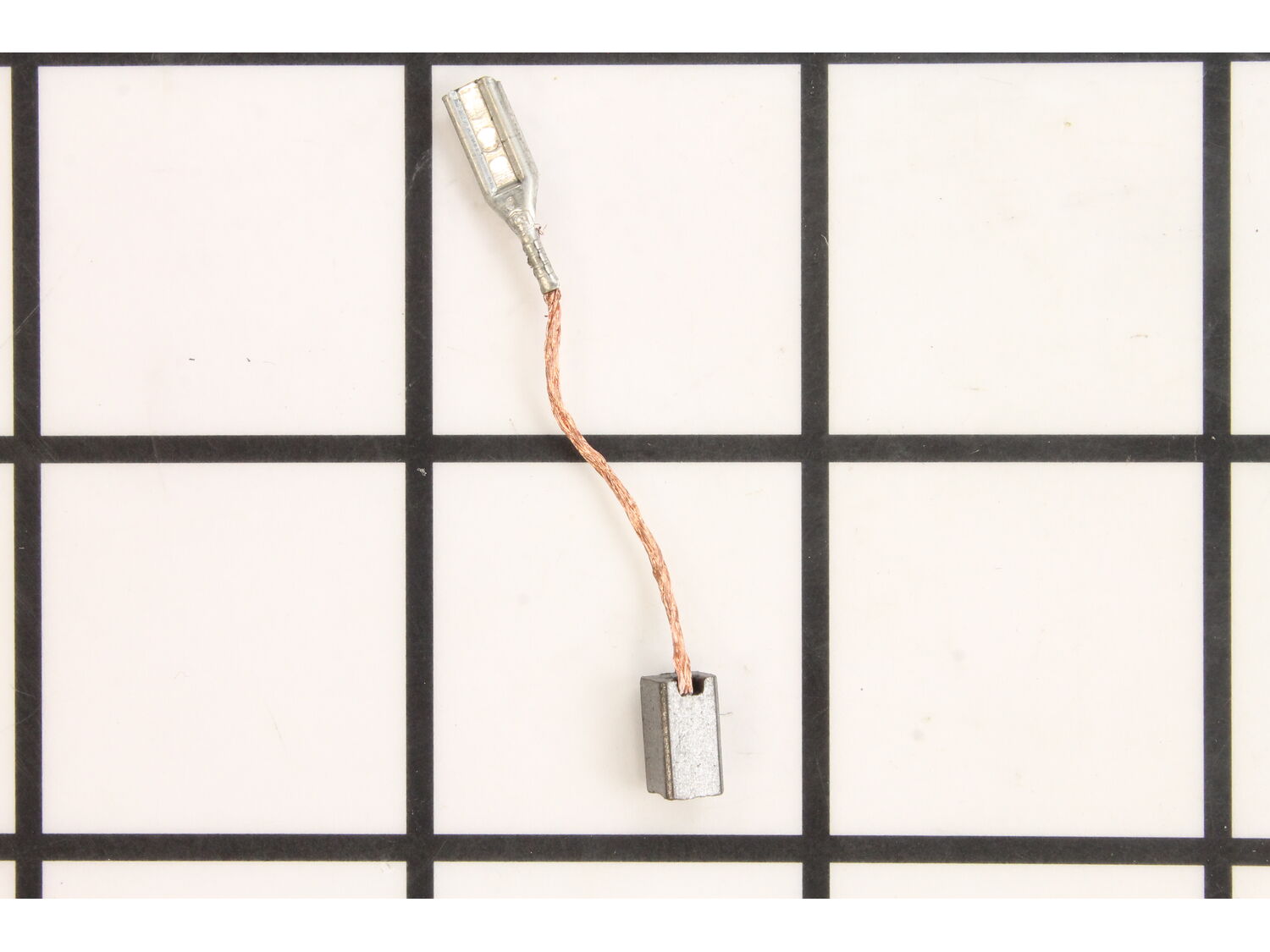
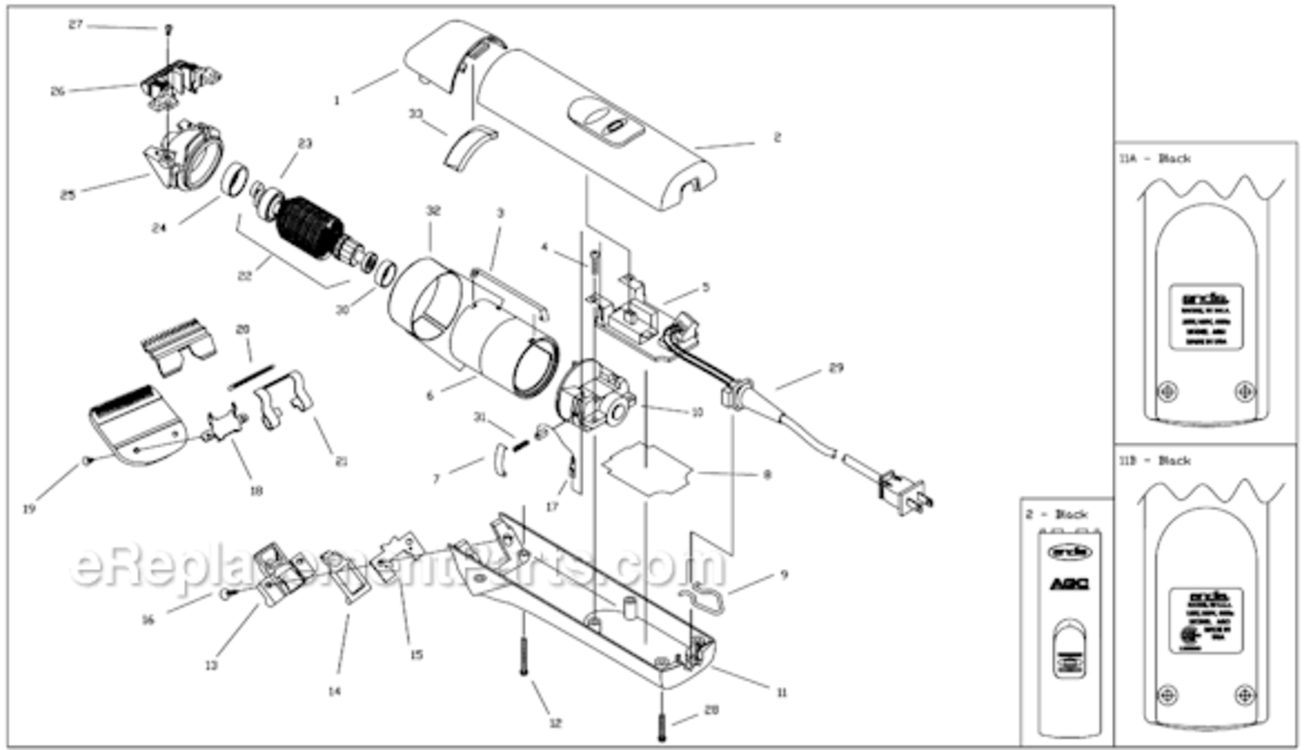
This is a genuine OEM sourced replacement part designed for use with Andis clippers. This assembly includes one (1) carbon brush with a lead wire attached. Please note brush spring and retaining clip are both sold separately. Due to normal use and friction brushes will gradually wear down and will require replacement. It is advised to replace both brushes at the same type. You would need a screwdriver to complete this job. • Make sure the unit is unplugged • First remove cover • Take our old brushes and replace them with the new ones • Secure the cover and test the tool
Troubleshooting
This part works with the following brands:
Andis
This part works with the following products:
Clipper Trimmer
★
Customer Part Reviews
?
5.0
Average Rating (out of 5):
★★★★★
★★★★★
(1 Review)
Click to filter by ratings:
5 stars
1
4 stars
0
3 stars
0
2 stars
0
1 star
0
< Prev
1
Next >
Sort by:
Sorry, we couldn't find any existing reviews that matched. Try using some different or simpler keywords.
★★★★★
★★★★★
Just what I needed
Great service and selection
Steve - October 31, 2019
Verified Purchase
Customer Repair Instructions
All our customer repair instructions are solicited directly from other customers just like you who have purchased and replaced this exact part.
Easy
15 - 30 mins
(6 rated repairs)?
< Prev
1
Next >
Sort by:
Sorry, we couldn't find any existing installation instruction that matched.
Replaced brushes and PC board. Not sure which one was needed, but since both are common causes of the problem and parts were relatively cheap I replaced all since I had the clippers apart.
Removed coverGÇÖs. Remove front cover and replace. Pull long clips on motor frame then remove brushGÇÖs and pull each slide wire clip, replace with new brushGÇÖs. Reverse to assemble.
Remover cutting head and cutting head mount, top cover, back motor screws, front mounting screws and rotor alignment parts. Unplugged brushes wires and removed old brushes( spring clips and very small springs, donGÇÖt loose). Replaced brushes and reassemble.
1. Unscrewed and opened the clipper casing.
2. Unscrewed the motor mount screws.
3. Took motor out.
4. Removed clips holding brushes and springs in.
5. Removed and replaced brushes and springs.
6. Put things back together.
7. Cut hair!!
Did you find this story helpful?
Thank you for voting!
Motor would run intermittently at times when switched on.
This part is in stock in our warehouse and will ship out within 1 business day of the order being placed.
New stock is on the way! On order parts usually ship within 7 business days.
Item is not in stock and usually ships 10-15 business days from the time you place your order.
This item is no longer being made by the manufacturer, and cannot be added to your shopping cart.
✖
Mail-In Recycling Rebate
Some of the parts we sell are eligible for mail-in rebates since we can recycle them. We will display any applicable rebates in your shopping cart. To redeem your rebate, contact Customer Service after you have received your part.