
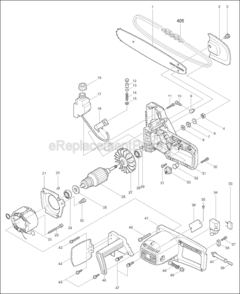


Part Location Diagram of CB154 Makita Carbon Brush Set
See part 48 in the diagram
Replacing your Makita Saw Carbon Brush Set
( Grid squares measure 1x1 inch )

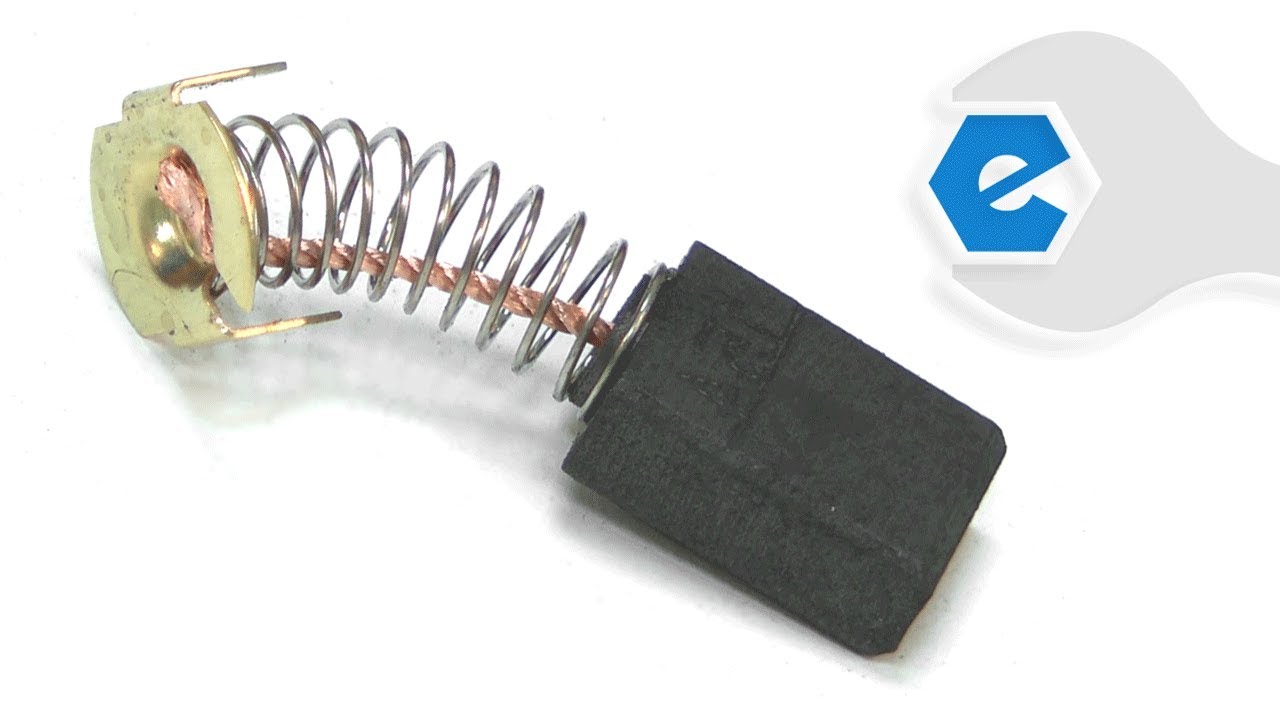
Carbon Brush Set CB154

Manufactured by:
Makita
ERP Number:
ERP10156641
Part Number:
CB154
Original Equipment Manufacturer ?
In Stock
Delivers in 3-5 Business Days!

Easy 

15 - 30 mins 

(88 rated repairs) ?

Does this part fit my model?

Need help finding your model number?

Product Description

?

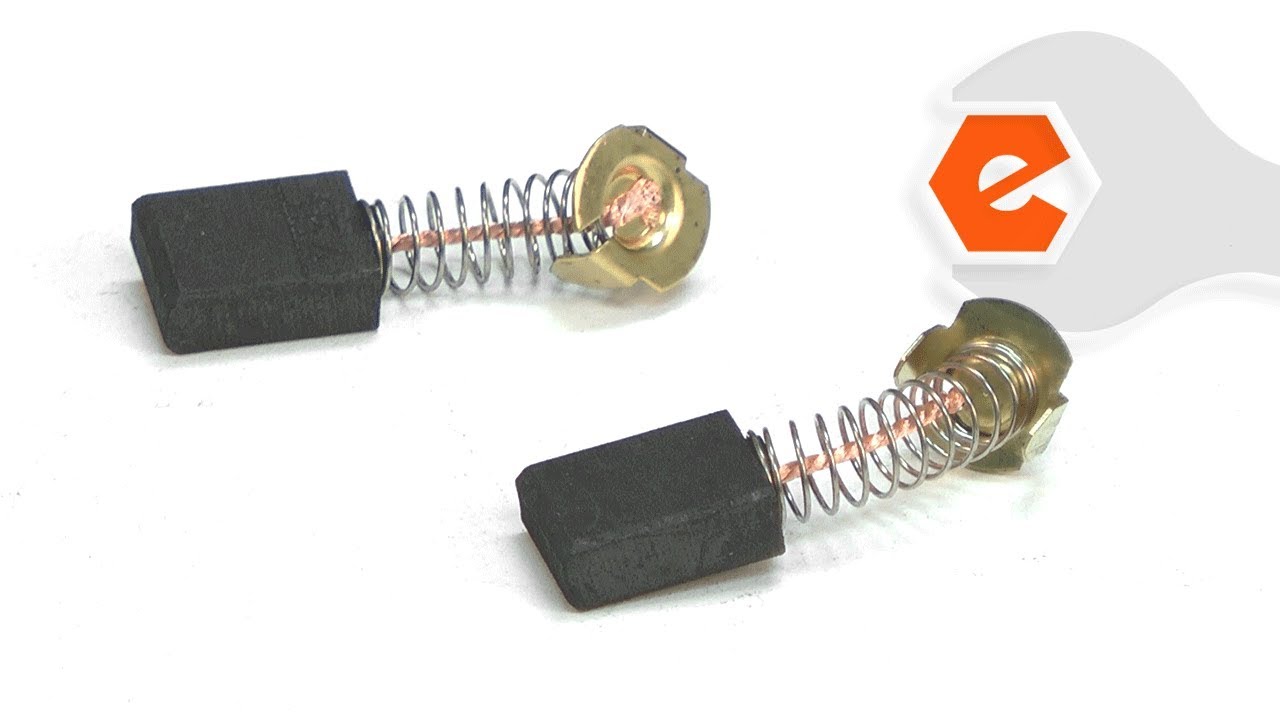
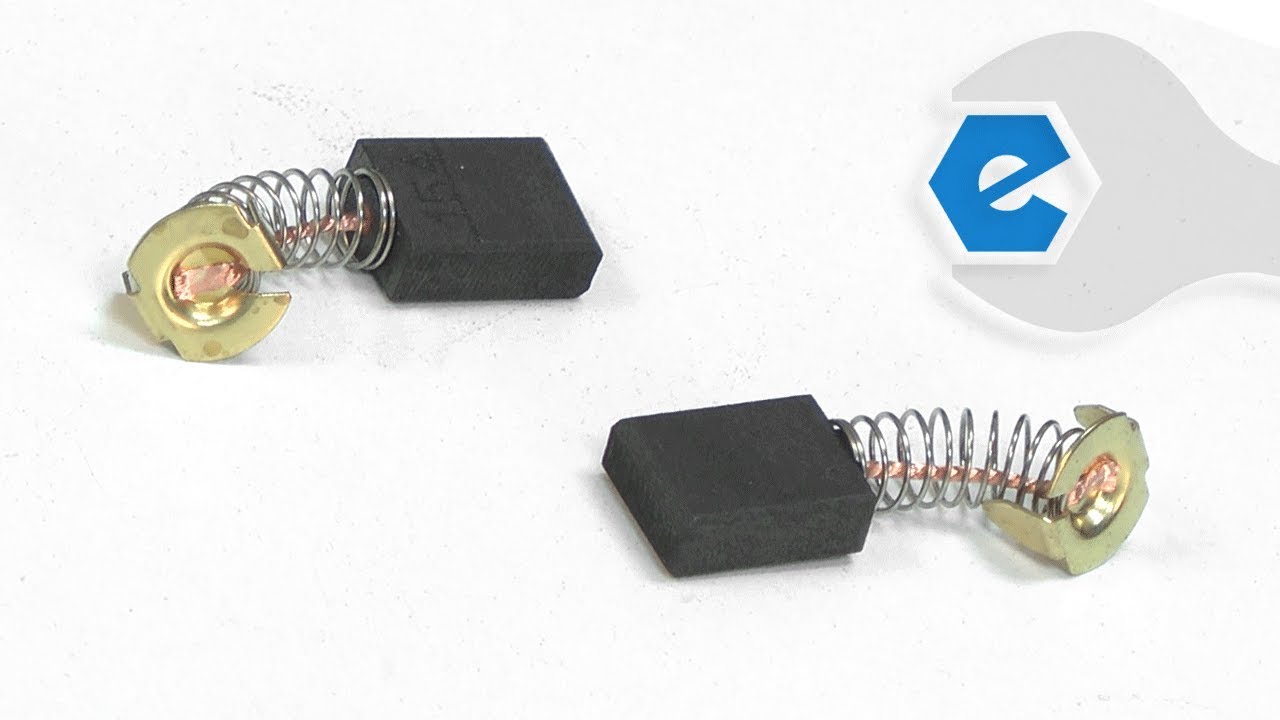
This is a genuine Makita replacement part that includes two carbon brushes with wire leads attached. Carbon brushes are essential components in power tools and are among the most commonly replaced parts due to regular wear from friction. Over time, worn brushes can cause a motor to run poorly, operate intermittently, or lose electric braking power. Replacing them can often restore your tool’s performance. A worn brush may appear cracked, pitted, burned, or worn down near the wire lead. It’s always best to replace both brushes at the same time, even if only one shows signs of wear. When installing new brushes, be sure to inspect the armature for any damage such as burns or cracks, which could indicate more serious motor issues.

Frequently Purchased Together

?

Troubleshooting

This part works with the following brands:
  • Makita
This part works with the following products:
  • Saw
  • Miter Saw
  • Circular Saw
  • Planer Jointer
  • Table Saw
  • Chainsaw
  • Angle Grinder
Part# CB154 replaces these:
181047-4, 194986-9, 643152-0, 643153-8, 643154-6, 957805410,

Videos For installing this part.

?
Replacing your Carbon Brush Set

Customer Part Reviews

?
4.7
Average Rating (out of 5):
★★★★★
★★★★★
(53 Reviews)
Click to filter by ratings:
  • 5 stars
    44
  • 4 stars
    6
  • 3 stars
    1
  • 2 stars
    1
  • 1 star
    1
  • 1
  • 2
  • 3
Sort by:  
Sorry, we couldn't find any existing reviews that matched. Try using some different or simpler keywords.
  • 1
  • 2
  • 3

Questions & Answers

?

Our customer Service team is at the ready daily to answer your part and product questions.

Be the first to ask our experts a question about this part!

Ask our Team

We have a dedicated staff with decades of collective experience in helping customers just like you purchase parts to repair their products.

Does this fit my product?

Customer Repair Instructions

All our customer repair instructions are solicited directly from other customers just like you who have purchased and replaced this exact part.

Easy 

15 - 30 mins 

(88 rated repairs) ?
  • 1
  • 2
  • 3
Sort by:  
Sorry, we couldn't find any existing installation instruction that matched.

Circular just would not start.

Nestor from Honolulu, Hawaii

15 of 16 people found this instruction helpful.
Difficulty Level:
A Bit Difficult
Total Repair Time:
15 - 30 mins
Tools:
Screw drivers, Wrench set
Parts Used:
CB154
I bought a used Makita circular saw(barely used) but it wouldn\'t start. So I took out the brush caps. The brushes were stuck due to corrosion..pry/pulled them out and install new ones....works like new....thanks for the parts.
Did you find this story helpful?
Thank you for voting!

Saw motor was sparking and then stopped working altogether

Jon from Tallahassee, Florida

12 of 12 people found this instruction helpful.
Difficulty Level:
A Bit Difficult
Total Repair Time:
15 - 30 mins
Tools:
Screw drivers
Parts Used:
CB154
1. Used a slotted screwdriver to remove the 2 carbon brushes
2. Slid the replacement brushes into place and screwed the caps back on
3. Plugged in the saw and it worked like a charm!
Did you find this story helpful?
Thank you for voting!

Routine replacement of brushes

Keith from Damascus, Oregon

9 of 9 people found this instruction helpful.
Difficulty Level:
Easy
Total Repair Time:
Less than 15 mins
Tools:
Screw drivers
Parts Used:
CB154
The old brushes had about 1/3 of their original length. I removed brush caps with a screwdriver, then used some forceps to remove the worn brushes. Installed the new brushes into the brush holder, then replaced the brush caps. I have used the planer for over 40 years without any problems other than feed roller replacement.
Did you find this story helpful?
Thank you for voting!

Table saw would not turn on.

Tim from Brookings, South Dakota

4 of 4 people found this instruction helpful.
Difficulty Level:
Easy
Total Repair Time:
15 - 30 mins
Tools:
Pliers, Screw drivers
Parts Used:
CB154, 651567-7, 272237-1
1. Remove switch cover.
2. Take a close-up picture of electrical connections with cell phone, unplug old switch.
3. Connect new switch. (use picture for reference to be sure connections were correct.)
4. Replace switch cover. done.
5. Use key punch to carefully remove old broken plastic handle.
6. Install new handle, use \'small\' hammer to tap in key.
7. Had to find a screw for tightener as mine was gone and was not included with new handle. done.
8. Removed old carbon brushes, they still had half of their original length, so I used an air hose to blow off any sawdust and put them back in. done. Did not install the new ones, not needed, will save for future use.
Saw works just fine now.
Did you find this story helpful?
Thank you for voting!

Old switch kept sticking and the saw would not shut down when the trigger was released. Brushes were worn down.

Davis from Huddleston, Virginia

4 of 4 people found this instruction helpful.
Difficulty Level:
Easy
Total Repair Time:
Less than 15 mins
Tools:
Screw drivers
Parts Used:
CB154, 650103-6
I took one side of the handle off. I removed the defective switch. you may want to make a wiring diagram to get the wires back in to the same place. I removed the brush caps and pulled out the worn brushes. then replaced them with the new set.
Did you find this story helpful?
Thank you for voting!

Did not run

Steven from Wolfeboro, New Hampshire

3 of 3 people found this instruction helpful.
Difficulty Level:
A Bit Difficult
Total Repair Time:
1- 2 hours
Tools:
Pliers, Screw drivers
Parts Used:
CB154, 596181-1, 516761-7
Turned the table saw upside down. Removed the motor from the gear housing. Removed the brushes from the motor. Pulled the armature from out of the motor housing. Removed the baffle plate. Removed the screws hold the field. Removed the springs from around the brush holders, noting which color, went to each brush holder. Made a wiring diagr am of the rest of the wires and disconnected them. Used a rubber mallet to tap on the outside of the motor housing to release the field. Reassembled in reverse order. And installed the new brushes.
Did you find this story helpful?
Thank you for voting!

Saw would barely start then stop immediately.

RON from CAPTAIN COOK, Hawaii

3 of 3 people found this instruction helpful.
Difficulty Level:
Difficult
Total Repair Time:
More than 2 hours
Tools:
Nutdriver, Pliers, Screw drivers, Socket set, Wrench set
Parts Used:
CB154, 651874-8
The switch was very easy. Just take apart old one and install new one. 10 minutes max. The brushes were a real bear! I had to completely take apart the table top to get to the top brush cap. Reminded me of my old tr7 sports car. Where I had to dismantle the whole dashboard to replace a small bulb!!! Any way the saw still did not not work so it sat for a month so it would \"Fix it\'s self\". Then I stared it down and replaced the male power plug. And I am now sawing up a storm...Thank you ereplacement parts for the prompt service with parts. Ron in captain cook hi
Did you find this story helpful?
Thank you for voting!

Lost the blade retainer bolt during a blade change and the saws electronic brake was working intermittently

JOHN from ERIE, Pennsylvania

3 of 3 people found this instruction helpful.
Difficulty Level:
A Bit Difficult
Total Repair Time:
15 - 30 mins
Tools:
Screw drivers, Wrench set
Parts Used:
CB154, 251637-8
1. Installed sharpened blade.
2. Installed stabilizing washer.
3. Installed and tightened replacement retainer hex bold with machines wrench.
4. Unscrewed Brush caps using a blade screwdriver.
5. Removed worn brushes.
6. Installed new brushes.
7. Installed and tightened brush screw caps.
8. Teste d machine for operation and accuracy.
Did you find this story helpful?
Thank you for voting!

Didn\'t work

Gary from Saint George, Utah

3 of 3 people found this instruction helpful.
Difficulty Level:
Easy
Total Repair Time:
15 - 30 mins
Tools:
Screw drivers
Parts Used:
CB154
This is on a Makita 3612BR router that was given to me. Checked the brushes, one was wore and the other was gone. Just had to remove the brush caps and clean out the brush holders, then insert the new brushes and screw the brush caps back on. There were some other things wrong like the cord was shot, easy enough to replace. Some one repl aced some of the screws with SAE screws instead of METRIC, that was a small fix, tap and die set to the rescue. A good cleaning and it works great.
Did you find this story helpful?
Thank you for voting!

Lightening strike burned out brushes and field assembly

William from Cambridge, Minnesota

2 of 2 people found this instruction helpful.
Difficulty Level:
A Bit Difficult
Total Repair Time:
15 - 30 mins
Tools:
Screw drivers
Parts Used:
140H08-1, CB154, 596236-2
Disassembled miter saw and replaced field and brush assemblies. Make sure to install field assembly so wires are long enough to attach to switch. Attaching brushes was a little difficult but by using 2 flat blade screw drivers can be done.
Did you find this story helpful?
Thank you for voting!
  • 1
  • 2
  • 3