1. Released sanding belt tension lever, removed old belt, replaced with new belt, placed tension lever back.
2. Turned on sander and adjusted new belt to center with adjusting knob.
3. Pealed off old sandpaper disk, removed old disk glue with razor tool and cleaned off disk mounting surface with the old disk.
4. Pealed b
... Read moreacking off of new disk and properly adhered it evenly on to the disk mounting surface.
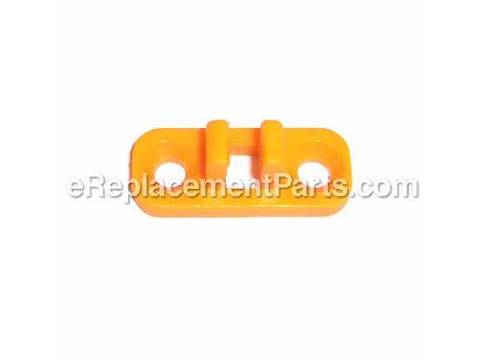
5. Removed the 4 Phillips head screws from the miter gauge and Allen wrench holders.
6. Installed both new holders with the 4 screws and inserted the tools into their holders.
7. Removed drive belt plastic cover (2 Philips screws).
8. Removed both Idler pulley and driver pulley (Philips screws - left handed tread).
9. Slid both pulleys and drive belt off at the same time.
10. Installed both pulleys back on the shafts they came off on in the same orientation with out the belt.
11. Placed the new belt onto the new idler pulley and partially on to the drive pulley. While holding the belt partially on a few teeth of the drive I pushed on the sanding belt in order to spin the drive belt completely on to the drive belt.
12. Tightened both pulley screws (left handed tread), making sure both pulleys were seated on their perspective shafts. I used locking pliers to hold each pulley so not to turn while tightening screws.
13. Making sure the area was free of dirt and other debris, I put the plastic drive belt cover back on properly with the two mounting Philip head screws.
14. Turned on the sanding machine and inspected both the sanding belt and sanding disk were turning true and centered.
15. The total replacement time for all the new parts took me under 30 minutes.
Read less
Did you find this story helpful?
Thank you for voting!
< Prev
1
Next >
Model Cross Reference
This part works with the following models:
ERP Number: ERP10087117
Manufacturer Part Number: BD46082
This part is in stock in our warehouse and will ship out within 1 business day of the order being placed.
New stock is on the way! On order parts usually ship within 7 business days.
Item is not in stock and usually ships 10-15 business days from the time you place your order.
This item is no longer being made by the manufacturer, and cannot be added to your shopping cart.
✖
Mail-In Recycling Rebate
Some of the parts we sell are eligible for mail-in rebates since we can recycle them. We will display any applicable rebates in your shopping cart. To redeem your rebate, contact Customer Service after you have received your part.