



Charger: Indicator Lights Don't Work
If the indicator lights are not lighting up anymore, there are a few parts that might be causing this. Check the fuse, circuit board, transformer, and battery. Once you have determined which part is the culprit, use our guide below to diagnose the problem. Always refer to your owner's manual for complete instructions.

Batteries
If the indicator light does not work, check the battery in your charger. It is common to replace dead batteries consistently as an easy solution to this problem.

Circuit Board
If you checked the fuse in your charger but the indicator is not turning on, then check the circuit board. If it has a blown out component that is affecting the function of the charger, replace the board to fix this problem.
Transformers
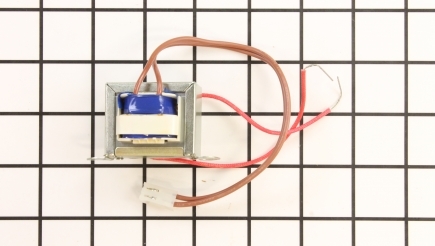
The transformer is usually a symptom of the failure in your charger and is not a part that is commonly replaced, because they tend to have long lives. If your indicator light does not work, that can be a symptom worth checking. If the transformer in your charger overloads, it can burn out and become damaged. Replace this part to fix your problem. Tip: when assembling a new transformer, make sure you connect the correct wires.

Fuses
If the indicator lights do not work when the charger is turned on, check the fuse. Lift the cover by removing all screws to access the fuse, which should be in a separate compartment. Remove the old fuse and insert the new one. Ensure it is tight and secure on the fuse clip. Once you insert it, put the fuse clip back in and reassemble the cover.