



How to Replace the Air Filter Cover (Lid) on an Echo Trimmer (Model SRM-225)


String trimmer out of whack? It's time to face the fix. Whether you are a legendary landscaper or a weekend weed whacker, eReplacementParts.com provides the parts, procedures and facts you need to fearlessly fix what fails you.
The air cleaner lid secures the air filter to the trimmer. It also prevents large debris from entering the air cleaner assembly. If the trimmer is dropped or otherwise impacted, it is not uncommon for the air cleaner lid to crack or break. Fortunately, replacing the component is very easy to do. This article will show you how to remove and install the air cleaner lid on an Echo trimmer (the model shown in this tutorial is the Echo SRM-225).
Let's get started.

REMOVING THE AIR FILTER LID [top]
1. Remove the air filter.
Loosen the thumb screw.
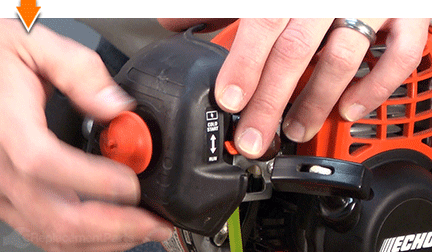
Remove the air cleaner lid.

Remove the air filter.

Remove the thumbscrew from the lid.

INSTALLING THE NEW AIR FILTER LID [top]
2. Install the new lid.
Install the thumbscrew onto the new lid.

Install the air filter into the air cleaner case (or into the new lid).
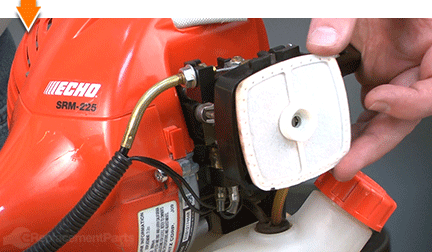
Install the air filter lid onto the air cleaner case.
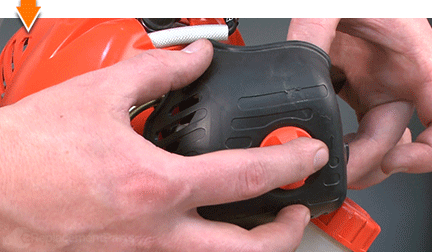
Secure the new lid with the thumbscrew.
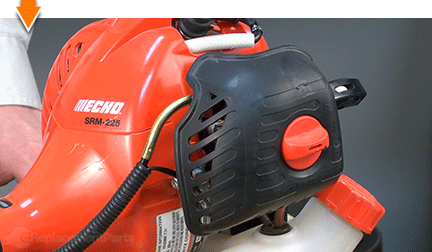

You don't have to leverage your savings to level your lawns. As you just learned, repairing your own equipment is easy when you follow our step-by-step guides. Not only did you restore trimmer functionality at a fraction of the cost of replacement; you have taken the edge off of future repairs, wherever you may find them.
Find your next fix here.