



Blender: Won't Turn on
If your blender won't turn on, this doesn't have to mean the end of its life. Try repairing your blender yourself, saving you on time and the expense of having it serviced or replaced. Check the base, motor, fuse, and power cord. Read our troubleshooting guide for tips on how you can locate the part that could be causing your appliance to not start, and continue reading for easy-to-follow instructions on getting it back to working perfectly. Your owner's manual will have more specific instructions for your model.
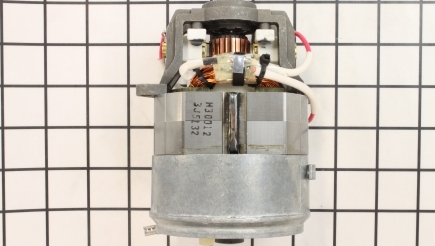
Motors
If your blender won’t turn on at all, the issue could be a completely burned out motor. Replacing the motor is an advanced repair, make sure to unplug the blender before starting. To access the motor, flip over the base and unscrew the bottom cover. Unscrew and remove the inside cover, also known as a motor platform. Pull out the motor carefully, and consult your manufacturer manual to determine which wires to desolder to remove the motor. Depending on your model, you may also need to use wire cutters to detach a motor wire from the circuit board or motor cap. Install your new motor by soldering the same wires to it that you just detached. ... Read more
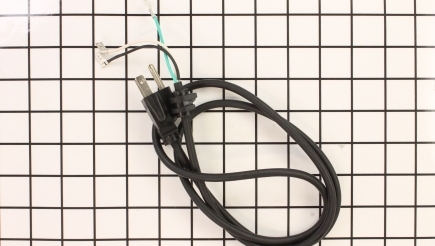
Power Cords
If the power cord has developed a shot that has gotten worse and no longer makes contact, it can cause a power problem in your blender. Unplug your blender before beginning this repair. Follow the instructions above for removing the bottom cover of the blender base. The two power cord wires may be attached to the control board, and can be soldered off, or cut with wire cutters, depending on their location on your blender model. Check your manufacturer manual to find out their exact location. Solder the new power cord to the same spot on the control board, and thread the power cord back through the access hole on the bottom cover of the blender base. ... Read more
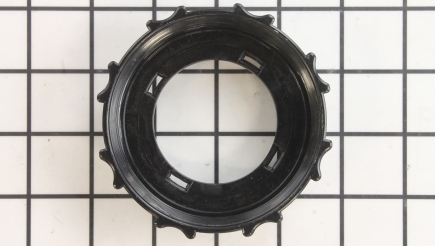
Bases
The blender base can also be known as a collar, seat, or container base. In rare instances the base needs to activate a safety switch, either a micro or a magnetic switch. If the base is damaged and can’t activate the switch, it should be replaced. This is an easy repair, remember to unplug the blender before beginning. Unscrew the container base from the jar and remove the blade assembly. Place the blade assembly in the new base and screw it back onto the jar.
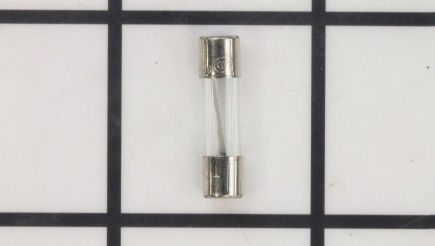
Fuses
Fuse: Many models of blenders have a fuse that is inline or even located on the circuit board. A burned-out fuse will cause your blender not to turn on. To check if the fuse is blown, remove the base cover and inspect either the motor switch or circuit board for a blown fuse. You can use a multimeter to test for continuity; the fuse is blown if the circuit is open. Make sure the new fuse has the same rating as the previous one.