



Charger: Won't Charge Batteries
If your charger isn't charging the batteries, this can be frustrating. Check out our list of possible parts that could be causing the issue. The most common parts that cause this problem are the power cord, fan, circuit board, fuse, and transformer. Refer to your owner's manual for detailed information relating to your specific model.
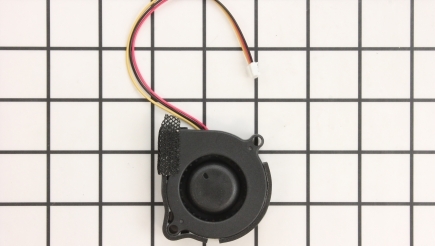
Fans
If the fan is stuck and will not rotate in your charger, then it will not charge the batteries in it. Unscrew the cover to locate the fan, and replace the fan to fix this problem. Tip: make sure to clean the fan periodically to avoid permanent dysfunction.
Find Official Battery Charger Fan Parts that Fit
Find Official Battery Charger Fan Parts that Fit

Power Cords
If your charger does not turn on, check the power cord connected to your charger. If it is burned out or worn out, you will have to replace it to fix this problem. Usually a good way of determining a charger that is problematic can be to jiggle or press the cord. If power comes to the battery intermittently while jiggling, it can be a symptom of a bad power cord.

Circuit Board
If you check your circuit board and notice it is broken or burned out, then it might be the reason why your charger is not turning on. Replace the circuit board with a new one to fix this problem. Disconnect the wires to install a new circuit board. Tip: To prevent the cord being pulled out, which can result in ripping out the circuit board, re-tool the pull-stop.
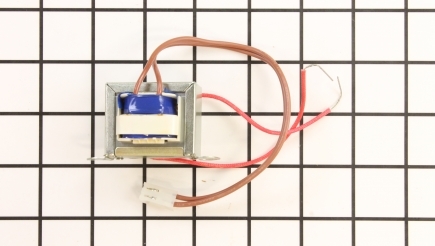
Transformers
The transformer is usually a symptom of the failure in your charger and is not a part that is commonly replaced, because they tend to have long lives. If your indicator light does not work, that can be a symptom worth checking. If the transformer in your charger overloads, it can burn out and become damaged. Replace this part to fix your problem. Tip: when assembling a new transformer, make sure you connect the correct wires.

Fuses
If the fuse is blown in your charger, it will not charge the batteries in it. Replace the fuse to fix this problem. Locate the bottom of the charger and remove screws, as well as any screws found in the port. Now you can pull the top of the charger to split it from the bottom. Before installing the new fuse, locate the old one and simply pull it out.