
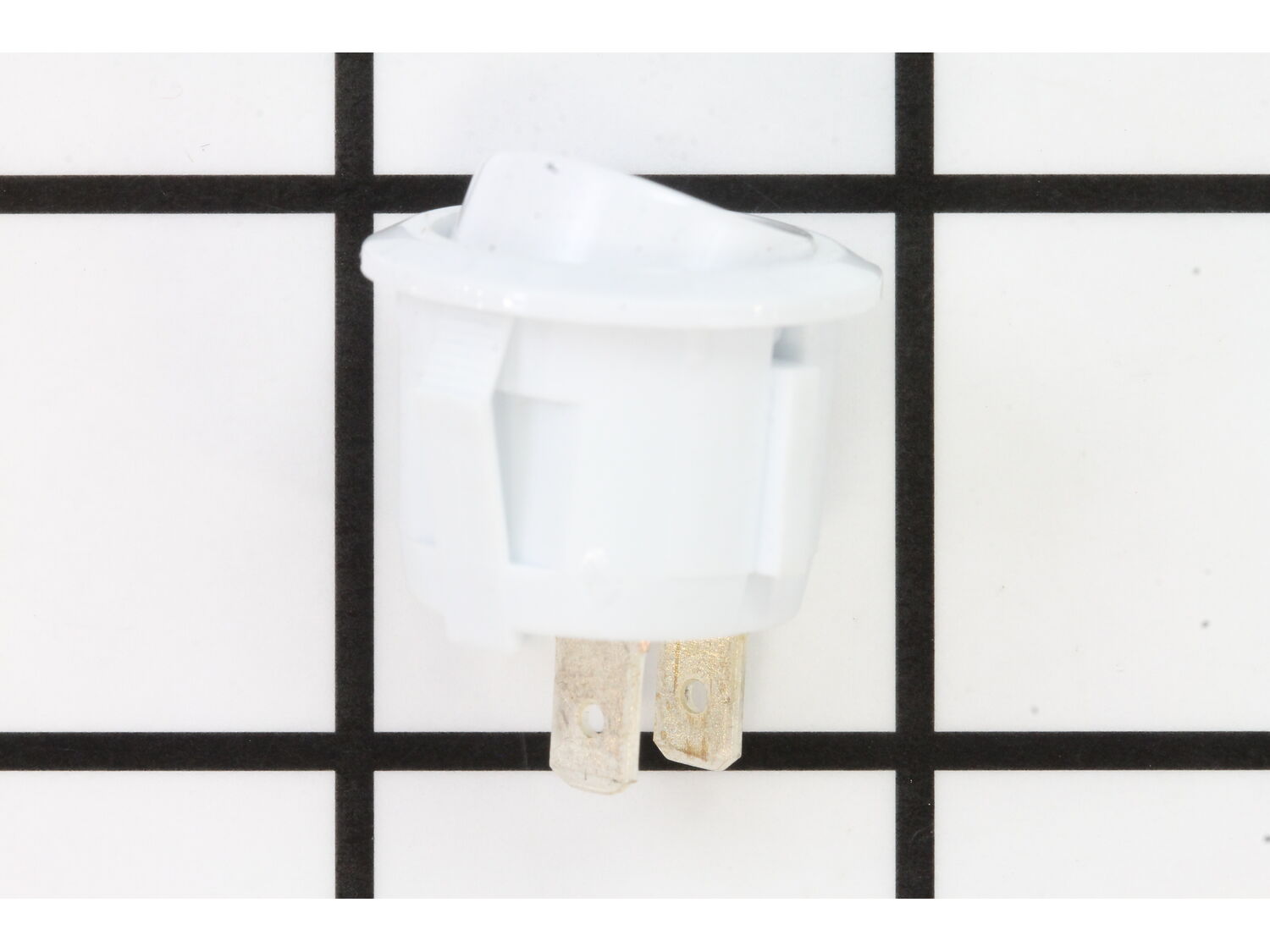
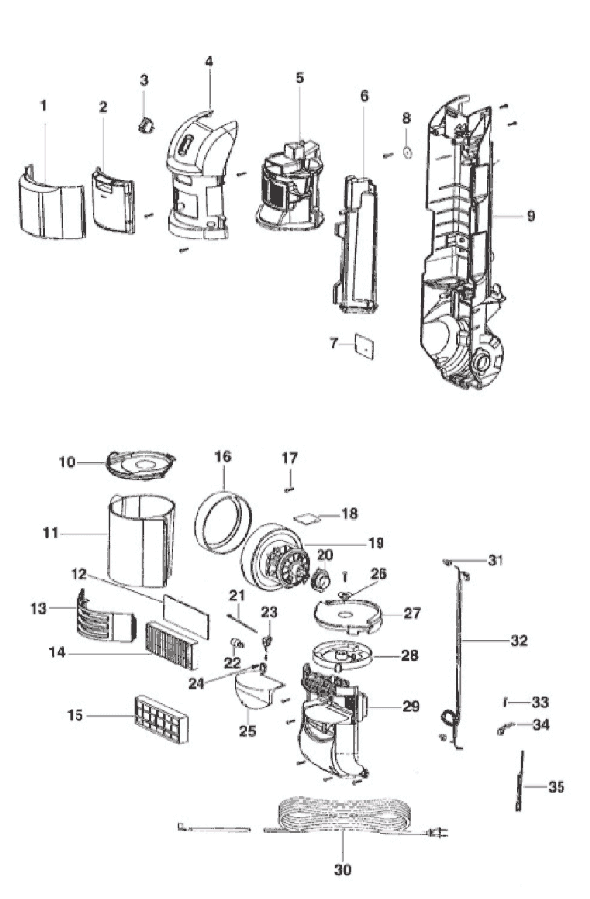



Part Location Diagram of E-76464 Eureka Switch - 2 Position
See part C3 in the diagram
( Grid squares measure 1x1 inch )

Switch - 2 Position E-76464

Manufactured by:
Eureka
ERP Number:
ERP12164783
Part Number:
E-76464
Original Equipment Manufacturer ?
Special Order

Easy 

Less than 15 mins 

(4 rated repairs) ?

Does this part fit my model?

Need help finding your model number?

Product Description

?

This is an authentic Hoover made replacement part. It is compatible with Hoover vacuums, including editions of the WindTunnel 2. This on-off switch is made of plastic material and is sold individually. A Philips head screwdriver and needle nose pliers are needed for this repair. During repair, access both the front and back of the machine. • Unplug the vacuum • Detach the handle • Remove bag housing door from front of machine • Remove all attachment tools in the front storage caddy • Remove tool caddy • Gently remove wires attached to old on-off switch • Pry out old switch • Push in new switch and attach wires • Test vacuum before reassembling

Troubleshooting

This part works with the following brands:
  • Eureka
This part works with the following products:
  • Upright Vacuum

Customer Part Reviews

?
4.7
Average Rating (out of 5):
★★★★★
★★★★★
(3 Reviews)
Click to filter by ratings:
  • 5 stars
    2
  • 4 stars
    1
  • 3 stars
    0
  • 2 stars
    0
  • 1 star
    0
  • 1
Sort by:  
Sorry, we couldn't find any existing reviews that matched. Try using some different or simpler keywords.

Questions & Answers

?

Our customer Service team is at the ready daily to answer your part and product questions.

Be the first to ask our experts a question about this part!

Ask our Team

We have a dedicated staff with decades of collective experience in helping customers just like you purchase parts to repair their products.

Does this fit my product?

Customer Repair Instructions

All our customer repair instructions are solicited directly from other customers just like you who have purchased and replaced this exact part.

Easy 

Less than 15 mins 

(4 rated repairs) ?
  • 1
Sort by:  
Sorry, we couldn't find any existing installation instruction that matched.

On//off switch didn\'t work

Judith from Freeport, Illinois

2 of 2 people found this instruction helpful.
Difficulty Level:
Easy
Total Repair Time:
15 - 30 mins
Tools:
Nutdriver, Pliers, Screw drivers
Parts Used:
E-76464
1. Removed some screws.
2. Removed the collection canister.
3. Removed the plastic housing pieces above the yellow filter.
4. Removed the wire connection on the spade terminal.
5. Pushed the old switch out, put new switch in and reconnected the terminals.
6. Did a power up to see that switch works. Started up. Shut off and unplugged the unit.
7. Reverse the steps from above
Would like to also say that I am a 64 yr. young, married, woman and did this by myself.
Did you find this story helpful?
Thank you for voting!

Power switch broke

James from Waupaca, Wisconsin

2 of 2 people found this instruction helpful.
Difficulty Level:
Easy
Total Repair Time:
15 - 30 mins
Tools:
Screw drivers
Parts Used:
E-76464
1- Took the vacuum cleaner partially apart
2- Removed the original switch
3- Replace the old switch with the new one
4- Put the unit back together.
Did you find this story helpful?
Thank you for voting!

ON/OFF switch quit working

Eugene from port charlotte, Florida

0 of 1 people found this instruction helpful.
Difficulty Level:
Easy
Total Repair Time:
Less than 15 mins
Tools:
Pliers, Screw drivers
Parts Used:
E-76464
Removed two screws from the switch plate, took off the two electric wires, pulled out the old switch and replaced it with the new one. Connected both wires and replaced the switch mount. DONE
Did you find this story helpful?
Thank you for voting!

The on-off switch had a short.

Derick from GILROY, California

0 of 1 people found this instruction helpful.
Difficulty Level:
Easy
Total Repair Time:
Less than 15 mins
Tools:
Screw drivers
Parts Used:
E-76464
I noticed when turning on the vacuum it would come on and off if you touched the switch. Figuring it had a short, I removed the old switch and installed the new one.
Did you find this story helpful?
Thank you for voting!
  • 1