Sorry, we couldn't find any existing answers that matched. Try using some different or simpler keywords, or submit your new question by using the "Ask a Question" button above!
Show code E05 on my toaster oven?
Art
For model number BOV800XL/A - February 13, 2023
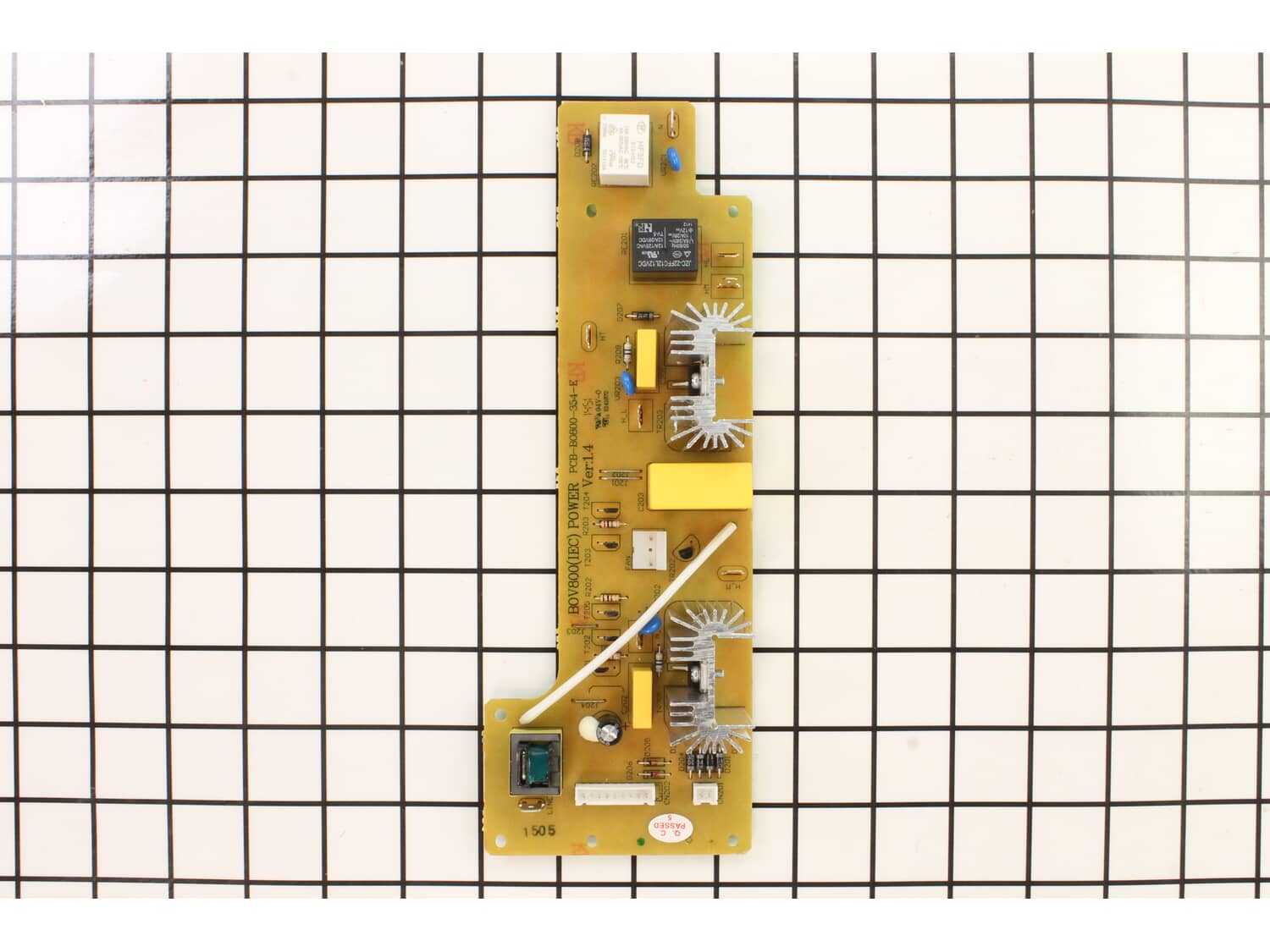
Hello Art, Thank you for writing. Error 05 is a failed triac. You may need to replace the Power Pcb Assembly or the Control Pcb Assembly. We hope this solves your problem!
eReplacementParts Team
February 13, 2023
Did this question help you?
Thank you for voting!
Oven turns on but won't heat. I've read a bunch of discussion boards online and replaced the temperature sensor without any luck. I'm wondering if this could still be the thermal fuse even though the screen turns on? Seems unlikely that all 4 heating rods would go out at the same time so I have not replaced those yet. Thanks!
Joe
For model number BOV800XL - March 6, 2023
Hello Joe, Thank you for the question. If the fuse is blown, it will cut power to the appliance and it will not power on. If the Sensor if good, you can check the wiring. This could also indicate a faulty Pcb Assembly. We hope this is helpful!
eReplacementParts Team
March 6, 2023
Did this question help you?
Thank you for voting!
Customer Repair Instructions
All our customer repair instructions are solicited directly from other customers just like you who have purchased and replaced this exact part.
A Bit Difficult
1- 2 hours
(7 rated repairs)?
< Prev
1
Next >
Sort by:
Sorry, we couldn't find any existing installation instruction that matched.
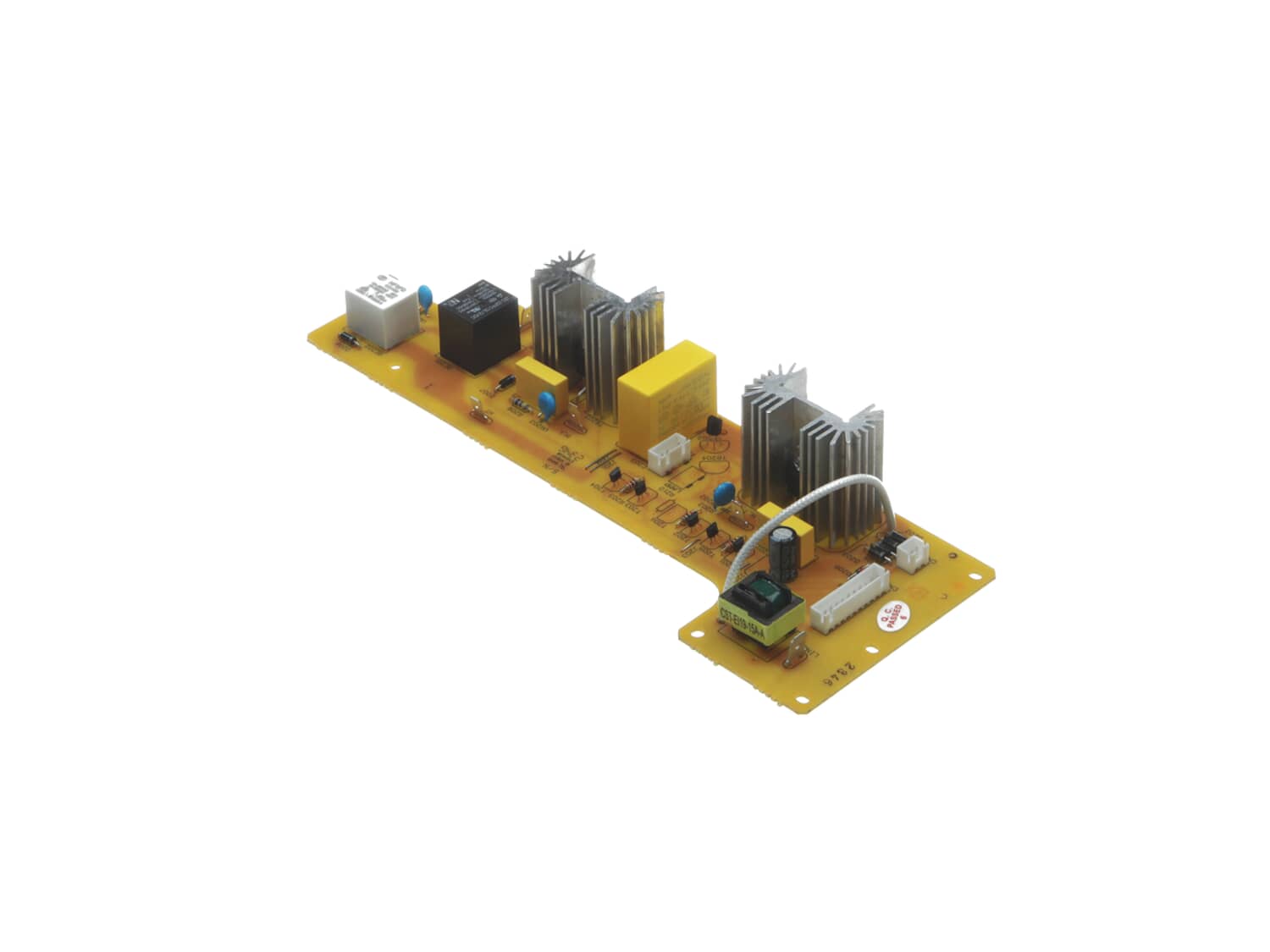
My unit would appear to work fine, no error codes or any other indication other than it wasn\'t heating up. When I opened up the unit I saw part of the power circuit board was burned, where one of the heating element wires connects; likely due to a bad solder joint. This part is right behind the LCD display and I wasn\'t able to fully a
... Read moreccess that area. I was able to prop the shell open wide enough to get at it carefully. Next I disconnected and labelled where each connector went before putting in the new board. I had to cut one of the zip ties to loosen the wires enough to remove the board. After the new board was installed and everything put back together the unit works properly.
Check your replacement board thoroughly, mine was missing a connector which added another 2 weeks to my repair plus the time it took installing it before I realized. Call them to get an RMA
I\'d also suggest taking pictures of your unit before removing the screws and along the way so you can see what parts of the outer shell go over the others. I tried to use online pictures and found they differed from mine.
Overall this replacement was tedious and the part is pretty expensive. If a new unit wasn\'t so expensive or if there were comparable alternatives I would have just got a new toaster oven. The thermal fuse replacement is much easier and cheaper so if I later need to do that I will but I\'m not sure I\'d bother replacing this part again. The new board was identical to the old and the first replacement was defective so that\'s 2 bad boards out of 3 which doesn\'t inspire confidence. I was hoping I was getting a new and improved version that wouldn\'t have this flaw.
Read less
Did you find this story helpful?
Thank you for voting!
When you\'d hit start button it would not always start.
Removed outer case. Many screws to remove including both bottom feet.
Remove screws that hold front controls to oven separating it and out of the way.
Tagged all wires going to power board and recorded on paper.
Unplug all wires going to terminals on board.(May want to use needle nose pliers to unplug.)
Remove 4 sc
... Read morerews holding power board to oven.
Slide board to the left making sure it does not get caught on any wires on the way out.(my board had a loose terminal with a burnt area around it.)
Slide new board in.
Replace 4 screws that hold power board to oven.
Connect all wires to terminals using diagram you made.
At this point I actually tried it before proceeding to reassemble.
If functioning properly, proceed to reassemble.
I generally followed another person\'s repair instructions for the fan motor assembly, although I was replacing the PCB
http://www.ereplacementparts.com/fan-motor-assembly-p-1857917.html
One thing to note is the other writer said that a LONG #2 screwdriver is necessary - the shaft of the screwdriver needs to be at least
... Read more 12\" long to reach the black screws at the front of the case. I ordered a 20\" screwdriver for under $10.00 because it was cheap. Worked fine, but not something I will ever use again.
I was never able to remove the case entirely, but was able to prop the side open where the PCB and fan are located with a block of wood. I had to clip a couple of the existing zip ties (you will need to replace them) to release the wires enough to slide the old PCB out, and slide the new one in.
Mark the wires on the old PCB REALLY well before removing, and take pictures.
I am an experienced and certified computer repair technician. This was much more difficult than anything I have encountered on a computer - partly because of the number of screws, and partly because of the tight space.
I was a bear, but in the end, everything went back together and the oven works. I bake bread in mine every week, and have for about 3 years. Hopefully, it will last a few more years.
1. Rest oven on a towel, door-side down.
2. Remove all screws from back of unit, some from bottom of unit (including the oven\'s feet).
3. Remove back cover of oven case.
4. Using a long screwdriver, remove the 5 black screws holding the side/top cover to the front of the oven.
5. Carefully remove side/top cover fr
... Read moreom front of the oven by pulling from front-to-back of oven.
6. Mark each of the wires connected to the existing PCB board to ensure that you connect them to the same terminals on the new board.
7. Using a very small screwdriver and/or pliers to (if necessary), remove each of the wires from the terminals on the PCB board.
8. Remove 5 screws from PCB board and carefully remove old PCB board from the oven. There should be a small rectangular piece of padding behind the board near the front of the oven. Set this aside.
9. Carefully place the new PCB board into position. Place the piece of padding behind it where you found it. Fasten board to oven using 5 screws.
10. Connect all wires/plugs to the PCB board in the same location(s) as they were on the old board.
11. Re-assemble oven cover in the reverse order that it was disassembled.
Read less
Did you find this story helpful?
Thank you for voting!
The Breville BOV800XL convection oven would appear to work normal but would not heat up. Logic board was bad
Remove the outer case identify the wire going to the logic board in a way that is easy to replace them in correct order ( I used color markers).
Replace board
Relocate all wires
Put case back together
Enjoy
Carefully disassembled unit, casing will bend easily and corners are sharp, can cut. Recommend some sort of gloves if possible. Installed panel. Reassembled unit.
Did you find this story helpful?
Thank you for voting!
A power surge blew out the power board. Neutral tap into the power board was burned off.
Lots of small screws here, remove as necessary to push rear panel straight down about an inch, then remove. Remove all screws that hold left and right foot assemblies in place, then remove sufficient screws to peel outer cabinet away from power board. Take lots of pictures showing wire routing, zip tie locations, etc. Snip zip ties as nee
... Read moreded to free all wires going into power board. Be careful not to disturb the convection fan blade, it is staked on the hub and easily knocked off. If you do, you will need a 1.5mm allen wrench to remove the hub and restake the fan blade. Label all leads (1-7) going to power board. Use a fine Sharpie to label the connectors on the old board. Write wire labels on new board using old board as a guide. Remove old board and replace with new one. Connect all wires to spade connections. Retie all wires using new zip ties. Ensure all wires are away from fan blade.
Reassemble cabinet.
Read less
Did you find this story helpful?
Thank you for voting!
< Prev
1
Next >
Model Cross Reference
This part works with the following models:
ERP Number: ERP17016392
Manufacturer Part Number: SP0023060
This part is in stock in our warehouse and will ship out within 1 business day of the order being placed.
New stock is on the way! On order parts usually ship within 7 business days.
Item is not in stock and usually ships 10-15 business days from the time you place your order.
This item is no longer being made by the manufacturer, and cannot be added to your shopping cart.
✖
Mail-In Recycling Rebate
Some of the parts we sell are eligible for mail-in rebates since we can recycle them. We will display any applicable rebates in your shopping cart. To redeem your rebate, contact Customer Service after you have received your part.