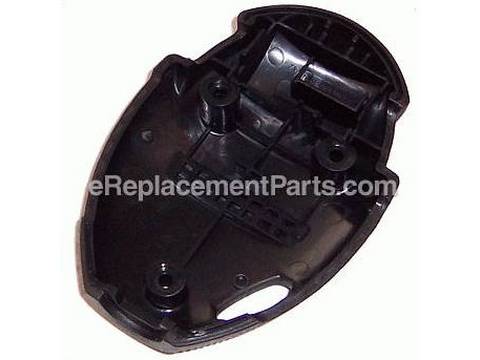
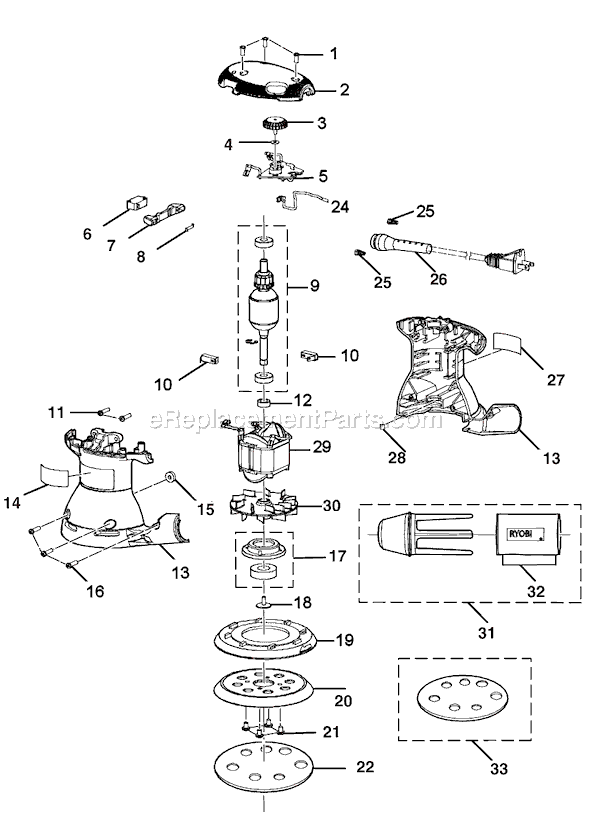
1. Removed the top cap
2. Removed the five screws holding the two halves of the sander together
3. Gently split the two halves partially apart, just enough to slide the brushes out
4. Using a flathead screwdriver spread the crimped connector holding the old brush assembly
5. Slide out the male connector which is a
... Read morettached to the brush assembly then remove the old brush assembly
6. Slide in male connector of new brush assembly to the female connector and gently crimp tight with pliers
7. Place brush assembly back in slots against the armature
8. Assemble the two halves and screw back together
Read less
Did you find this story helpful?
Thank you for voting!
< Prev
1
Next >
Model Cross Reference
This part works with the following models:
ERP Number: ERP10081688
Manufacturer Part Number: 513041001
This part is in stock in our warehouse and will ship out within 1 business day of the order being placed.
New stock is on the way! On order parts usually ship within 7 business days.
Item is not in stock and usually ships 10-15 business days from the time you place your order.
This item is no longer being made by the manufacturer, and cannot be added to your shopping cart.
✖
Mail-In Recycling Rebate
Some of the parts we sell are eligible for mail-in rebates since we can recycle them. We will display any applicable rebates in your shopping cart. To redeem your rebate, contact Customer Service after you have received your part.
✖
[{"position":0,"name":"Home","title":"Home","url":"/"},{"position":1,"name":"Cap or Lid","title":"Cap or Lid","url":"/parts/power-tool/sander-polisher/caps-and-lids/"},{"position":2,"name":"513041001","title":"513041001","url":""}]