Sorry, we couldn't find any existing reviews that matched. Try using some different or simpler keywords.
★★★★★
★★★★★
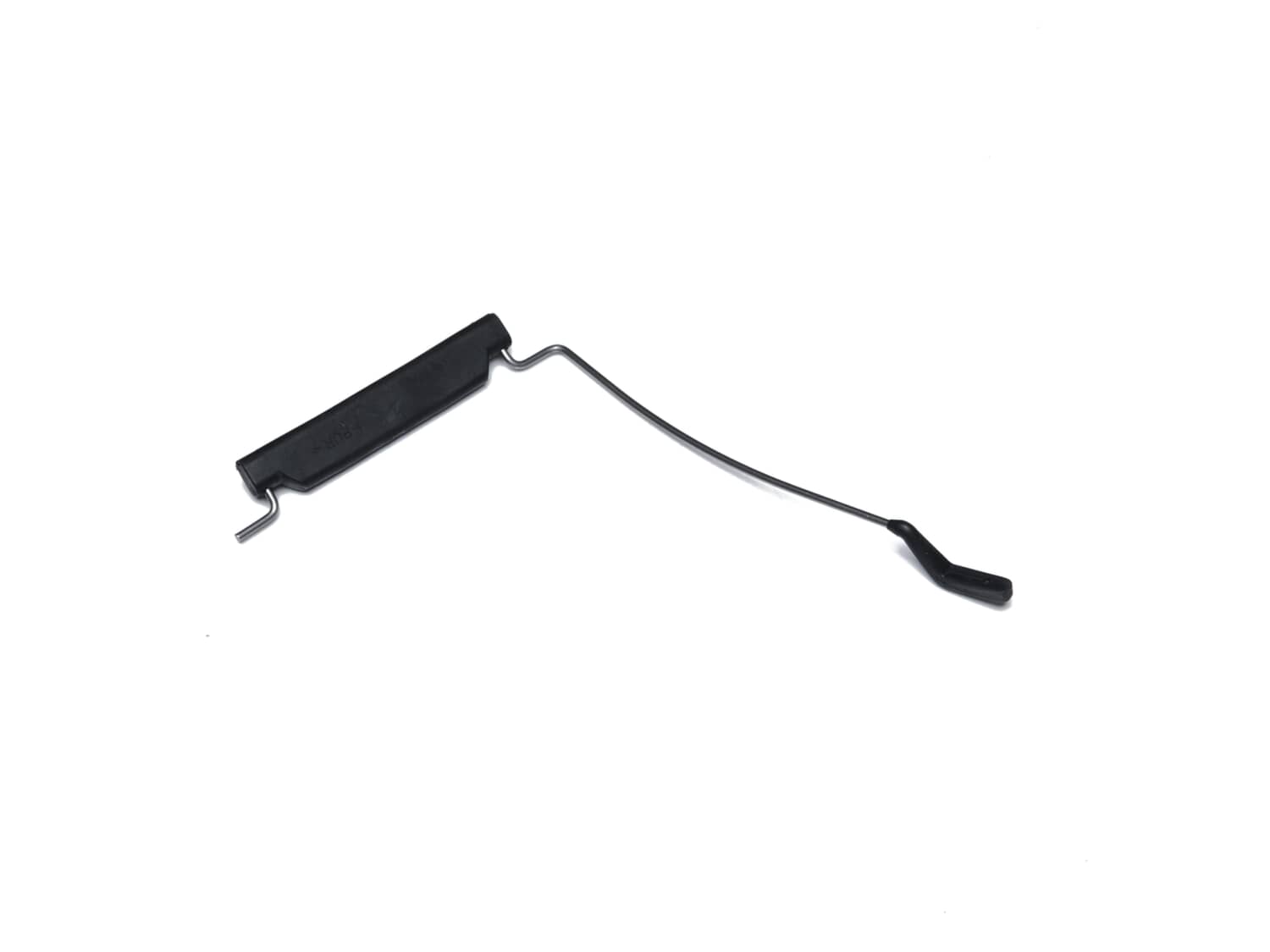
replacement part for sander
Arrived quickly, fits perfedt 100% satisfied
Guest - October 11, 2019
Verified Purchase
★★★★★
★★★★★
Exactly the part I was looking for
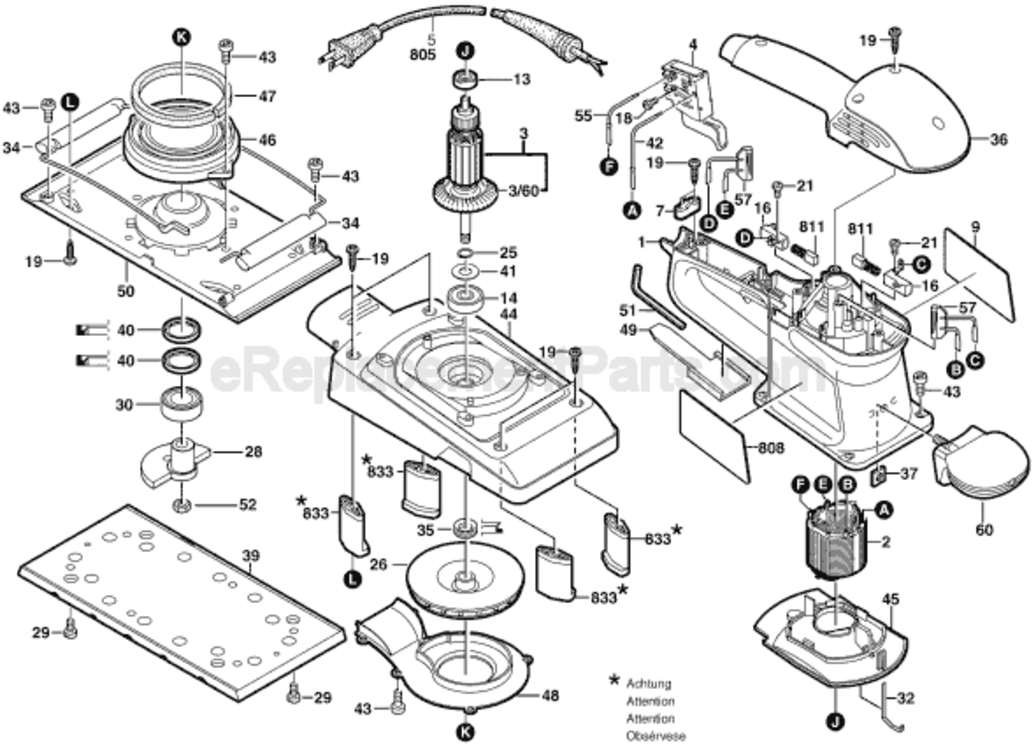
Fast service, reasonable price, just the part I needed to get my Bosch half sheet sander up and working again . My only issue was it is very difficult to find instructions on how to install the tensioning lever. Bosch customer service is of zero help..I did figure it out after a while and it turned out to be not difficult after enough experimentation
Guest - July 5, 2022
Verified Purchase
Customer Repair Instructions
All our customer repair instructions are solicited directly from other customers just like you who have purchased and replaced this exact part.
A Bit Difficult
15 - 30 mins
(4 rated repairs)?
< Prev
1
Next >
Sort by:
Sorry, we couldn't find any existing installation instruction that matched.
- Remove sand paper
- Remove sanding pad (6? screws)
- Remove 4 screws in corners of platen to (rubber?) supports
- Use screw driver to pry platen over just far enough to access and loosen tension bar hold down screw (this was the only difficult part)
- Relax platen and remove tension bar by sliding it out the side
... Read more - Install new tension bar by slipping end into hole in platen.
- Use screw driver to pry platen over just far enough to access and tighten tension bar hold down screw
- Repete on other end for second tension bar if needed
- Replace support screws
- Replace sanding pad
Replacing the sanding pad is very easy. That may have been all it it needed. However, I also replaced the two spring arms that actually hold the paper. Replacing these requires disassembling the sander because the nut at the end of the armature needs to be removed first before you can get it apart far enough to access the screws that hold
... Read more the spring arms in place. To remove this nut, the armature itself needs to be removed from the sander in order to hold it in a vise. Perhaps if you were to fabricate a special socket that could hold the eccentric and nut, you might be able to use an impact wrench to remove the nut/eccentric without the need to remove the armature. I decided to just remove the armature. I used a large cove router bit to make a pair of wooden blocks I could use as soft jaws in order to hold the armature securely in my vise without damaging the armature itself. With the armature clamped solidly in the vise, I used a hammer and punch to unscrew the eccentric/nut (it uses right hand threads). After the eccentric/nut is removed, the base casting can be removed which will allow the spring holders to be replaced.
The problem now is the armature cannot be re-inserted into the blue sander body because the springs behind the brushes have extended the brushes all the way out. The only way to get the armature back in is to first remove both brush holders, and this will require removing the top half of the blue plastic housing. Separate the two halves, remove the top half, remove both brushes, and re-assemble the armature back in. Then re-install the brushes, put the upper blue plastic part back on, and youÆre done! ItÆs a lot of work, but the sander now holds the sandpaper as well as it did when it was brand new. ItÆs like a new tool now. This saved me a ton of money over buying a new half-sheet sander. I REALLY like this sander. IÆm glad I was able to fix it and not buy a new sander. To me, it was worth fixing. It turned out well and IÆm very happy.
This part is in stock in our warehouse and will ship out within 1 business day of the order being placed.
New stock is on the way! On order parts usually ship within 7 business days.
Item is not in stock and usually ships 10-15 business days from the time you place your order.
This item is no longer being made by the manufacturer, and cannot be added to your shopping cart.
✖
Mail-In Recycling Rebate
Some of the parts we sell are eligible for mail-in rebates since we can recycle them. We will display any applicable rebates in your shopping cart. To redeem your rebate, contact Customer Service after you have received your part.