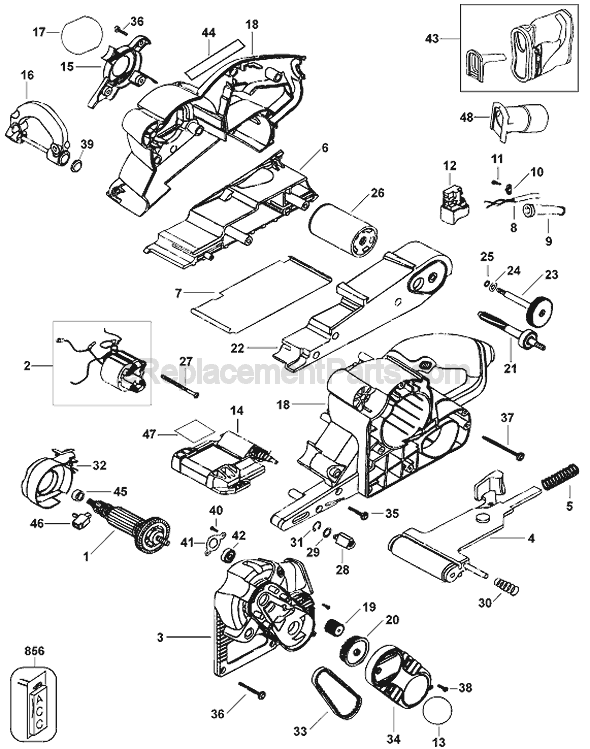
1) Make sure Sander is not plugged in (for safety)
2) With Sander laying on the side of the metal latch, remove (pry out) the black plastic or rubber plug from the opposite side with a small flat screw driver. This will expose the latch handle nut that needs to be removed.
3) Remove the latch handle nut as mentioned above.(Cou
... Read morenter clockwise)
4) Lay the sander on bottom side
5) Pull out the whole metal latch/stud portion out of the main handle.
6) Put the new handle latch in the handle (same orientation as the old handle)
7) Lay Sander on the latch side and put the nut on exposed latch stud and tighten slowly until snug.
8) Flip Sander up and try the new Latch in different handle positions. If the latch is too tight to open or close, loosen the stud nut a bit. If too loose, tighten the latch stud a bit.
9) Put the plastic/rubber handle end cover on the opposite side of the latch. Done.
Remove the cap from the end of the handle, remove bolt. Then remove the handle. Place the new handle over the housing and insert bolt, then install the handle cap.
Did you find this story helpful?
Thank you for voting!
< Prev
1
Next >
Model Cross Reference
This part works with the following models:
ERP Number: ERP10180564
Manufacturer Part Number: 590280-00
This part is in stock in our warehouse and will ship out within 1 business day of the order being placed.
New stock is on the way! On order parts usually ship within 7 business days.
Item is not in stock and usually ships 10-15 business days from the time you place your order.
This item is no longer being made by the manufacturer, and cannot be added to your shopping cart.
✖
Mail-In Recycling Rebate
Some of the parts we sell are eligible for mail-in rebates since we can recycle them. We will display any applicable rebates in your shopping cart. To redeem your rebate, contact Customer Service after you have received your part.