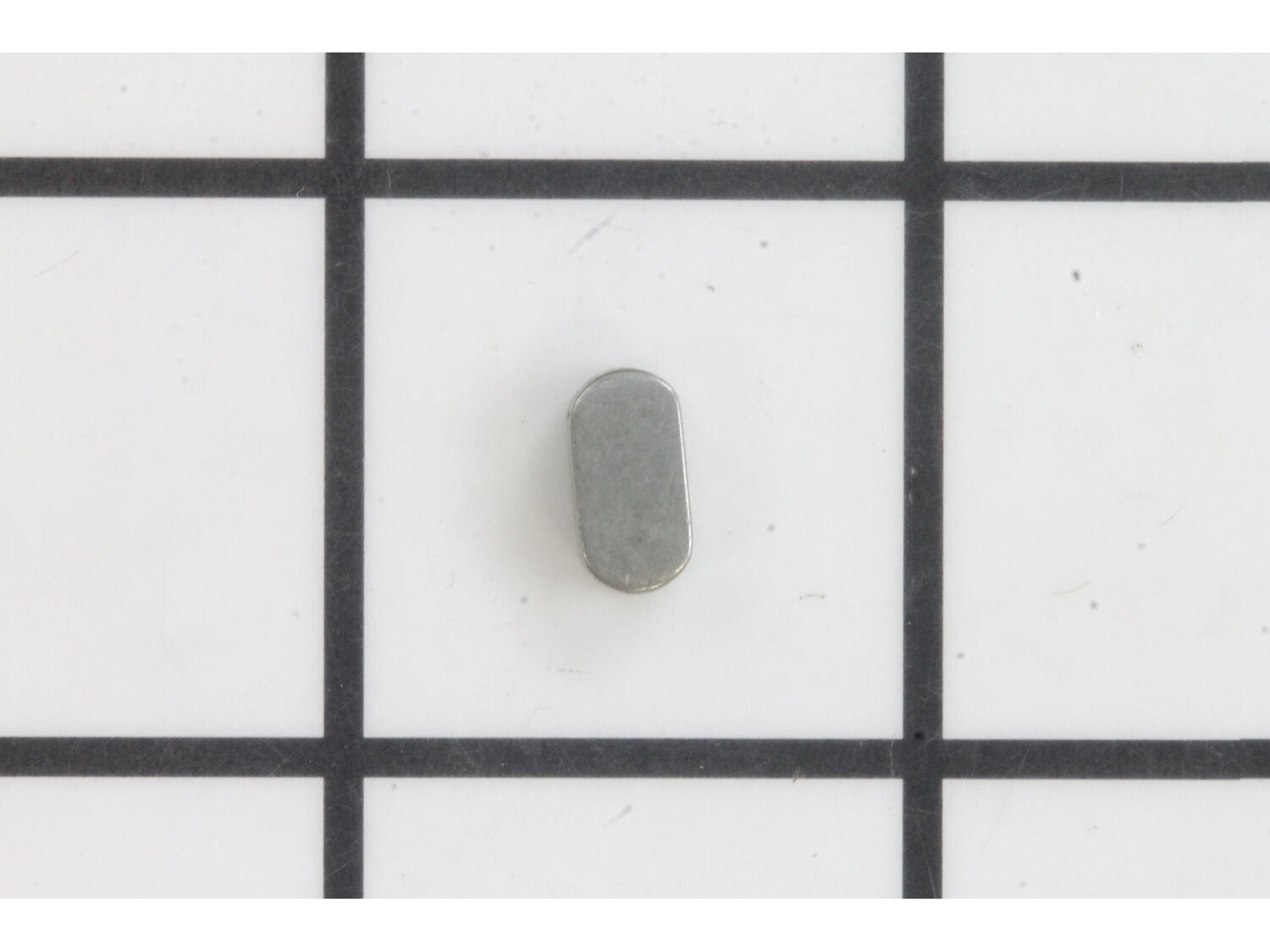
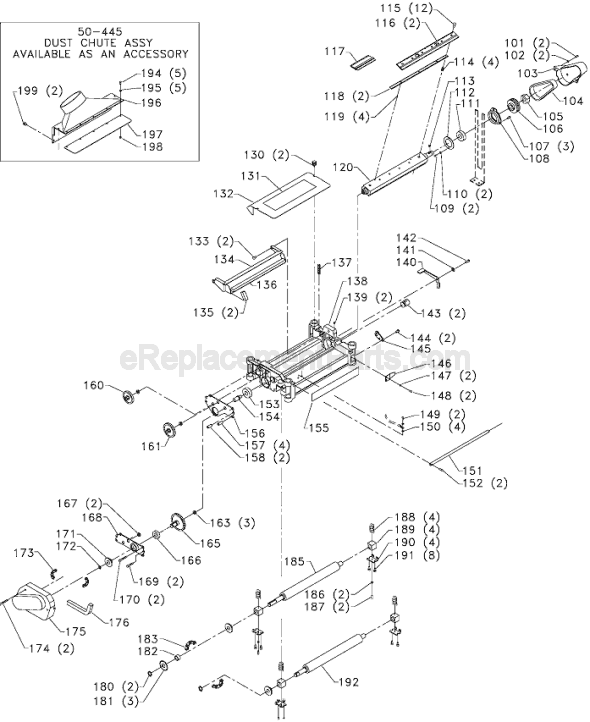
This is a genuine replacement part which is sourced directly from original equipment manufacturer. It is generally used on Delta planers. The key helps to secure cutter head shaft. This is a metal half moon key which is sold individually. You may need pliers to replace this item.
Troubleshooting
This part works with the following brands:
Delta
This part works with the following products:
Planer Jointer
★
Customer Part Reviews
?
5.0
Average Rating (out of 5):
★★★★★
★★★★★
(2 Reviews)
Click to filter by ratings:
5 stars
2
4 stars
0
3 stars
0
2 stars
0
1 star
0
< Prev
1
Next >
Sort by:
Sorry, we couldn't find any existing reviews that matched. Try using some different or simpler keywords.
★★★★★
★★★★★
Easy repair. Part fit as expexted
This is a key for a pulley and was the exact as the factory.
Guest - July 7, 2020
Verified Purchase
★★★★★
★★★★★
Remarkable that tiny part still available.
Most of the parts on my 25 year old planer were listed as obsolete and unavailable. It's remarkable that every single part out of hundreds was listed. In a world where millions of people can't get a loaf of bread, I got my key. And it worked
Guest - November 19, 2022
Verified Purchase
Customer Repair Instructions
All our customer repair instructions are solicited directly from other customers just like you who have purchased and replaced this exact part.
A Bit Difficult
30 - 60 mins
(16 rated repairs)?
< Prev
1
2
Next >
Sort by:
Sorry, we couldn't find any existing installation instruction that matched.
The drive pulley worn out causing the belt to go out of alignment, melting the belt and belt guard.
I\'ve got a Delta 22-560. The planer smelt like burnt plastic, so I removed one of the side covers. There are 2 screws at the bottom of the side cover. I then found out that this side housed the chain drives, and they all looked alright. So I then removed the other side cover, and the cutterhead locking handle. This exposed the be
... Read morelt guard and belt. I then could see that they were all melted and worn out. The belt pulley came loose and the center hole in the pulley was worn too large. So I ordered a new cutterhead pulley, key- way and drive belt. I tried to order a new belt guard but I found out that it was discontinued. So I formed one out of plastic. I then reinstalled the parts and assembled the side covers. While I fixing it, I also replaced both motor brushes and cleaned off the outfeed roller and the infeed roller. For $70.00 in parts, I\'m back woodworking. Better than $300-$400 for a new one.
Read less
Did you find this story helpful?
Thank you for voting!
Nut on cutter head drive pulley came loose during normal operation and belt, pulley and key were destroyed. Also, belt cover was badly damaged.
1. Be certain the planer is disconnected from power! Remove side cover by taking out two Phillips head screws and taking off height locking handle.
2. Remove two more Phillips head screws holding the damaged belt cover in place and remove the damaged belt and cover.
3. Use the heat gun to remold the cover and then apply duct
... Read moretape to the inside and outside of the cover where the belt had worn a track thru the cover. (Replacement cover is no longer available).
4. Next I wiggled the pulley until it finally pulled off the shaft of the cutter head and also removed the damaged key sitting in the key-way. Used the file and 400 grit emery paper to smooth out the shaft, especially the area around the lip of the key-way.
5. Dropped in the new key and inserted the new pulley on the shaft. Put Removable Loctite on the threads of the nut and shaft, then tightened the nut holding the pulley onto the cutter head shaft.
6. Worked the new 6-rib drive belt onto the motor pulley and cutter head pulley. This is a very tight fit, so you need to start it on the smaller motor pulley and then force it in and forward on the larger new cutter head pulley. It will fit, but requires some brute force.
7. Before reassembly of the reshaped belt cover and planer side cover, I plugged the planer into power and tested it without any load (wood being planed). It ran well and there was no wobble in the new pulley which had fit smoothly on the cutter head shaft.
8. Disconnected from power and reinstalled the belt cover with two Phillips head screws, the main side cover using two Phillips head screws and reassembled the cutter head locking handle.
9. Reconnected to power and tested without planing wood and then under load. Works super!
Remove broken pulley and key.
Smooth any rough spots on the head cutter shaft
Align the new pulley and key
With a wooden block to protect the pulley, use your mallet or hammer to strike the pulley until its completely seated.
Replace the drive belt carefully
Did you find this story helpful?
Thank you for voting!
Nut loosened on cutter head drive and destroyed belt and pulley
Remove the belt cover, remove the damaged belt and pulley. Make sure the key way in the cutterhead shaft is okay. Install the key in the shaft line up the key and the key way in the pulley and tap it on with a mallet. Then use some blue loctite on the shaft and tighten the nut.
Install the new belt and replace the cover.
Did you find this story helpful?
Thank you for voting!
Making noise and found that nut on pulley was lose and pulley was wobbly
I removed the nut, pulled the mangled pulley and key off of the shaft, and removed the shaft lock, Then, after cleaning everything up, installed the new parts. I used Lotcktite when replacing the nut. Apparently, having the nut back off the shaft is a known problem with this planer, but I used it for 15 years before having any kind of
... Read more problem. It has been a really great machine in spite of the issues outlined here. For about $50, I was able to make it a basically new machine again.
Read less
Did you find this story helpful?
Thank you for voting!
Pulley on cutter head had come loose and worn the inside so was loose on shaft.
Removed shields to get to drive pulley
Removed nut on end of shaft
Used gear puller to remove old pulley
Put in new key and placed new pulley on shaft
Put nut on end of shaft and tightened
Remplace drive belt and shields.
1. Remove locking handle with a allen wrench {do not lose special screw as i did}
2. Remove plastic housing with a phillips screw driver.
3. Lower cutting head down onto a scrap piece of wood to lock pulley shaft.
4. Remove drive belt from pulley.
5.Loosen nut from pulley.
6.Remove bad key from shaft and inst
... Read moreall new key.
7.Install pulley by aligning keyway of pulley with key on shaft and slide it onto shaft.
8.Apply blue lock tight onto threads and install nut onto shaft and tighten.
9.Install drive belt.
10.Install plastic housing with phillips screws.
11. Install locking handle with special screw.
12. Raise cutting head and remove scrap wood.
13. Plug in power cord.
14. Turn on planer to test.
Read less
Did you find this story helpful?
Thank you for voting!
Planer lock key broke, perhaps because the drive belt slipped off
1) Removed damaged belt, cutter head pulley, and key
2) Keyway and key were damaged, as well as pulley and belt and cover
3) Cut and glued on a piece of plastic to repair cover. Used knife and chisel to clean damaged part of cover
4) Filed and cleaned shaft for new pulley and key.
5) Oiled parts. Received new parts
... Read more. Installation was easy
6) Verified nothing was rubbing, then did test start of motor
7) All was well!
1. Removed the belt guard.
2. Removed the existing belt.
3. Removed the existing cutterhead pulley and key.
4. Installed the new cutterhead pulley and key.
5. Installed a new belt by gradually slipping it over the pulleys as I slowly turned the pulleys.
6. Installed the new belt guard.
Did you find this story helpful?
Thank you for voting!
< Prev
1
2
Next >
Model Cross Reference
This part works with the following models:
ERP Number: ERP10321455
Manufacturer Part Number: 1349860
This part is in stock in our warehouse and will ship out within 1 business day of the order being placed.
New stock is on the way! On order parts usually ship within 7 business days.
Item is not in stock and usually ships 10-15 business days from the time you place your order.
This item is no longer being made by the manufacturer, and cannot be added to your shopping cart.
✖
Mail-In Recycling Rebate
Some of the parts we sell are eligible for mail-in rebates since we can recycle them. We will display any applicable rebates in your shopping cart. To redeem your rebate, contact Customer Service after you have received your part.