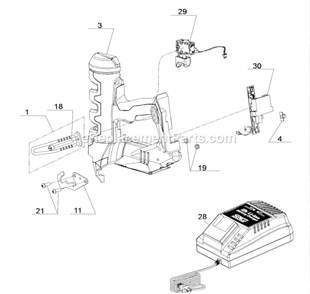
Remove the screws from the housing. Note how the board and switch are wired. Replace the board by disconnecting 4 wires and put it all back together making sure not to pinch wires. Then slide the pad on the safety.
Removed screws that hold body together
Located PCB Housing
Matched up the new board to the old one to make sure they matched before unplugging wires
Unplugged one wire harness at a time and plugged in to new board
Placed new board in same spot as old board
Put body back together in reverse as how I took it a
... Read morepart
Older nailers have a slide switch to select single shot or multi shot function of the nailer. That switch is part of the PCB Housing that you will be changing. The new PCB will have a push button switch that replaces the old slide switch. There is a clear rectangle plastic piece that fits in the same place in the body as the old black slide switch did. Instead of a slide switch you now have a push button selector switch that you must push and hold till you get a solid green light or a flashing green light that indicates single or multi shot function. To shut power off press and hold button till green light goes out.
Removed the housing, unplugged the old part and plugged in the new part. Hardest part is getting the housing and wires all back in the correct position. Take a picture of the wiring and part positions prior to removing part for re installation purposes.
Did you find this story helpful?
Thank you for voting!
< Prev
1
Next >
Model Cross Reference
This part works with the following models:
ERP Number: ERP10074874
Manufacturer Part Number: YK0848
This part is in stock in our warehouse and will ship out within 1 business day of the order being placed.
New stock is on the way! On order parts usually ship within 7 business days.
Item is not in stock and usually ships 10-15 business days from the time you place your order.
This item is no longer being made by the manufacturer, and cannot be added to your shopping cart.
✖
Mail-In Recycling Rebate
Some of the parts we sell are eligible for mail-in rebates since we can recycle them. We will display any applicable rebates in your shopping cart. To redeem your rebate, contact Customer Service after you have received your part.