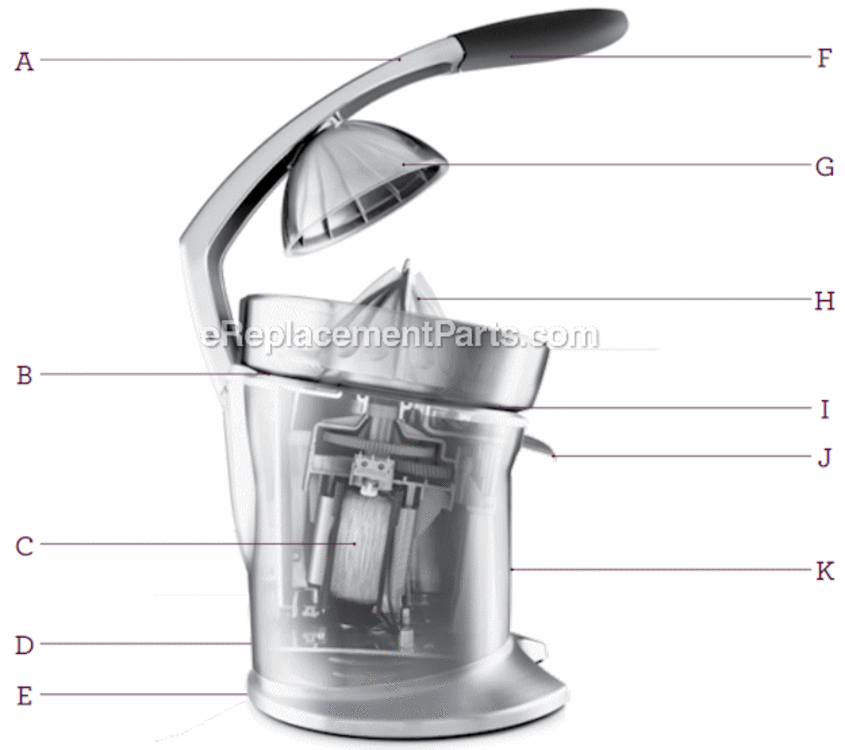
This is an original replacement part sourced directly from the manufacturer. The micro switch is found in a citrus press from Breville. This part is a complete switch made of high-quality plastic and metal, and it is placed to allow the user to control the machine settings. This item is sold as an individual replacement part.
Troubleshooting
This part works with the following brands:
Breville
This part works with the following products:
Juicer
Questions & Answers
?
Our customer Service team is at the ready daily to answer your part and product questions.
We're sorry, but our Q&A experts are temporarily unavailable.
Please check back later if you still haven't found the answer you need.
Ask our Team
We have a dedicated staff with decades of collective experience in helping customers just like you purchase parts to repair their products.
Our 800CPXL stopped working while juicing, it was the micro switch that works when you press down the arm to activate the squeezing rotation, is near the top.
1. Remove the \"Base Cover\" part A-58 it has 2 screws.
2. Once part A-58 is removed you have access to 3 screws that hold the internal mechanism. Remove these other 3 s
... Read morecrews.
3. I recommend to take pictures of all before to know how it was before disassemble.
4. Take off upper Part 8 \"Shaft Cap\" (grey color), is just clipped in, so pull it up. Be careful with the remaining white plastic parts.
5. Now carefull lift the arm to have access to the internal parts. I was forced to removed a screw that hold the \"grounding wire\" to have better access.
6. You will see the upper micro switch. I used a multimeter to make sure my micro switch was bad (Continuity tests).
7. I waited to get the new one on the mail before doing this part. Remove the bad micro switch from two plastic pins supporting it, remove yellowish glue, and with a soldering iron remove the wires from the bad micro switch.
6. Once you have your new micro switch placed as the one before and sold it and clip it and use a hot glue (common one sold in crafting stores) to fix it more stable as the one before.
That\'s it put back everything as it was before. Note: we were 2 people working at some point to help screw the grounding screw back it was a little pain in the neck. and the motor support rubber Par A-53 came out of place but we positioned it back were it was.
1. Disassemble juicer
2. remove switch from two pins supporting it
3. clip off leads from old switch with wire dikes
4. strip wire ends with box knife
4. twist on wire ends to new switch leads
5. solder wire ends to switch lead - this was most difficult part. I couldn\'t get the wire/lead junction hot enough
... Read more to melt the solder with my 25W or even my 30W soldering iron. I had to resort to heating the solder so it dribbled onto the cold wire/lead junction. Maybe my solder was old & oxidized? Not a very good job, but it works now.
6. press switch (which has two holes) into the two pins where it needed to be supported
7. Reassemble
Read less
Did you find this story helpful?
Thank you for voting!
< Prev
1
Next >
Model Cross Reference
This part works with the following models:
ERP Number: ERP12008766
Manufacturer Part Number: SP0011048
This part is in stock in our warehouse and will ship out within 1 business day of the order being placed.
New stock is on the way! On order parts usually ship within 7 business days.
Item is not in stock and usually ships 10-15 business days from the time you place your order.
This item is no longer being made by the manufacturer, and cannot be added to your shopping cart.
✖
Mail-In Recycling Rebate
Some of the parts we sell are eligible for mail-in rebates since we can recycle them. We will display any applicable rebates in your shopping cart. To redeem your rebate, contact Customer Service after you have received your part.