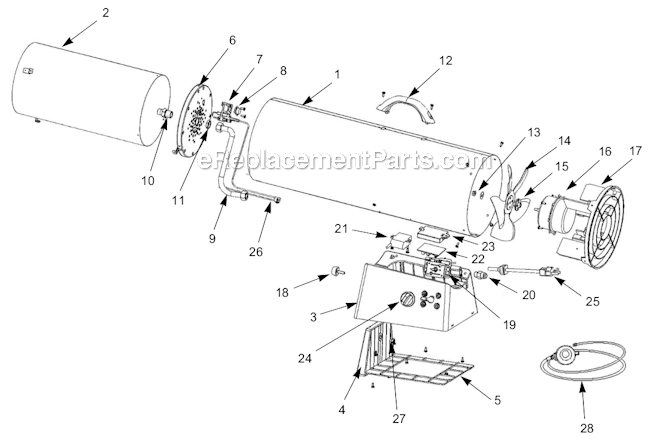
This is a genuine OEM sourced part which is specially designed for use in the air heaters. It provides an identical replacement for a missing or a faulty PCB module that was installed on a new unit. This is the electronic component that helps to control the units operations. Please make sure to check the owners manual and the appropriate diagrams for the correct location and application of this component. Keep in mind this high-quality PCB is made of durable materials and is sold individually.
Troubleshooting
This part works with the following brands:
Master
Heat Stream
Pro Temp
Heat Hog
This part works with the following products:
Heater
Questions & Answers
?
Our customer Service team is at the ready daily to answer your part and product questions.
We're sorry, but our Q&A experts are temporarily unavailable.
Please check back later if you still haven't found the answer you need.
Ask our Team
We have a dedicated staff with decades of collective experience in helping customers just like you purchase parts to repair their products.
Took the unit apart from the bottom first then pulled the fan out, all parts that needed to be replaced were accessible at this point, then just replaced each part with the new parts
Did you find this story helpful?
Thank you for voting!
Master propane salamander style heater would ignite but wouldn\'t stay lit when control button was turned from \"pilot\" to \"on\".
Diagnosis was that the PCB was not applying power to hold the propane valve open after the pilot was released. To replace the PCB you:
1. Remove the cover under the heater base. (2 screws)
2. Unplug all PCB connections
3. Wedge a pocket sized straight slot screwdriver between the PCB edge and the edge retaining lip, then
... Read more pry the PCB out of its retainer.
4. Place one edge of the new PCB under one retainer lip and carefully snap the opposing edge under the opposing lip.
5. Plug in PCB connectors and refasten the heater base cover.
Read less
Did you find this story helpful?
Thank you for voting!
Master forced air propane heater would not stay lit after releasing pilot knob.
1. Remove 2 phillips screws from bottom plastic cover of heater and remove cover.
2. Remove 1 Phillips screw from old pcb board: match it to new pcb board to insure correct replacement part.
3. Pry wiring harness off old pcb board with small screwdriver.
4. Pry old pcb board out of plastic retaining clips with small s
... Read morecrewdriver.
5. Install new pcb board and bottom plastic cover in reverse order.
NOTE: The new pcb board fixed the problem, and thus the new \"multi bracket assembly\" (thermocoupling) was not needed or used; but I kept it as a back-up for possible future need/use while parts for this heater are still available.
The heater stayed lit after releasing the pilot knob after installing this pcb board.
Read less
Did you find this story helpful?
Thank you for voting!
Igniter control board had power wires pushed off the PCB
Unplugged the oven and removed the gas line. Flipped the torpedo heater on its side to access the control panel. Removed the two screws with a #2 Phillips screwdriver and pry the cover off. Removed the screw holding the PCB retainer, removed the old board moving the connectors to the new board one at at time. Screw the cover back in place
... Read more, put the heater back in place, reconnect gas line. Test fired the heater with its twin to test operation.
Took off bottom cover, removed screw pried board from holder and replaced.
Did you find this story helpful?
Thank you for voting!
My heater wouldn\'t stay lit. I thought it was the thermal switch, but also purchased the PCB, as many suggested might also be the problem. I\'m glad I did because I ended up needing it.
1. Turned the heater upside down.
2. Removed the two screws holding the bottom cover in place and removed cover.
3. Removed PCB board.
4. Disconnected connectors from old PCB.
5. Installed connectors on new board.
6. Put board in holder.
7. Installed bottom cover.
8. Hooked up propane and plugged
... Read moreit in.
9. Works like a charm every time.
Read less
Did you find this story helpful?
Thank you for voting!
< Prev
1
Next >
✖
Stock Status
This part is in stock in our warehouse and will ship out within 1 business day of the order being placed.
New stock is on the way! On order parts usually ship within 7 business days.
Item is not in stock and usually ships 10-15 business days from the time you place your order.
This item is no longer being made by the manufacturer, and cannot be added to your shopping cart.
✖
Mail-In Recycling Rebate
Some of the parts we sell are eligible for mail-in rebates since we can recycle them. We will display any applicable rebates in your shopping cart. To redeem your rebate, contact Customer Service after you have received your part.