
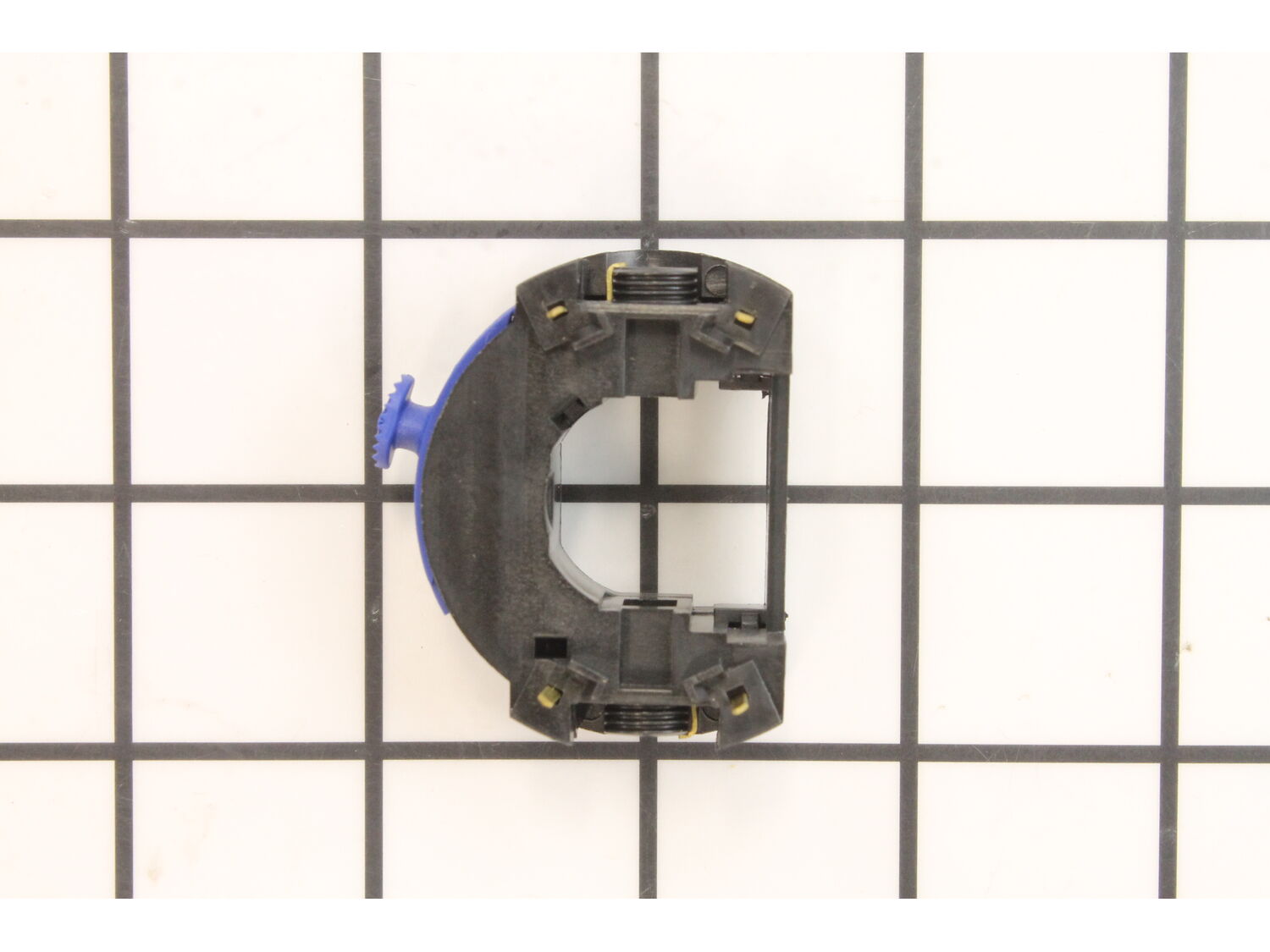
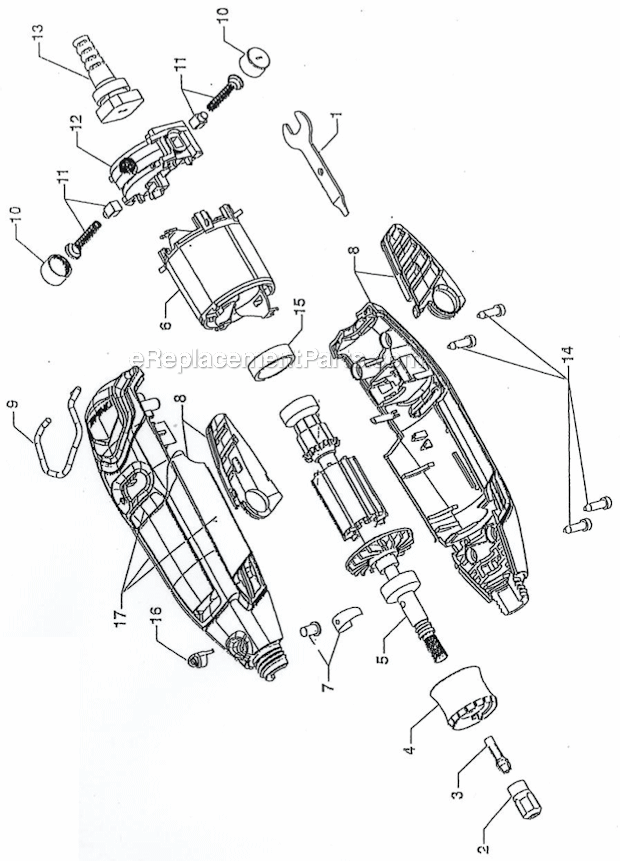
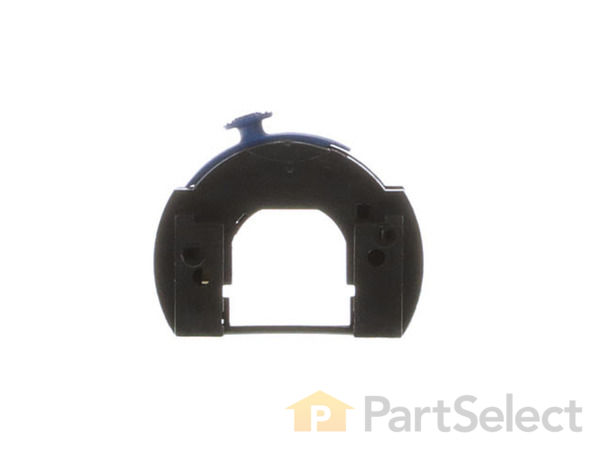




Part Location Diagram of 2610013852 Dremel Switch Assembly
See part 12 in the diagram
Replacing your Dremel Hammer Drill Switch Assembly
( Grid squares measure 1x1 inch )

Switch Assembly 2610013852

Manufactured by:
Dremel
ERP Number:
ERP10259985
Part Number:
2610013852
Original Equipment Manufacturer ?
In Stock
Delivers in 3-5 Business Days!

A Bit Difficult 

15 - 30 mins 

(20 rated repairs) ?

Does this part fit my model?

Need help finding your model number?

Product Description

?

Genuine manufacturer sourced replacement switch used on Dremel rotary tool. It is an important part of the tool which handles on/off operations. Because switches have mechanical parts, they will tend to wear out over time, eventually requiring replacement. Switch has a plastic body and it is sold individually. To replace this switch you would need a Screwdriver. • Remove screws used to hold two pieces of housing set together • Disconnect wires from the old switch and remove it from the housing • Place the new switch in the housing and connect wires to it • Reassemble the housing

Frequently Purchased Together

?

Troubleshooting

This part works with the following brands:
  • Dremel
  • Bosch
This part works with the following products:
  • Hammer Drill
  • Router
  • Multi-Tool
Part# 2610013852 replaces these:
2610013852,

Videos For installing this part.

?
Replacing your Switch Assembly

Customer Part Reviews

?
4.2
Average Rating (out of 5):
★★★★★
★★★★★
(12 Reviews)
Click to filter by ratings:
  • 5 stars
    8
  • 4 stars
    2
  • 3 stars
    0
  • 2 stars
    0
  • 1 star
    2
  • 1
  • 2
Sort by:  
Sorry, we couldn't find any existing reviews that matched. Try using some different or simpler keywords.
  • 1
  • 2

Questions & Answers

?

Our customer Service team is at the ready daily to answer your part and product questions.

Be the first to ask our experts a question about this part!

Ask our Team

We have a dedicated staff with decades of collective experience in helping customers just like you purchase parts to repair their products.

Does this fit my product?

Customer Repair Instructions

All our customer repair instructions are solicited directly from other customers just like you who have purchased and replaced this exact part.

A Bit Difficult 

15 - 30 mins 

(20 rated repairs) ?
  • 1
  • 2
Sort by:  
Sorry, we couldn't find any existing installation instruction that matched.

Replaced variable speed switch on Dremel 3000

Tim from Port Allen, Louisiana

18 of 18 people found this instruction helpful.
Difficulty Level:
Easy
Total Repair Time:
Less than 15 mins
Parts Used:
2610013852
Remove the 4 torx screws. Peel labels back, or cut along seam. Remove brushes.
Once removed, separate casing. Remove armature. Remove power wire from switch with paper clip unfolded. Pull switch from armature housing.
Replace switch, push power wires into slots.
Reassemble.
Did you find this story helpful?
Thank you for voting!

Device would not come on. Suspect bad switch.

Ron from Tyler, Texas

5 of 5 people found this instruction helpful.
Difficulty Level:
A Bit Difficult
Total Repair Time:
30 - 60 mins
Tools:
Screw drivers
Parts Used:
2610013852, 2610009829
Remove screws from the housing, remove on half of the housing, Note where the cord wires are located. Remove the brush caps and brushes. Remove the defective switch. Replace with new switch. Replace cord leads and insert new brushes and replace brush caps. Assemble housings with the screws. And your done.
Did you find this story helpful?
Thank you for voting!

Speed control broke, only ran full speed.

Mark from Lakewood, Colorado

4 of 4 people found this instruction helpful.
Difficulty Level:
A Bit Difficult
Total Repair Time:
15 - 30 mins
Tools:
Screw drivers
Parts Used:
2610013852
Removed the side labels from the Dremel tool body, removed the 4 Torx screws and eased apart the halves. The \'switch\' is actually a circuit board with slider switch, and it unplugged from the armature and the new one plugged right back in easily. Reassembled, plugged it in, works like brand-new gain. Even the Dremel body labels went bac k on easily.
Did you find this story helpful?
Thank you for voting!

Variable speed switch would only work in slow 1 & 2.

Charles from Boise, Idaho

4 of 4 people found this instruction helpful.
Difficulty Level:
A Bit Difficult
Total Repair Time:
15 - 30 mins
Tools:
Screw drivers
Parts Used:
2610013852, 2610009829
Remove the 4 Torx screws, carefully remove one half of the case, best to remove the half without the lock button, use a small pin to remove the power wires from the switch assembly (make sure it is not still plugged in) unplug the old switch assembly and plug the new in, connect power wires then gently put every thing into the recesses i n the cases and put the 4 screws back in. Take apart again, look around on the floor for the lock button, install it and put things back together again. Always helps to vacuum the floor before a job like this. It makes it easier to find the dropped parts. It is very satisfying to plug something in that you have repaired yourself and have it work.
Did you find this story helpful?
Thank you for voting!

Variable speed control no longer worked

Max from Carmel, Indiana

2 of 2 people found this instruction helpful.
Difficulty Level:
Easy
Total Repair Time:
15 - 30 mins
Tools:
Screw drivers
Parts Used:
2610013852
1. Removed 4 Torx screws.
2. Removed both brushes.
3. Separated the housing (decals must be sliced along the seam).
4. Removed the armature.
5. Separated the speed control from the armature (easily pulls apart).
6. Removed the wires to the controls switch using a small nail to reduce the spring tension(small hole beside each wire).
7. Reinstall the wires in the same location in the new switch.
8. Reattach the control to the armature.
9. Reassembly in the reverse order.
Did you find this story helpful?
Thank you for voting!

Dremel 3000. Switch and brushes melted

Mike from Braintree, Massachusetts

1 person found this instruction helpful.
Difficulty Level:
Easy
Total Repair Time:
15 - 30 mins
Parts Used:
2610013852, 2610009829
Take apart the case. Remove brushes and switch assembly. Put in new switch assembly. Hook up the power cord. Close case. Put in brushes.
Did you find this story helpful?
Thank you for voting!

would not run

paul from GREEN VALLEY, Arizona

0 of 1 people found this instruction helpful.
Difficulty Level:
Easy
Total Repair Time:
Less than 15 mins
Tools:
Screw drivers
Parts Used:
2610013852
Followed online instructions...sure beats buying a new dremel.
Did you find this story helpful?
Thank you for voting!

Switch stop working thought it was the brushes

MICHAEL from Santa Fe, Texas

0 of 1 people found this instruction helpful.
Difficulty Level:
A Bit Difficult
Total Repair Time:
Less than 15 mins
Tools:
Screw drivers
Parts Used:
2610013852
Had to tear down the whole Dremel. I looked it on the internet how to repair and it was a breeze.
Did you find this story helpful?
Thank you for voting!

Failty switch

Bud from Charleston, Tennessee

0 of 1 people found this instruction helpful.
Difficulty Level:
Easy
Total Repair Time:
15 - 30 mins
Tools:
Pliers, Screw drivers
Parts Used:
2610013852
Removed mounting screws
Open unit
Replace switch pack
Replace screws
Did you find this story helpful?
Thank you for voting!

the old switch no longer closed contact

Tom from MELBOURNE, Florida

0 of 1 people found this instruction helpful.
Difficulty Level:
A Bit Difficult
Total Repair Time:
Less than 15 mins
Tools:
Screw drivers
Parts Used:
2610013852
Replaced the switch with On-Off Switch (2610912826). the new switch actually improved the Dremel by providing two speed operation. Originally, the dremel #275 type-4 was a single speed tool.
Did you find this story helpful?
Thank you for voting!
  • 1
  • 2

Model Cross Reference

This part works with the following models:
ERP Number: ERP10259985
Manufacturer Part Number: 2610013852
Brand Model Number Description
Dremel 3000 Multi-Tool - VS Rotary Tool
Dremel 3000127V Router - Rotary Tool
Dremel 3100120V Hammer Drill - Rotary Tool