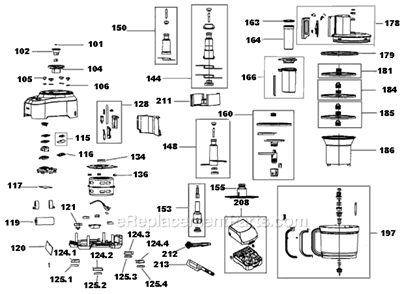
During use, liquids had leaked around the control buttons and corroded parts on the control board. This caused the control board power supply to fail, preventing the power button from working (before total failure, the pulse button failed first, but the other buttons worked so it was usable).
I assume this is a common proble
... Read morem. The button seals are not designed well so eventually they will leak and damage the circuitry.
1- Remove the bottom. The screws are under the 4 rubber feet.
2- Lift out the vertically mounted PC board to expose the control board
3- Remove the screws that secure the control board
4- Disconnect the 2 ribbon connectors from the control board carefully using a blade to separate the two halves where they join
5- Pull out the control board
6- Remove the buttons and rubber membrane and clean them off and dry thoroughly.
7- Optional: I sealed them with clear silicone caulk
8- Plug in the new board and put it all back together
You can carefully test it before reassembling but be careful of high voltages and big capacitors that can store charge even when the unit is unplugged. To test you will need to push in the safety interlock or the motor wont run.
Read less
Did you find this story helpful?
Thank you for voting!
< Prev
1
Next >
✖
Stock Status
This part is in stock in our warehouse and will ship out within 1 business day of the order being placed.
New stock is on the way! On order parts usually ship within 7 business days.
Item is not in stock and usually ships 10-15 business days from the time you place your order.
This item is no longer being made by the manufacturer, and cannot be added to your shopping cart.
✖
Mail-In Recycling Rebate
Some of the parts we sell are eligible for mail-in rebates since we can recycle them. We will display any applicable rebates in your shopping cart. To redeem your rebate, contact Customer Service after you have received your part.