
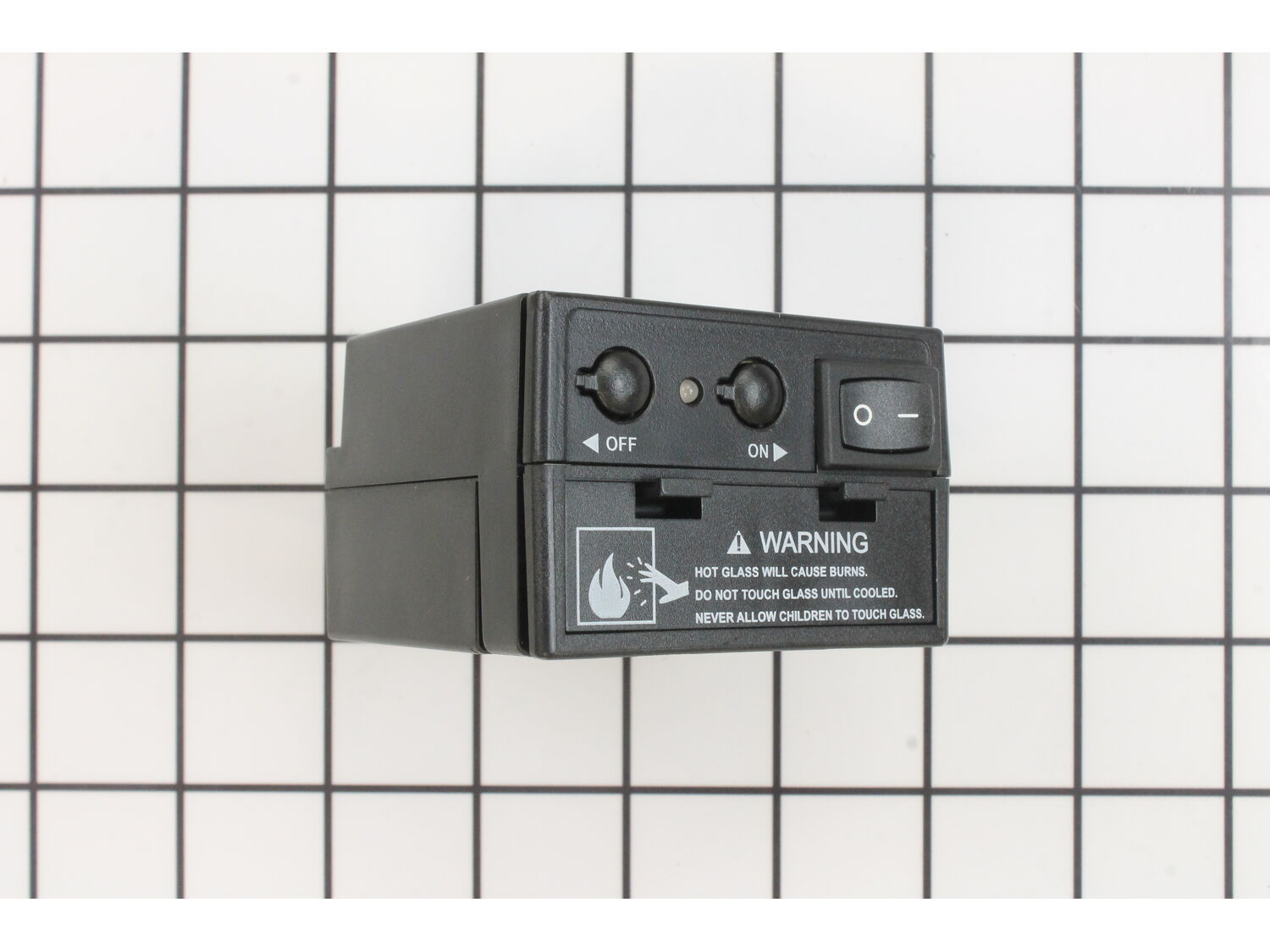
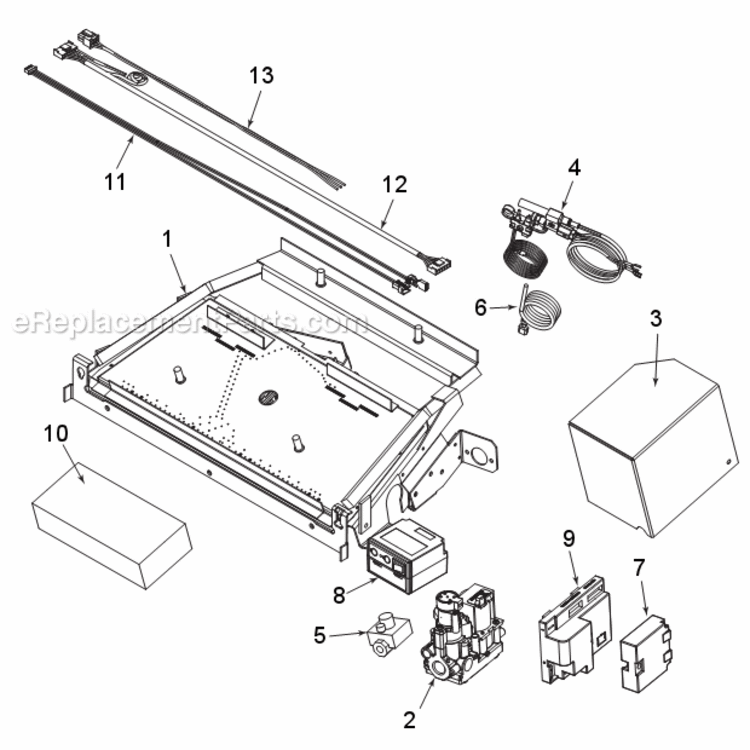
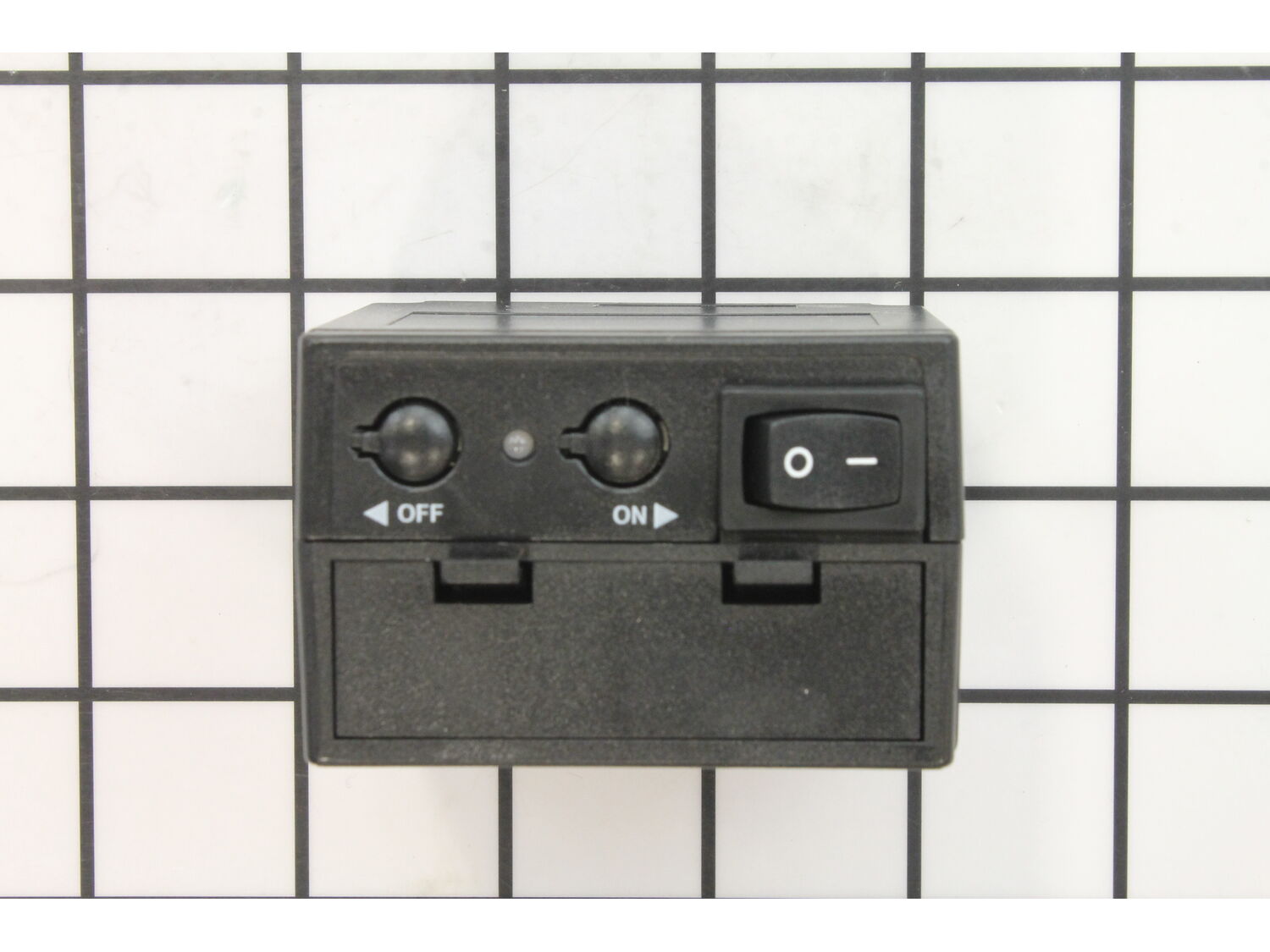



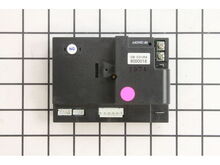

Part Location Diagram of 80D0005 Majestic Command Center - Natural Gas
See part B-8 in the diagram
( Grid squares measure 1x1 inch )

Command Center - Natural Gas 80D0005

Manufactured by:
Majestic
ERP Number:
ERP10410705
Part Number:
80D0005
Original Equipment Manufacturer ?
  Works with your model  STLDVDPEARLDESIGNER!
Special Order

Easy 

Less than 15 mins 

(13 rated repairs) ?
  Works with your model   STLDVDPEARLDESIGNER!

Product Description

?

This is an authentic OEM part. The natural gas, command center is constructed of metal and plastic parts, and is compatible with many vent fireplaces. This part is fitted onto the burner. The command center has been designed for the user to control the fireplace flames. This item is sold individually. A socket set and a nutdriver are helpful in the installation. Please keep in mind this part uses 4 "AA" batteries as a backup during power outages. The fireplace system is capable of operating on battery power for up to 6 months.

Frequently Purchased Together

?

Troubleshooting

This part works with the following brands:
  • Majestic
  • Monessen
  • Vermont
This part works with the following products:
  • Fireplace & Insert

Customer Part Reviews

?
5.0
Average Rating (out of 5):
★★★★★
★★★★★
(4 Reviews)
Click to filter by ratings:
  • 5 stars
    4
  • 4 stars
    0
  • 3 stars
    0
  • 2 stars
    0
  • 1 star
    0
  • 1
Sort by:  
Sorry, we couldn't find any existing reviews that matched. Try using some different or simpler keywords.

Questions & Answers

?

Our customer Service team is at the ready daily to answer your part and product questions.

We're sorry, but our Q&A experts are temporarily unavailable.
Please check back later if you still haven't found the answer you need.

Ask our Team

We have a dedicated staff with decades of collective experience in helping customers just like you purchase parts to repair their products.

Does this fit my product?
  • 1
Sort by:  
Sorry, we couldn't find any existing answers that matched.
Try using some different or simpler keywords, or submit your new question by using the "Ask a Question" button above!
My KSTDV 500 turns on fine but, after a min. or two of running just shuts off. ?? I have to go thru turn everything off and reset it to work again and does the same thing. ?
William For model number KSTDV 500 - December 4, 2023

Hi William, Thank you for the question. This could be an indication the Command Center is faulty and might need to be replaced. We hope this helps!

eReplacementParts Team
December 4, 2023

Did this question help you?
Thank you for voting!

Customer Repair Instructions

All our customer repair instructions are solicited directly from other customers just like you who have purchased and replaced this exact part.

Easy 

Less than 15 mins 

(13 rated repairs) ?
  • 1
  • 2
Sort by:  
Sorry, we couldn't find any existing installation instruction that matched.

Main flame would come on but would immediately go out.

JIMMY from SHREVEPORT, Louisiana

2 of 2 people found this instruction helpful.
Difficulty Level:
Easy
Total Repair Time:
15 - 30 mins
Tools:
Nutdriver, Screw drivers
Parts Used:
80D0018, 80D0005
Troubleshooting with ownerGÇÖs manual suggested the exhaust vent could be plugged. It wasnGÇÖt and I proved it by removing the glass completely and same result. I hypothesized it was a control issue but the manual was useless in that regard. So I ordered both the control box & command center and figured it had to be one of them. And sure enough it was! I elected to replace them both instead of one at a time and then trying. I would recommend this way anyhow. ItGÇÖs likely what a service call would do. I figured I saved $500 at least by repairing it myself. I wholeheartedly highly recommend eReplacementParts.com. Thank you!
Did you find this story helpful?
Thank you for voting!

command center did not work

Roland from LITTLE ROCK, Arkansas

1 person found this instruction helpful.
Difficulty Level:
Easy
Total Repair Time:
15 - 30 mins
Tools:
Screw drivers
Parts Used:
80D0005
Unscrewed the two screws that held the old command center in the bracket and unplugged the control wires. Removed bracket and placed it around new command center and plugged in the control wires and then reinstalled screws. Turned on command center unit light came on then I heard the beep and turned on gas. It all worked like a charm
Did you find this story helpful?
Thank you for voting!

Would not turn on. Made the beep sound but no flame.

Sean from Prince Frederick, Maryland

0 of 1 people found this instruction helpful.
Difficulty Level:
Easy
Total Repair Time:
Less than 15 mins
Tools:
Screw drivers
Parts Used:
80D0005
Turned unit off at circuit breaker.
Unplugged old unit.
Replaced batteries from old unit to new one. Plugged in new unit.
Cables are site specific so no worryGÇÖs one remembering where to plug in.
Viola!!!
Did you find this story helpful?
Thank you for voting!

No gas being supplied to igniter . Battery box corroded

Garry from Livingston, Texas

0 of 1 people found this instruction helpful.
Difficulty Level:
Easy
Total Repair Time:
Less than 15 mins
Parts Used:
80D0005
Next year during summer don\'t forget to remove your battery\'s.
Unplug old, Plug in new. Works like a champ.
Did you find this story helpful?
Thank you for voting!

The fireplace wouldn\'t light

joseph from pass christian, Mississippi

0 of 1 people found this instruction helpful.
Difficulty Level:
Easy
Total Repair Time:
Less than 15 mins
Tools:
Screw drivers
Parts Used:
80D0005
Ordered part
Remove old part, after removal of 2 screws
Connect new part
2 screws back on
Turned on fireplace
That easy

10 minutes
Did you find this story helpful?
Thank you for voting!

Spring for battery had come off

Joe from Lexington, South Carolina

0 of 1 people found this instruction helpful.
Difficulty Level:
Easy
Total Repair Time:
Less than 15 mins
Parts Used:
80D0005
Installed new batteries into unit and then hooked it up to wire for fireplace.
Did you find this story helpful?
Thank you for voting!

Command center failed.

Michael from Leonardtown, Maryland

0 of 1 people found this instruction helpful.
Difficulty Level:
Easy
Total Repair Time:
Less than 15 mins
Parts Used:
80D0005
1. Removed the lower front vent grill from the fireplace.
2. Unplugged the old command center.
3. Plugged in the new command center.
4. Installed the batteries.
5. Reinstalled the front grill on the fireplace.
Did you find this story helpful?
Thank you for voting!

Original equipment failed.

Christopher from KENNEWICK, Washington

0 of 1 people found this instruction helpful.
Difficulty Level:
Easy
Total Repair Time:
Less than 15 mins
Tools:
Screw drivers
Parts Used:
80D0041, 80D0005
Removed OE parts and replaced with new parts.
Did you find this story helpful?
Thank you for voting!

Fireplace would not turn off with the wall switch

Richard from Columbus, Ohio

0 of 1 people found this instruction helpful.
Difficulty Level:
Easy
Total Repair Time:
Less than 15 mins
Parts Used:
80D0005
1. Removed the lower front grill
2. Unplugged the command center
3. Put new batteries in the new command center
4 Plugged in the new command center
5. Replaced the front grill

Several of my neighbors have had problems with their Monessen CDV7 fireplaces. The command center solves most issues that I ha ve seen with igniting and turning off.
Did you find this story helpful?
Thank you for voting!

The old unit would no longer respond to the remote

Robert from Mentor, Ohio

0 of 1 people found this instruction helpful.
Difficulty Level:
Easy
Total Repair Time:
Less than 15 mins
Tools:
Screw drivers
Parts Used:
80D0005
Removed the old and installed the new. It was an easy change out.
Did you find this story helpful?
Thank you for voting!
  • 1
  • 2