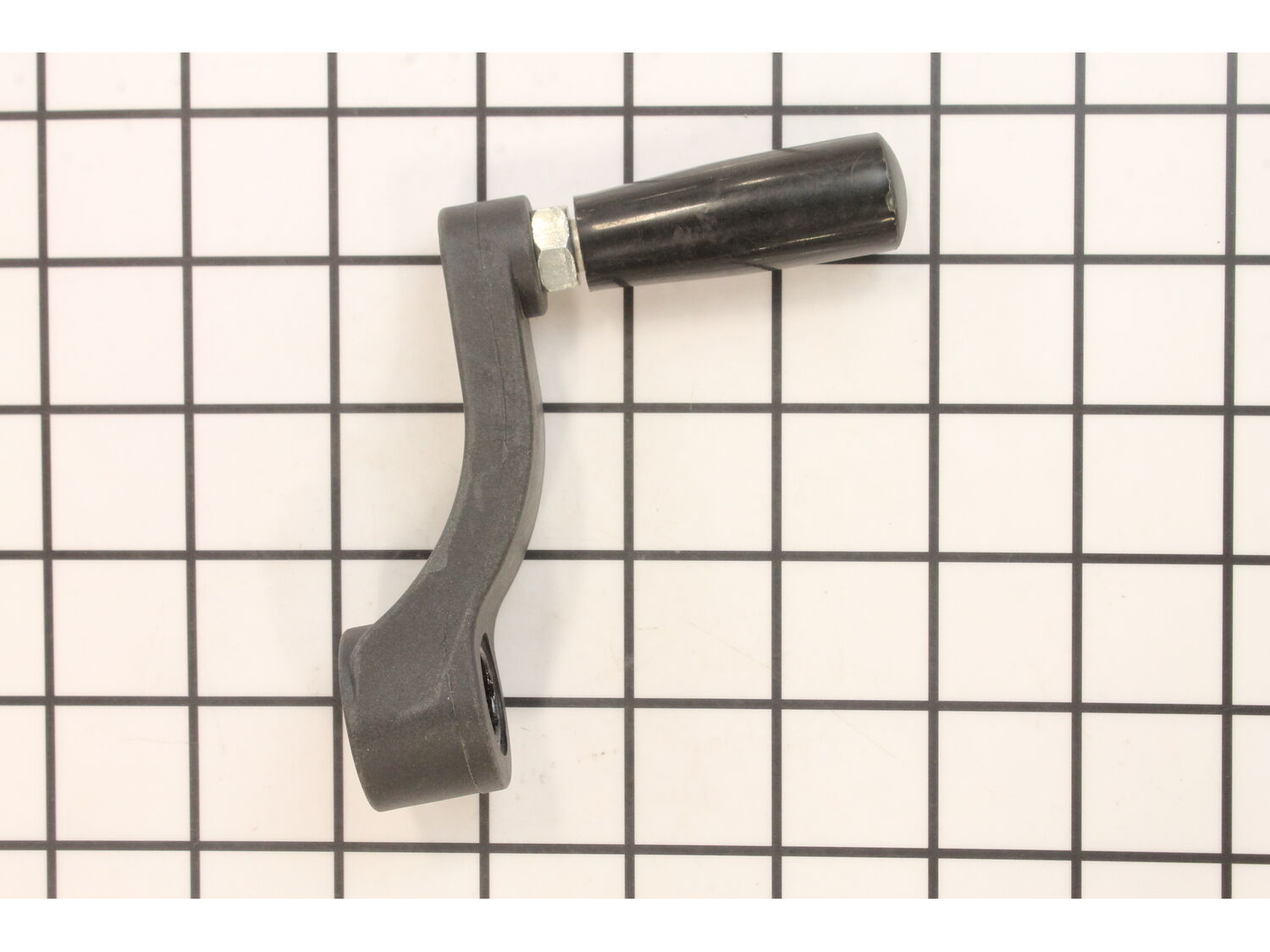
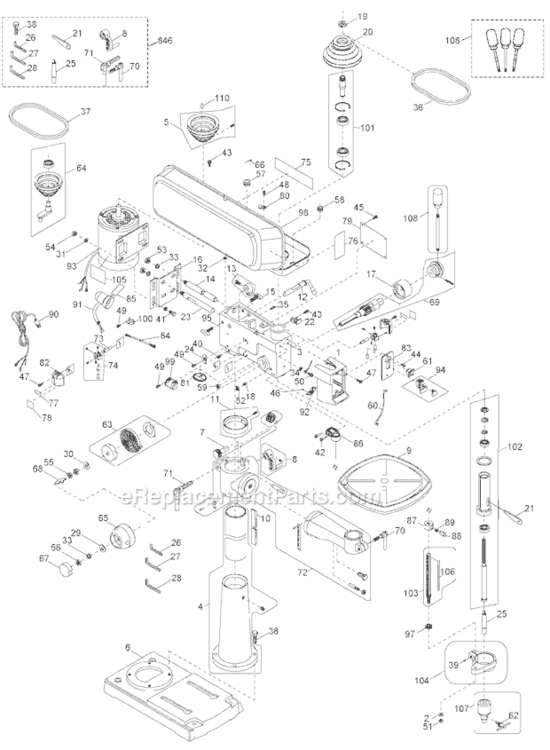
This item is sold individually. The crank handle attaches to the table bracket. A screwdriver might be helpful during the installation of this part. This item will need to be replaced if it breaks. It is a genuine OEM sourced part which is specially designed for use with Porter Cable drill presses.
Troubleshooting
This part works with the following brands:
Porter Cable
This part works with the following products:
Drill Press
Miscellaneous
Part# 5140077-42 replaces these:
5140077-42,
★
Customer Part Reviews
?
4.5
Average Rating (out of 5):
★★★★★
★★★★★
(4 Reviews)
Click to filter by ratings:
5 stars
3
4 stars
0
3 stars
1
2 stars
0
1 star
0
< Prev
1
Next >
Sort by:
Sorry, we couldn't find any existing reviews that matched. Try using some different or simpler keywords.
★★★★★
★★★★★
Crank Handle
Better than the original. Fast service. Good information on the web page when we placed the order.
Guest - December 30, 2019
Verified Purchase
★★★★★
★★★★★
Very happy
Just the right part I needed!
Shopping for the part was easy and fast
Charles - January 18, 2022
Verified Purchase
★★★★★
★★★★★
Good Fit
This went on my Porter-Cable floor drill press. The handle fit just right and cleared the table. No complaints. Shipping was quick.
When it came after nearly a month, the hole was too large. The shaft on the drill press is 1/2 in. I don't remember seeing any sizes to specify from. I just assumed my size was standard. I have a worthless handle right now. Do you have the correct size available? Dean
Iglobal - November 16, 2019
Verified Purchase
Customer Repair Instructions
All our customer repair instructions are solicited directly from other customers just like you who have purchased and replaced this exact part.
Easy
Less than 15 mins
(1 rated repair)?
< Prev
1
Next >
Sort by:
Sorry, we couldn't find any existing installation instruction that matched.
Switch Replaced
1.Unplugged power supply
2.Removed switch plate by removing the 4 screws.
3. Removed old switch by removing the power loads pushing it out of plate.
4. New switch just snapped in place.
5. Put on power leads in same order as they came off.
6. Put switch cover plate back on drill press.
... Read more
Crank Replaced
1. Used set screw wrenches to take off old crank.
2. Put new crank on shaft.
3. Tightened set screw.
Read less
Did you find this story helpful?
Thank you for voting!
< Prev
1
Next >
Model Cross Reference
This part works with the following models:
ERP Number: ERP18981850
Manufacturer Part Number: 5140077-42
This part is in stock in our warehouse and will ship out within 1 business day of the order being placed.
New stock is on the way! On order parts usually ship within 7 business days.
Item is not in stock and usually ships 10-15 business days from the time you place your order.
This item is no longer being made by the manufacturer, and cannot be added to your shopping cart.
✖
Mail-In Recycling Rebate
Some of the parts we sell are eligible for mail-in rebates since we can recycle them. We will display any applicable rebates in your shopping cart. To redeem your rebate, contact Customer Service after you have received your part.