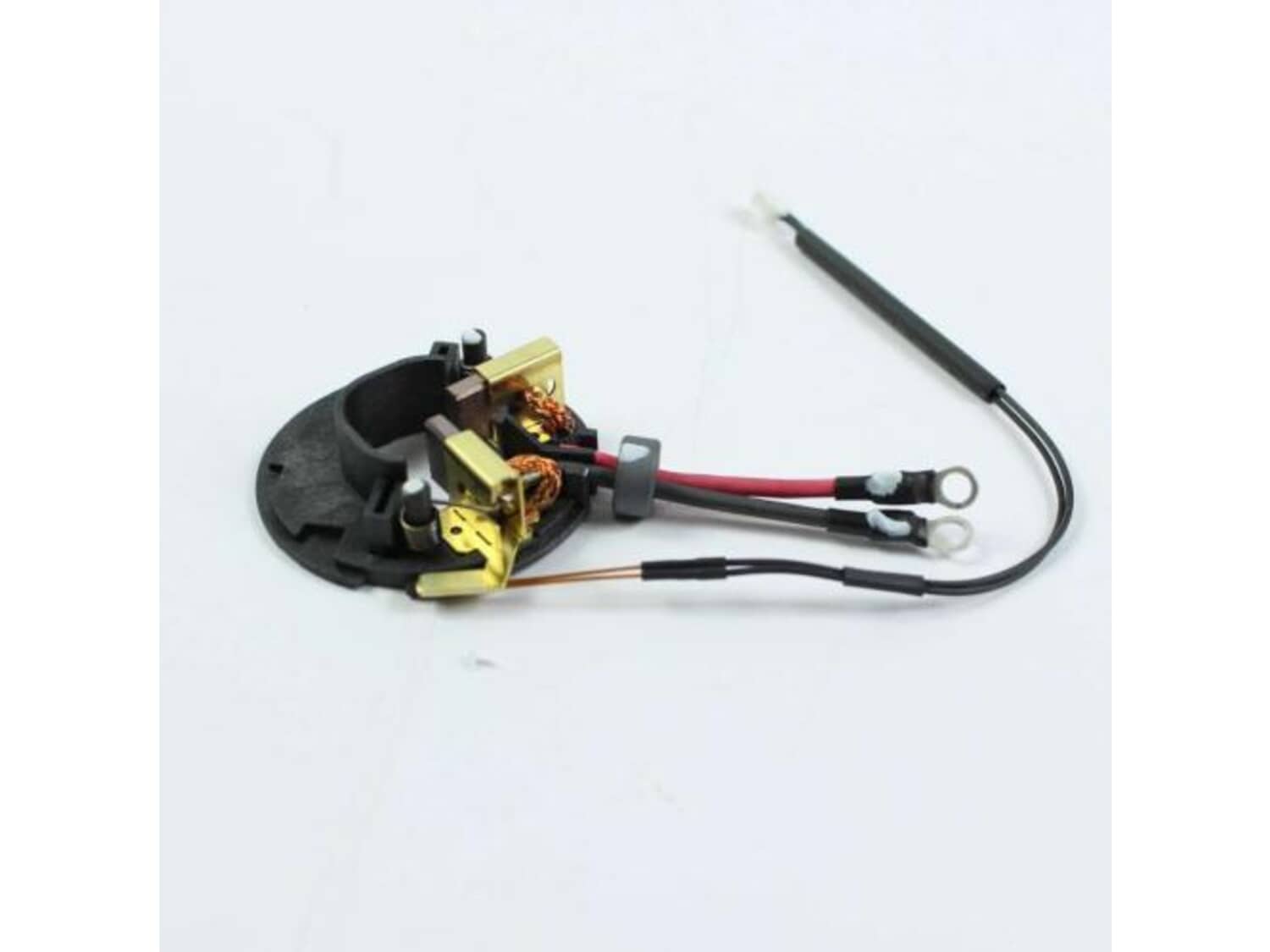
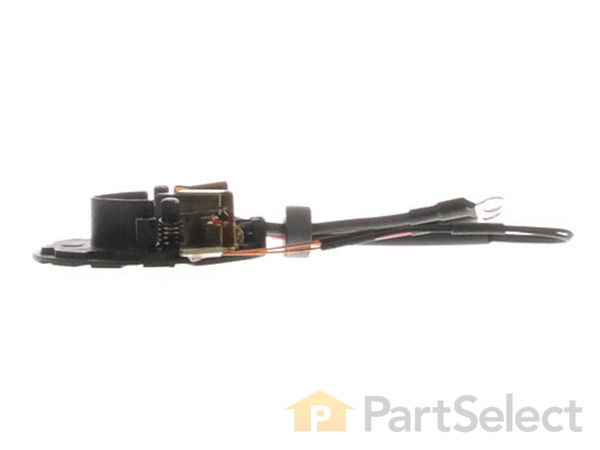
This genuine OEM approved replacement part designed for use with Panasonic drills/drivers. This assembly holds carbon brushes around the armature to provide stable and safe contact. This assembly consists of: plastic holder ring, two (2) metal brush holders with springs and two (2) carbon brushes with lead wires attached. To replace this assembly you would need a screwdriver. • First remove screws holding the housing together • Carefully separate housing to gain access to armature and brush holder • Disconnect the wires • Remove the screws holding brush card assembly • Remove old brush holder and install the new assembly • Reassemble and test your tool
Troubleshooting
This part works with the following brands:
Panasonic
This part works with the following products:
Cordless Drill
Hammer Drill
Part# WEY7441L2579 replaces these:
WEY7441L2577,
Customer Repair Instructions
All our customer repair instructions are solicited directly from other customers just like you who have purchased and replaced this exact part.
A Bit Difficult
15 - 30 mins
(3 rated repairs)?
< Prev
1
Next >
Sort by:
Sorry, we couldn't find any existing installation instruction that matched.
Worn brushes, drill would hum under a load, and stop working all together.
1. Remove battery.
2. Remove all the case screws with a T10 Torx driver.
3. Pull right side of case off evenly, keep track of how all the wires are laid in, some of the parts want to come with the case, but each one fits back into a certain groove. Take a picture to reference if needed.
4.Leave everything intact, but ro
... Read moretate the motor and drill head out slightly, as you remove everything.
5.Remove the (+)Red terminal, and (-)Black terminal of the brush assembly from the trigger mechanism, and unplug the brake wire from the control board at the base.
6. Remove the old brush assembly. Clean up the copper commutator with some fine grit sandpaper/emery cloth.
7. Terminate the new brush assembly onto the trigger mechanism, slide the brushes onto the commutator, be sure to slide the holder spring behind each brush into the notch afterward.
8. Reinstall the motor head, and tuck all the wires back into there grooves,slide the other parts into their grooves as you lay it all back in.
9. Carefully snap the other half back over, replace the screws.
Read less
Did you find this story helpful?
Thank you for voting!
The drill is about 6 years old with heavy day in, day out use. Sometimes it would not run when pulling the trigger switch. If I would smack it with my hand it would run.
This is for a repair of a Panasonic drill/driver. It should be similar for any other brand. I replaced both the brushes and the switch.
Remove all the torx screws in the body and the handle.
Carefully pry apart the housing, it is a tight fit. If you have a compressor, blow out all the dust and crud. It\'s amazing how much dirt
... Read more was in there.
Use your phone or your camera and take a picture of how the wires run from the brush assembly in the back of the drill (on mine there is a bearing back there), the position of the switch and motor/driver assembly, and make sure you put them EXACTLY in their former locations during reassembly.
Pry out the switch and circuit board (at the bottom of the handle) to give you better access, then tilt out the rear of the motor/driver assembly to get to the brushes. It\'s in tight but it will come out. There is no need to remove the motor.
Tilt it out just enough to remove the brush assembly. Note how the brush assembly sits on the motor, you\'ll need to put the new one back in the same orientation. Do not disassemble the motor/drive assembly. Hold it together when you\'re fiddling with it. You might want to put some marks on them to make sure they stay aligned properly
Remove the wires from the trigger (note which one goes where!) and remove the brush assembly. Unplug the small wire (its the electric brake) from the circuit board. When you reassemble, it will only go in one way.
Re installation - Slide the brush assembly on the armature, exactly as the old one was oriented.
Reconnect the wires to the switch and plug in the electric brake wire.
This is the tricky part, The whole motor/drive assembly is in 3 parts. They need to be in EXACTLY the same orientation before disassembly. You need to get the brush assembly on, and holding everything together tilt the unit back in to the body. On my drill (Panasonic) There was a bearing on the rear of the motor, and I had to align the brush assembly/motor several times, just tweaking it a bit here and there until it finally popped back into the drill body.
Reinstall the trigger/circuit board, making sure the wires are in exactly the same place they were. machining tolerances were very tight on my drill. It took several checks to make sure all was aligned properly. There was no room for error or slop anywhere. (Panasonic makes good tools!)
Then reassemble the body.You\'ll know everything is in the right place when the body snaps together with no gaps at the seams. If you have gaps, carefully check the wire placement and make sure nothing is getting pinched. I also had to fiddle with the trigger placement a bit.
Really not a difficult job at all. It just takes patience.
Took out the 10 screws, split the case in half, unplugged the wires, slipped off the old brush housing and then installed the new brushes, putting the part back together in reverse order.
Did you find this story helpful?
Thank you for voting!
< Prev
1
Next >
Model Cross Reference
This part works with the following models:
ERP Number: ERP11789601
Manufacturer Part Number: WEY7441L2579
This part is in stock in our warehouse and will ship out within 1 business day of the order being placed.
New stock is on the way! On order parts usually ship within 7 business days.
Item is not in stock and usually ships 10-15 business days from the time you place your order.
This item is no longer being made by the manufacturer, and cannot be added to your shopping cart.
✖
Mail-In Recycling Rebate
Some of the parts we sell are eligible for mail-in rebates since we can recycle them. We will display any applicable rebates in your shopping cart. To redeem your rebate, contact Customer Service after you have received your part.