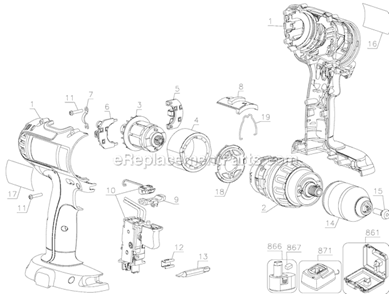
Genuine manufacturer approved replacement switch used on DeWALT drills/drivers. It is the part of the tool handling on/off operations. Since switches have moving mechanical parts, they will eventually wear out and will require a replacement. Switch has a plastic body and it is sold individually. To replace this switch you would need a screwdriver. • Remove screws used to hold two pieces of housing set together • Disconnect wires from the old switch and remove it from the housing • Place the new switch in the housing and connect wires to it • Reassemble the housing
Troubleshooting
This part works with the following brands:
DeWALT
This part works with the following products:
Cordless Drill
Hammer Drill
Customer Repair Instructions
All our customer repair instructions are solicited directly from other customers just like you who have purchased and replaced this exact part.
Easy
15 - 30 mins
(1 rated repair)?
< Prev
1
Next >
Sort by:
Sorry, we couldn't find any existing installation instruction that matched.
1. Remove assembly screws.
2. Pry open case.
3. Remove the rear bearing retainer and lift the rear of the commutator.
4. Remove the switch wires.
5. Remove the light and the switch assembly.
6. Replaced with the new.
6. Reassemble.
Did you find this story helpful?
Thank you for voting!
< Prev
1
Next >
Model Cross Reference
This part works with the following models:
ERP Number: ERP10166649
Manufacturer Part Number: 152274-29
This part is in stock in our warehouse and will ship out within 1 business day of the order being placed.
New stock is on the way! On order parts usually ship within 7 business days.
Item is not in stock and usually ships 10-15 business days from the time you place your order.
This item is no longer being made by the manufacturer, and cannot be added to your shopping cart.
✖
Mail-In Recycling Rebate
Some of the parts we sell are eligible for mail-in rebates since we can recycle them. We will display any applicable rebates in your shopping cart. To redeem your rebate, contact Customer Service after you have received your part.