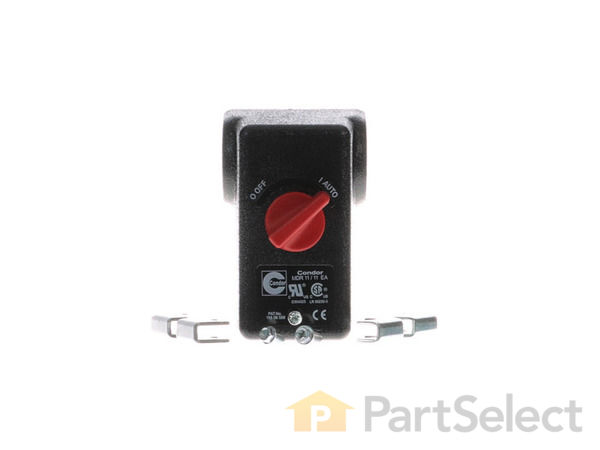
This is a manufacturer sourced replacement part designed for use with Campbell Hausfeld air compressors. The pressure switch tells your compressor when to stop and when to start. There are multiple reasons a pressure switch could be leaking air. If it is leaking air the pressure switch should be replaced for a compressor to operate properly and safely. To complete this repair you would need: wrench set, nut driver set and a thread-sealing tape. • Shut off the electricity and drain the air tank • Remove the tank pressure gauge • Remove the pressure switch tube • Remove the pressure regulator assembly • Disconnect the wires • Remove the safety valve • Install the new pressure switch • Reinstall the safety valve • Connect the wires • Reinstall the pressure switch tube • Screw the pressure gauge onto the new pressure switch and tighten the gauge firmly • Test the air compressor
Very easy, Just removed old switch and put new one on. Less than an hour. Just make sure where the wires go, line cord in and to the motor out. Diagram was in side the cover plate. Great Company to deal with. Added them to my favorites.
Did you find this story helpful?
Thank you for voting!
Compressor won\'t shut off.
Richard from STILWELL, Kansas
4 of 4 peoplefound this instruction helpful.
Difficulty Level:
A Bit Difficult
Total Repair Time:
30 - 60 mins
Tools:
Pliers, Screw drivers, Wrench (Adjustable), Wrench set
Unplug the compressor. Remove all the parts that are not included with the new pressure switch. Remove the cover. Make a wiring diagram and remove the wires. Remove the old pressure switch. Install the new switch, attach the wires to it. Install all of the parts that were taken off of the old switch. Plug it in. Good to go.
Remove all of the gauges and the rest of the parts that are not included with the new pressure switch. Open the switch box and make a wiring diagram, then disconnect the wires. Then remove the old pressure switch. Install the new one. Open it up and wire it up correctly. Attach all of the pats that belong on it. Then give it a test run. G
... Read moreood luck.
Remove all of the parts from the old switch that are not included with the new pressure switch
Remove the cover on the switch and make a wiring diagram
Remove the wires from the switch
Install the new pressure switch
Remove the cover and connect the wiring
Install all of the part removed from the old pressure
... Read more switch
Remove all of the items that are not included with the new switch. Remove the back cover to see which wire goes where, and remove them. Install the new switch and wires it in. Place all of the items that you removed from the old switch to the new one.
Did you find this story helpful?
Thank you for voting!
Compressor would not start.
Joseph from Paola, Kansas
1 personfound this instruction helpful.
Difficulty Level:
A Bit Difficult
Total Repair Time:
15 - 30 mins
Tools:
Nutdriver, Screw drivers, Wrench (Adjustable), Wrench set
Removed the old switch per the instructions you sent. When following instructions to install the new switch, found that neither of the two new brackets for the strain relief of the electrical wires did not fit and would not allow the cover to fit properly. Thus, I used the old bracket to secure the wires. This was significant since the
... Read more cover must fit properly for the switch to work properly when turning between \"off\" and \"auto\". This took some time for me to figure out and properly install new switch.
Read less
Did you find this story helpful?
Thank you for voting!
Pressure switch varied in shut-off and on settings
1. Removed electrical connections and wires
2. Removed connected components to switch
3. Removed switch from compressor tank
4. Installed new switch using thread dope
5. Installed connected components using thread dope
6. Connected electrical connections
7. Tested unit
Did you find this story helpful?
Thank you for voting!
< Prev
1
2
Next >
✖
Stock Status
This part is in stock in our warehouse and will ship out within 1 business day of the order being placed.
New stock is on the way! On order parts usually ship within 7 business days.
Item is not in stock and usually ships 10-15 business days from the time you place your order.
This item is no longer being made by the manufacturer, and cannot be added to your shopping cart.
✖
Mail-In Recycling Rebate
Some of the parts we sell are eligible for mail-in rebates since we can recycle them. We will display any applicable rebates in your shopping cart. To redeem your rebate, contact Customer Service after you have received your part.




_WW_1.gif "Part Location Diagram of CW210100SJ Campbell Hausfeld Pressure Switch")


_WW_1.gif "Part Location Diagram of CW210100SJ Campbell Hausfeld Pressure Switch")