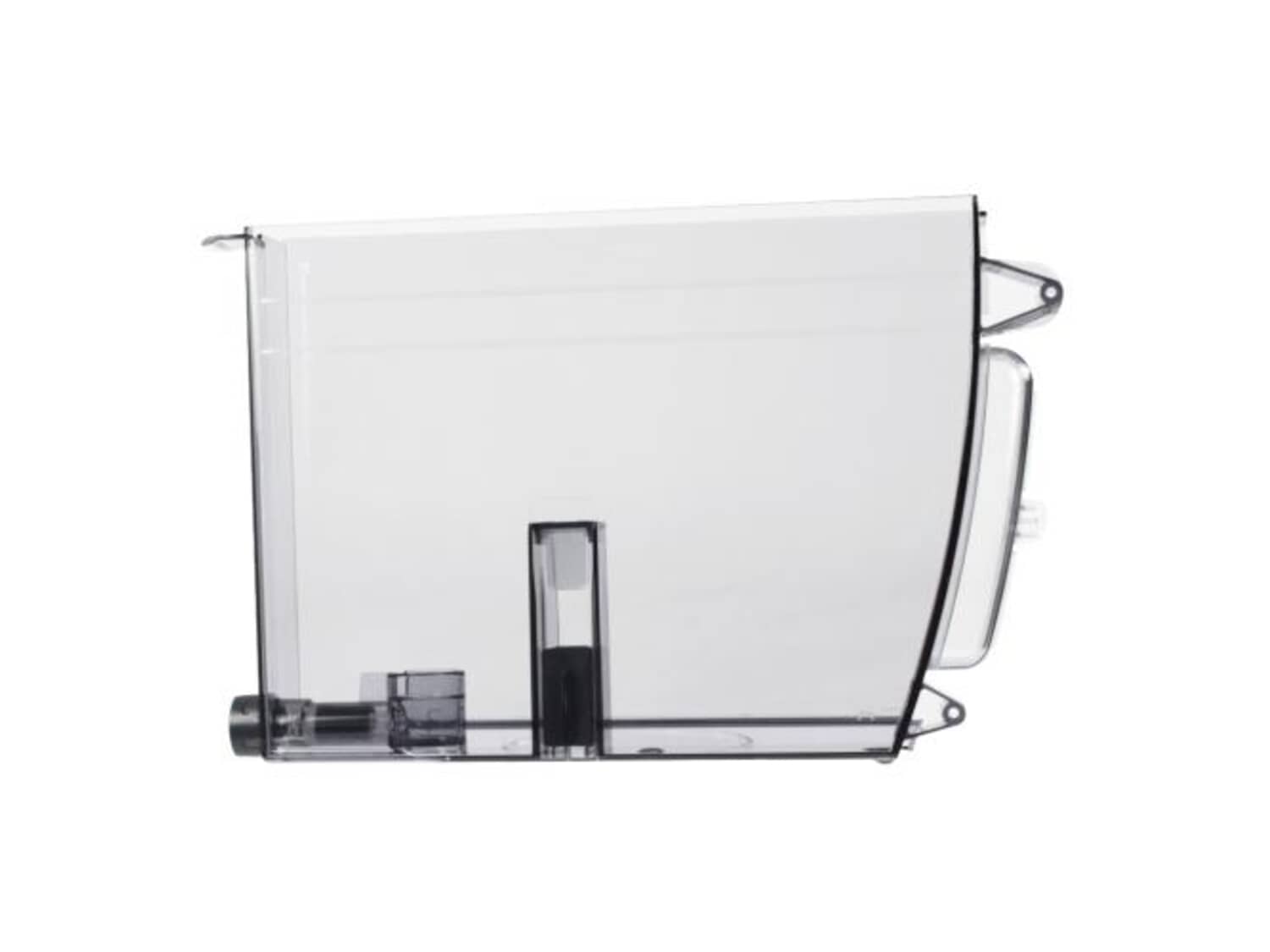
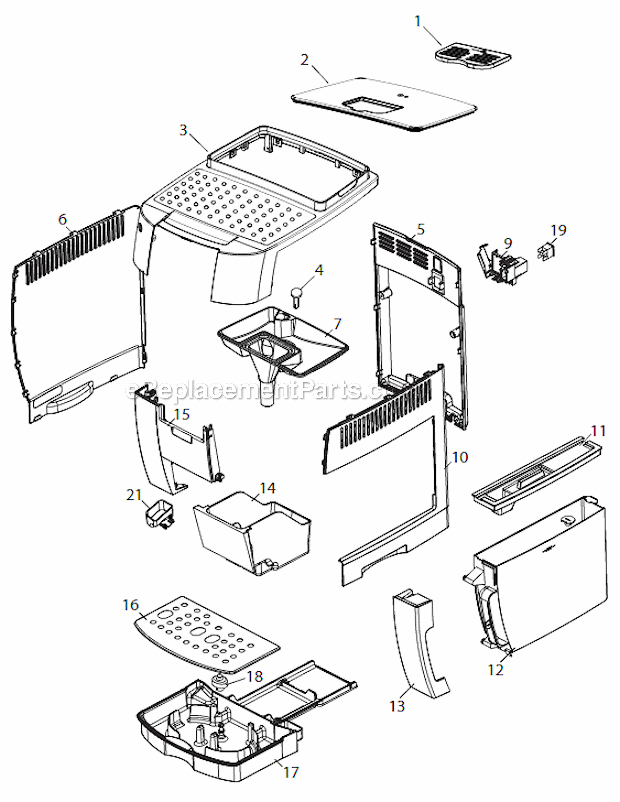
It is a genuine OEM supplied replacement part that is specially designed for DeLonghi coffee makers. This tank is used to hold the water needed to make coffee. This item is made of durable transparent plastic and it is sold individually. Replacing it is a very simple task that does not require any tools, simply remove the old tank and replace it with the new one.
Troubleshooting
This part works with the following brands:
DeLonghi
This part works with the following products:
Coffee Maker
Espresso Machine
Part# AS13200250 replaces these:
7313212611, 7313233411, 7313254561, 7313254571,
★
Customer Part Reviews
?
4.4
Average Rating (out of 5):
★★★★★
★★★★★
(13 Reviews)
Click to filter by ratings:
5 stars
11
4 stars
0
3 stars
0
2 stars
0
1 star
2
< Prev
1
2
Next >
Sort by:
Sorry, we couldn't find any existing reviews that matched. Try using some different or simpler keywords.
★★★★★
★★★★★
Perfect replacement
The new tank arrived quickly in perfect condition.
Guest - September 5, 2019
Verified Purchase
★★★★★
★★★★★
Perfect fit
Fast shipping. Fit perfectly
Guest - November 28, 2019
Verified Purchase
★★★★★
★★★★★
Perfect fit
perfect fit bit took a long time to receive. Ill chalk the slow delovery up to Covid.
Guest - May 22, 2020
Verified Purchase
★★★★★
★★★★★
Great part
Excellent . Same as original
Lucy - July 21, 2020
Verified Purchase
★★★★★
★★★★★
Perfect fit
Water tank fit perfectly. Put handle from old on and could use my espresso machine again. Thank you
Guest - December 19, 2020
Verified Purchase
★★★★★
★★★★★
Delivered quickly as promised
Correct part sent right away, though USPS never updated that they had received the shipment. Thanx guys I am having my morning coffee again as always.
Guest - July 7, 2021
Verified Purchase
★★★★★
★★★★★
Easy repair
I am glad I find your company. The part works perfectly and my coffee machine is finally performing as new. I will definitely keep your company in my bookmarks. Thank you.
Guest - July 19, 2021
Verified Purchase
★★★★★
★★★★★
Perfect Fit
The replacement water tank for my older De Longi expresso machine fits perfectly as indicated. Many thanks!!
Guest - July 19, 2021
Verified Purchase
★★★★★
★★★★★
Super fast shipping
Fit perfect up in running five minutes after receiving. Part did have valve pre installed
Guest - April 27, 2022
Verified Purchase
★★★★★
★★★★★
Great replacement
Slightly different color plastic than the original, but it actually looked nicer. Original had more curvature which followed the outsidebody of my Delonghi, where as the replacement was flat. Differences are hardly perceptible and the replacement tank works great.
Matt - May 1, 2019
Verified Purchase
< Prev
1
2
Next >
Customer Repair Instructions
All our customer repair instructions are solicited directly from other customers just like you who have purchased and replaced this exact part.
Easy
15 - 30 mins
(3 rated repairs)?
< Prev
1
Next >
Sort by:
Sorry, we couldn't find any existing installation instruction that matched.
MagnificaXS wouldn\'t exit descale process or register low water in tank
Problem was that magnet in tank float had deteriorated and would not activate reed switch when water got low.
1. Purchase new tank
2. Remove and empty old tank of water & filter
3. Remove 2 phillips head screws from left side of grey handle
4. Pry grey handle away from tank. You may have to use a flat head s
... Read morecrewdriver to start the prying process at the bottom of the handle/tank.
5. Fit handle onto new tank and install 2 phillips head screws removed previously.
6. Fill tank with water and replace filter.
Voila, you\'re done. if you\'re still stuck in the descale cycle, just run the water out and the cycle will automatically complete.
Read less
Did you find this story helpful?
Thank you for voting!
I broke off the little plastic tab at the top back that had to fit in the slot so the machine would recognize the water tank was in place.
Removed the old handle by unscrewing 2 Phillips head screws and placed it on the new water tank. Inserted new filter, placed old cover on the tank and inserted the new tank in place.
Espresso Machine
- Dinamica Plus Espresso Machine (0132215386) Ver:ca, Us
✖
Stock Status
This part is in stock in our warehouse and will ship out within 1 business day of the order being placed.
New stock is on the way! On order parts usually ship within 7 business days.
Item is not in stock and usually ships 10-15 business days from the time you place your order.
This item is no longer being made by the manufacturer, and cannot be added to your shopping cart.
✖
Mail-In Recycling Rebate
Some of the parts we sell are eligible for mail-in rebates since we can recycle them. We will display any applicable rebates in your shopping cart. To redeem your rebate, contact Customer Service after you have received your part.
✖
[{"position":0,"name":"Home","title":"Home","url":"/"},{"position":1,"name":"Tank or Container","title":"Tank or Container","url":"/parts/small-appliance/coffee-maker/tanks-and-containers/"},{"position":2,"name":"AS13200250","title":"AS13200250","url":""}]