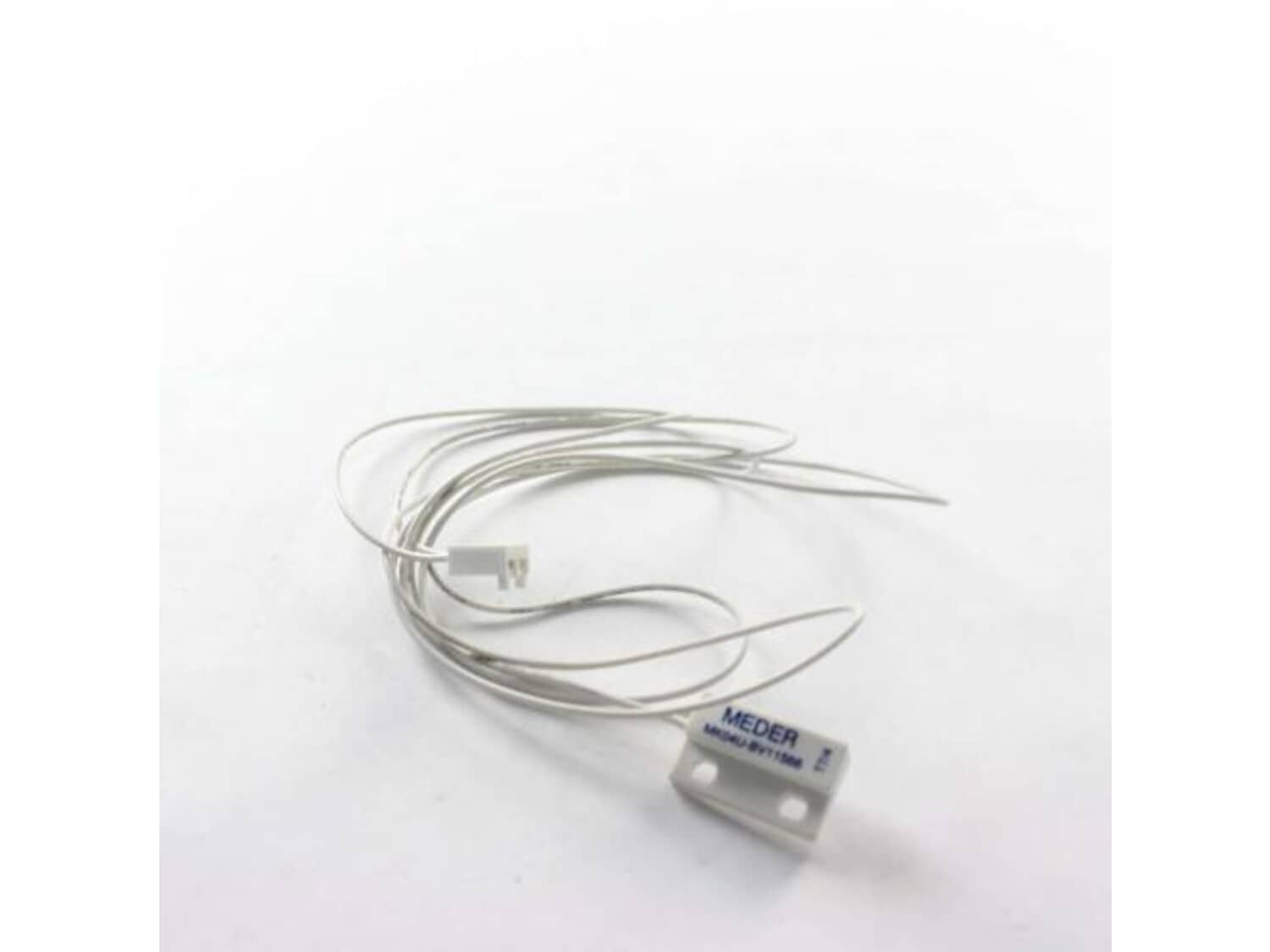
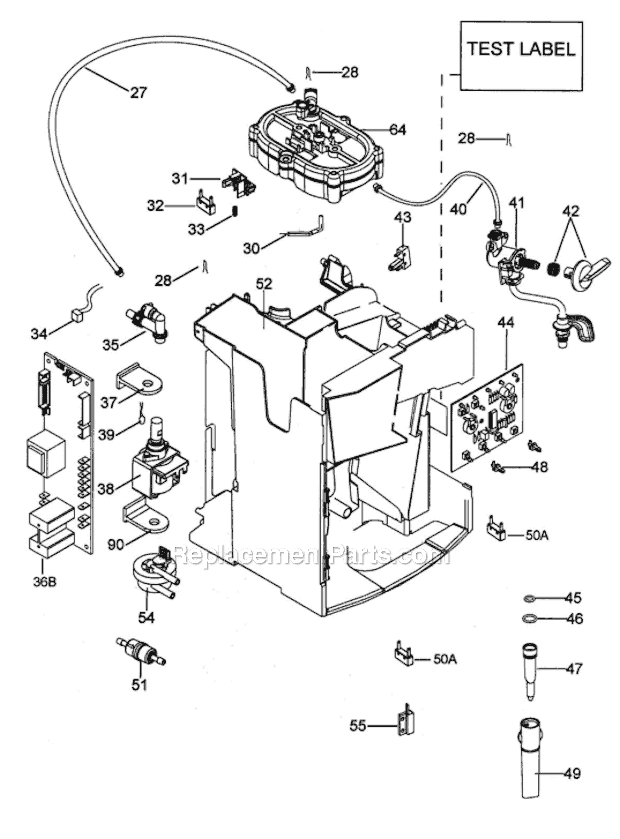
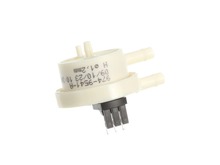
This authentic item is supplied directly from the original equipment manufacturer for use with DeLonghi coffee makers. It is a special component which helps to detect whether the water tank is full or empty. Over time it may wear out or get damaged eventually requiring a replacement to ensure your unit functions properly. One high-quality sensor is included. Make sure to refer to the owner's manual and the appropriate diagram for the correct repair procedure. A screwdriver will be needed to take apart and reassemble the housing when replacing this sensor.
Sorry, we couldn't find any existing reviews that matched. Try using some different or simpler keywords.
★★★★★
★★★★★
Great parts
Fit perfectly
Guest - October 9, 2021
Verified Purchase
★★★★★
★★★★★
Take your time! Correct part, shipped promptly BUT
Part itself, service here no problem. But, in my case I wish I had removed the sensor and tested it directly on the magnetic float, AND I wish I had inspected the PCB plug for this sensor harness more carefully up front. It was poorly mounted to pcb with a gap so that inserting the new plug tore the pcb traces on the back. I had to solder on a jumper and hot glue the plug to repair the pcb, only to find out afterwards that the water containers float had demagnetized enough that it wouldnt trigger the new switch. In my case I just put the old switch harness back on, clipped it, shorted it out to indicate adequate water level. I can visually check this level just fine. Restored function. Anyone want a new sensor? Doubt I can return it, so onto eBay I guess it goes.
Alex - February 23, 2022
Verified Purchase
★★★★★
★★★★★
Great results!
Arrived promptly! It did the trick!!! I’m enjoying cappuccino once again with very little trouble.
Vicki - November 25, 2022
Verified Purchase
★★★★★
★★★★★
Good part, slow service
The part arrived as described, slow shipping, seller didn't respond to contact request.
Iglobal - December 7, 2021
Verified Purchase
Customer Repair Instructions
All our customer repair instructions are solicited directly from other customers just like you who have purchased and replaced this exact part.
A Bit Difficult
15 - 30 mins
(3 rated repairs)?
< Prev
1
Next >
Sort by:
Sorry, we couldn't find any existing installation instruction that matched.
Automatic coffee machine did not recognize if there was water in the container to allow operation
1. Replaced wrong sensor initially.
2. Further analyzed operation of machine and identified likely malfunctioning sensor (senses water level of float in water reservoir)
3. Ordered and replaced this sensor.
Did you find this story helpful?
Thank you for voting!
The control know for the steam broke, and I replaced the water level sensor at the same time.
1. Removed the water tank and the catch tray from the unit.
2. Removed the back panel, and then the side panels.
3. Removed the control panel.
4. Removed the broken piece of the knob.
5. Unscrewed and replaced the water level sensor
6. Reassembled in the reverse order.
Did you find this story helpful?
Thank you for voting!
Espresso Maker Magnifica XS model ECAM will have a drip light turn on and will not brew
After some investigation and seeing a video of a repair online I order the part. So I removed the back cover by using the Torx bit socket I\'m not 100% but I think is the TR20 size removed the water tank and removed the side panel located the sensor is located underside of water tank (middle of unit) used a phillips screwdriver to remove
... Read morethe screw that holds the sensor to the plastic The I located the connector side of the sensor cut the cable tie that was holding wires together and disconnected the sensor from the connector side. After that I installed the new sensor and before putting the unit back together I tested by putting the water tank in place and turning the unit on to make sure the error was gone and tested by brewing a few cups of coffee. put back the covers starting with side panel and then the back panel.
Read less
Did you find this story helpful?
Thank you for voting!
< Prev
1
Next >
Model Cross Reference
This part works with the following models:
ERP Number: ERP10310585
Manufacturer Part Number: 5232104600
Coffee Maker
- Superautomatic (0132217083) Ver: Ca, Us
✖
Stock Status
This part is in stock in our warehouse and will ship out within 1 business day of the order being placed.
New stock is on the way! On order parts usually ship within 7 business days.
Item is not in stock and usually ships 10-15 business days from the time you place your order.
This item is no longer being made by the manufacturer, and cannot be added to your shopping cart.
✖
Mail-In Recycling Rebate
Some of the parts we sell are eligible for mail-in rebates since we can recycle them. We will display any applicable rebates in your shopping cart. To redeem your rebate, contact Customer Service after you have received your part.