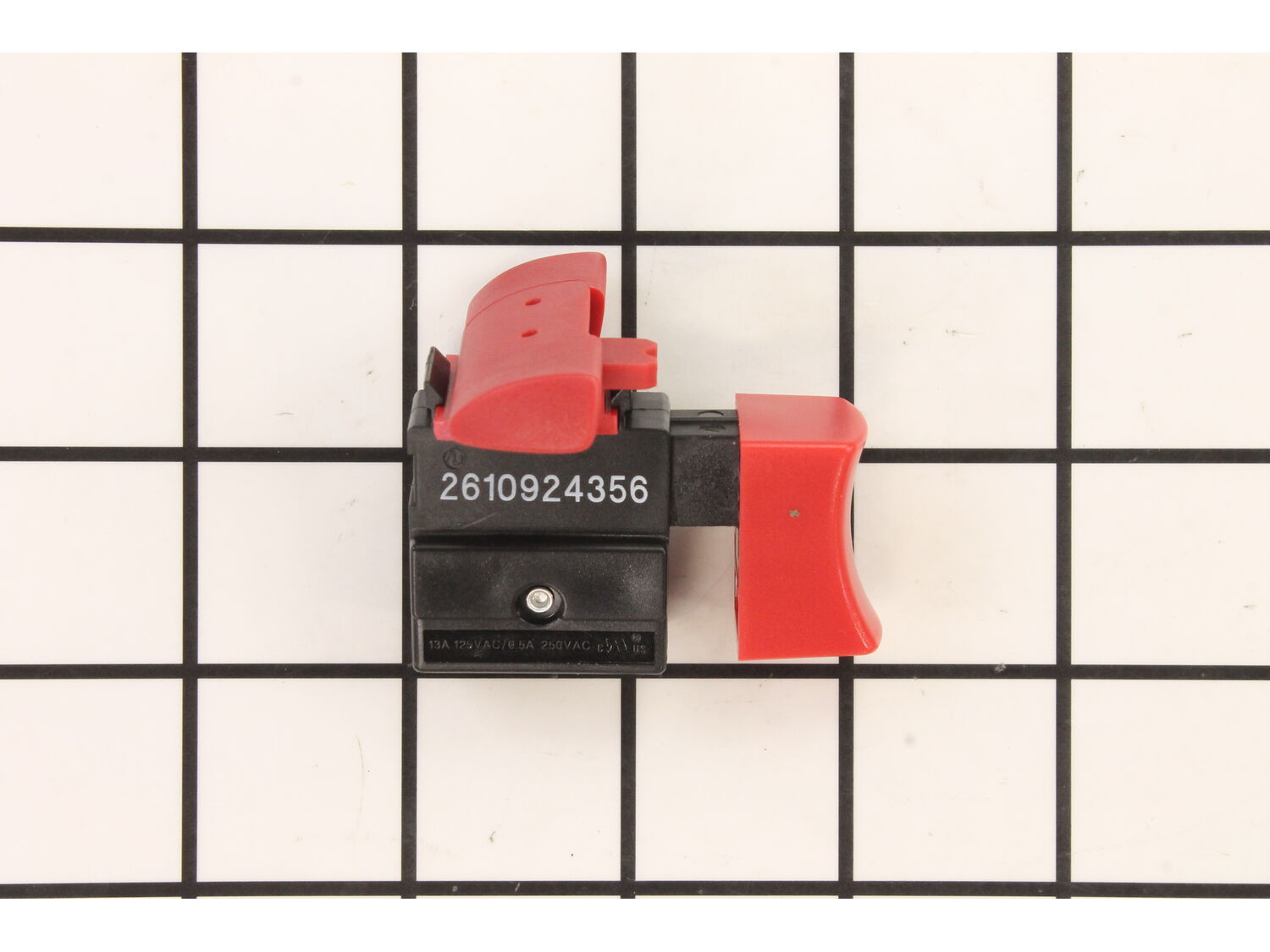
This Trigger switch has internal terminals and a forward/reverse control lever. This authentic Skil replacement part is sold individually. Switches are commonly replaced parts in power tools, handling all on/off and variable speed operations. They also have a role in electric breaking; they can momentarily reverse electrical polarity. Because switches use mechanical internals, they will degrade and wear out over time, eventually requiring replacement. Some common signs of a broken or failing switch are: • The tool will not start when you use the switch, or it requires multiple tries to turn on, until eventually it refuses to start at all. • The variable speed function and electric braking aren't working properly.
Troubleshooting
This part works with the following brands:
Skil
This part works with the following products:
Circular Saw
Saw
Part# 3132421036 replaces these:
2610917325,
★
Customer Part Reviews
?
3.0
Average Rating (out of 5):
★★★★★
★★★★★
(2 Reviews)
Click to filter by ratings:
5 stars
1
4 stars
0
3 stars
0
2 stars
0
1 star
1
< Prev
1
Next >
Sort by:
Sorry, we couldn't find any existing reviews that matched. Try using some different or simpler keywords.
★★★★★
★★★★★
Quality part
Excellent exact replacement part and easy to install.
Anonymous - July 5, 2021
Verified Purchase
★★★★★
★★★★★
used to like it
last order was all wrong, not the switch but the reel parts, I have tried several times to contact with no avail, had to forfeit the money and re order with different service done
Randy - June 16, 2020
Verified Purchase
Questions & Answers
?
Our customer Service team is at the ready daily to answer your part and product questions.
We're sorry, but our Q&A experts are temporarily unavailable.
Please check back later if you still haven't found the answer you need.
Ask our Team
We have a dedicated staff with decades of collective experience in helping customers just like you purchase parts to repair their products.
Used a screwdriver with a medium star-bit and took off the the removable part of the handle.
Removed the wires one at a time by depressing the retainers in the old switch. Put the wires into the new switch as they were removed so there could be no chance of getting the wires crossed. Put the new switch in place and carefully re-la
... Read moreced the wires into the channels so there would be no chance of pinching them.
Note: Be careful to insert the power cord correctly into the slot before replacing the handle.
Re-installed the handle half with the drill/driver torque set on \"5\".
Tested the saw and it worked fine.
Thanks for your quick delivery and your excellent price.
Toivo Kankkonen
1. Unscrewed the plastic casing of the handle
2. Ordered new switch using the parts number
3. Used a sharp nail to release the wires from the switch
4. Matched each wire to the new switch as I removed and replaced; pushed wires into new switch
5. Laid the wires properly within the handle
6. Screwed the handle
... Read more together
7. Tested the saw; all good
Removed screws from the handle.
Separated handle and lifted switch out.
Disconnected wires from old switch and connected them back in same location on the new switch.
Replaced switch in handle and installed screws.
Remove the screws fro the handle
Remove the cord and switch (Be careful the switch will brake then you will have to get a new switch also. )
Then press the new wires in to the switch.
Place the cord in place, then the handle
Replace all the screws ( be care full to put them in wrong
place, there is two sh
... Read moreort switch.
Then test it to see how well you did
Read less
Did you find this story helpful?
Thank you for voting!
needed new cord and I couldn\'t get the wires out of the switch without breaking it.
1. Put each wire in a soldering jig - in alligator clips under a magnifying glass
1. Solder hardened the wires of the new cord
2. Inserted them into with new switch
3. Put the switch in its spot in the saw casing
4. Installed the screws
Removed 5 screws from handle . Lifted handle piece. Removed wires one at a time. As each wire was removed , it was installed into new switch so as not to confuse wire location. Once complete , I put handle into position and replaced screws.
Works fine.
Replaced the switch by splitting the control handle, noting the wiring connections, removing all of the old switch pieces while noting the arrangement. The push connectors make it easy to connect the wires, seat the switch, and replace the handle half. Zoom zoom!
Did you find this story helpful?
Thank you for voting!
< Prev
1
Next >
✖
Stock Status
This part is in stock in our warehouse and will ship out within 1 business day of the order being placed.
New stock is on the way! On order parts usually ship within 7 business days.
Item is not in stock and usually ships 10-15 business days from the time you place your order.
This item is no longer being made by the manufacturer, and cannot be added to your shopping cart.
✖
Mail-In Recycling Rebate
Some of the parts we sell are eligible for mail-in rebates since we can recycle them. We will display any applicable rebates in your shopping cart. To redeem your rebate, contact Customer Service after you have received your part.



_WW_1.gif "Part Location Diagram of 3132421036 Skil Switch")

_WW_1.gif "Part Location Diagram of 3132421036 Skil Switch")

