

















































Why Read This Article?
Finish Nailer Repair - Replacing the Driver Guide (Ridgid Part # 79004001022)
Article Breakdown
Finish Nailer Repair - Replacing the Driver Guide (Ridgid Part # 79004001022)
Video

Tools & Materials
- Screwdriver with torx bits
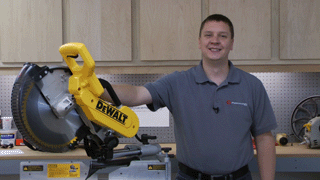
To find DeWalt parts, including switches, visit our DeWalt parts page. For other power tool parts, visit our power tool parts finder.
Replacing the Switch
1. Remove the top cover
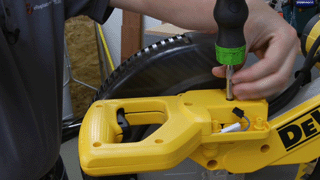
Remove the screws from the top cover and handle.
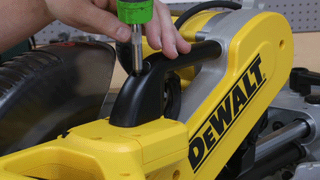
Lift the saw up so the cover clears the blade guard, then remove the cover.
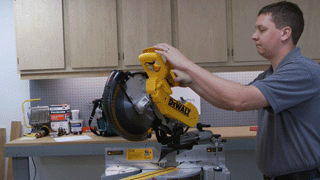
2. Remove the switch
Remove the screw that secures the switch.
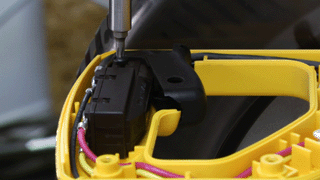
Note the wiring of the switch. You can use your phone to take a picture of the wiring, or draw a diagram.

Disconnect the wires and remove the broken switch.
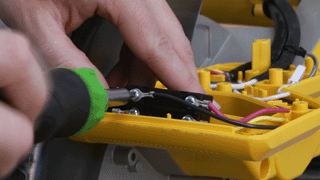
3. Install the new switch
Loosely attach the wires. Double-check the wiring, then tighten the wires down.
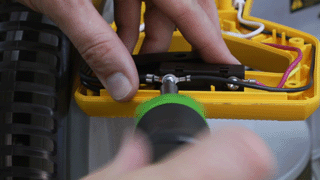
Fasten the screw that holds the switch in place.
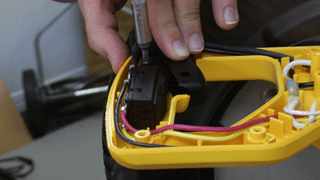
4. Route the wires
Tuck all the wires into the saw housing to prevent them from being pinched when you install the cover.
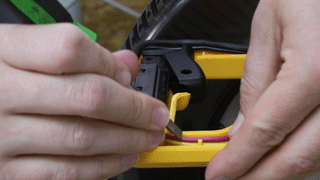
5. Re-install the top cover
Lift the saw and set the top cover into place.
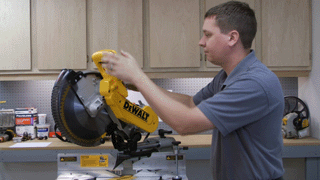
Now just secure the screws in the top cover and replace the handle to finalize the repair.
Conclusion
Replacing the switch on your DW718 miter saw is an easy repair that should only take you about 15 minutes. This repair will get your saw working again, without all the waiting that usually comes with a repair shop.
Remember to use our power tool parts finder to find all the OEM parts designed specifically for your tools.
[Back to Top]
What We're About