

















































Why Read This Article?
Finish Nailer Repair - Replacing the Driver Guide (Ridgid Part # 79004001022)
Article Breakdown
Finish Nailer Repair - Replacing the Driver Guide (Ridgid Part # 79004001022)
Video

Tools & Materials
- Flat-head screwdriver

We used a Porter Cable 690 series router for this repair. Brush types and location differ depending on your router, so be sure to use our Porter Cable parts finder to get the brushes designed specifically for your tool.
Replacing the Brushes
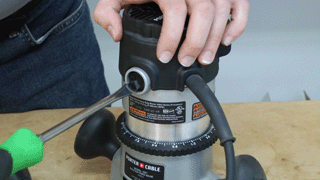
1. Remove the brush cap
Use your screwdriver to remove the cap that holds the brush in place.
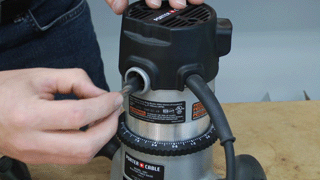
2. Remove the brush
With the cap removed, you can slide the brush out of the router.
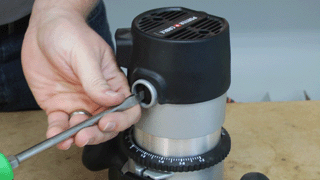
3. Repeat on the other side
Remove the cap and brush from the other side of the router.
4. Install the new brush
Slide the new brush into place in the router.
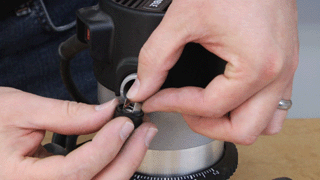
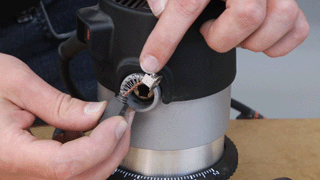
Place the cap over the brush and note the notches in the brush terminal. These must align with the notches in the brush holder.
5. Secure the brush cap
With the brush aligned, set the cap into place, then tighten it down.

6. Repeat on the other side
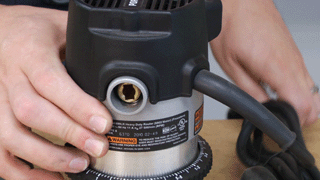
Repeat the brush installation on the other side of your router to finalize the repair.
 [Back to Top]
Conclusion
And that's how you can easily replace the brushes on a Porter Cable 690 series router. You can complete this repair in about ten minutes, which means you spend less time waiting on a repair shop, and more time working on your projects.
Remember to use our power tool parts finder to find all the right parts for all your power tools.
[Back to Top]
What We're About